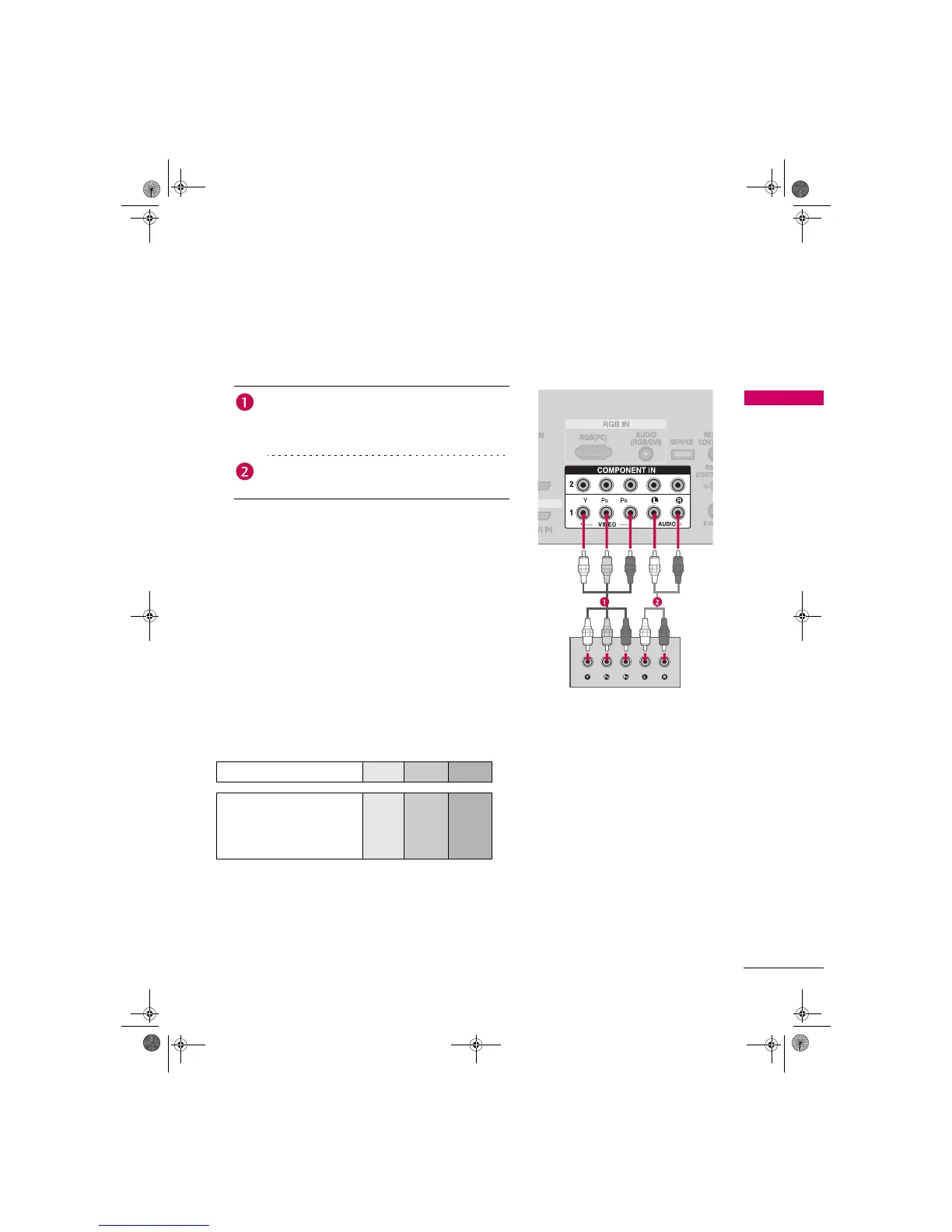
. How to connect
2. How to use
Turn on the DVD player, insert a DVD.
Select the Component 1 input source on the TV using the
INPUT button on the remote control.
If connected to COMPONENT IN2 input, select the
Component 2 input source on the TV.
Refer to the DVD player's manual for operating instructions.
Connect the video outputs (Y, P
B, PR) of the DVD to
the COMPONENT IN VIDEO 1 jacks on the TV.
Match the jack colors
(Y = green, PB = blue, and PR = red).
Connect the audio outputs of the DVD to the
COMPONENT IN AUDIO 1 jacks on the TV.
Component ports on the TV
Y PB PR
Video output ports
on DVD player
Y PB PR
Y B-Y R-Y
Y Cb Cr
Y Pb Pr
Zenith.book Page 19 Wednesday, April 2, 2008 11:46 AM



 To Next Page