1-4
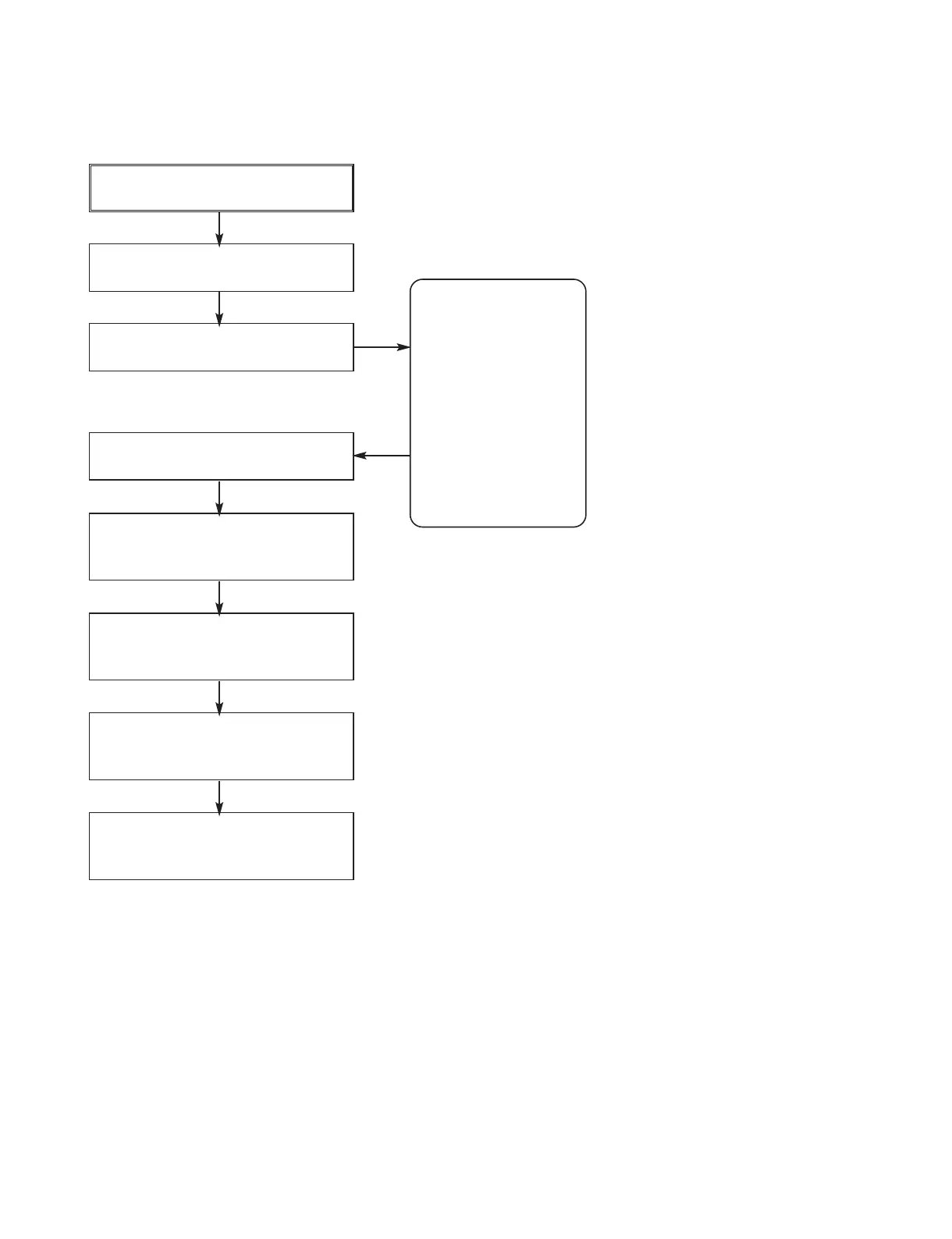
THE STEPS FOR CHANGE THE OPTION CODE
Push Switch POWER ON/ OFF
at remocon or timer keyborad
Select DVD MODE at the set
use remocon or timer keyborad
Push REC+ PLAY
at timer keyboard
Use remocon and push ENTER
Use Direction Key at
remocon (LEFT/ RIGHT)
for select the position of option
Use Direction Key
at remocon (UP/ DOWN)
for change the option
After finish edit code of option
push ENTER at remocon
For finishing and intialized
the option code push
REC + EJECT at remocon
Note : This procedure must be done when IC304(On digital Board) or Digital Boardassy
NAME HEX
OPT1 F2
OPT2 55
OPT3 53
OPT4 D7
OPT5 17
OPT6 3C
OPT7 20
OPT8 00
Press “Enter” key
to Save and Exit
DETECT NEW EEPROM (OPTION EDIT SCREEN)




 To Next Page