Operating IntegratorRD Workstations
96 025-9535L
Responding to a Call
To respond to a call that has been received and is still active (“Hang...”), the user can
transmit voice to the distant end radio by selecting the channel and using the selected
channel XMIT button, or (if a mouse is being used) by placing the mouse over the channel
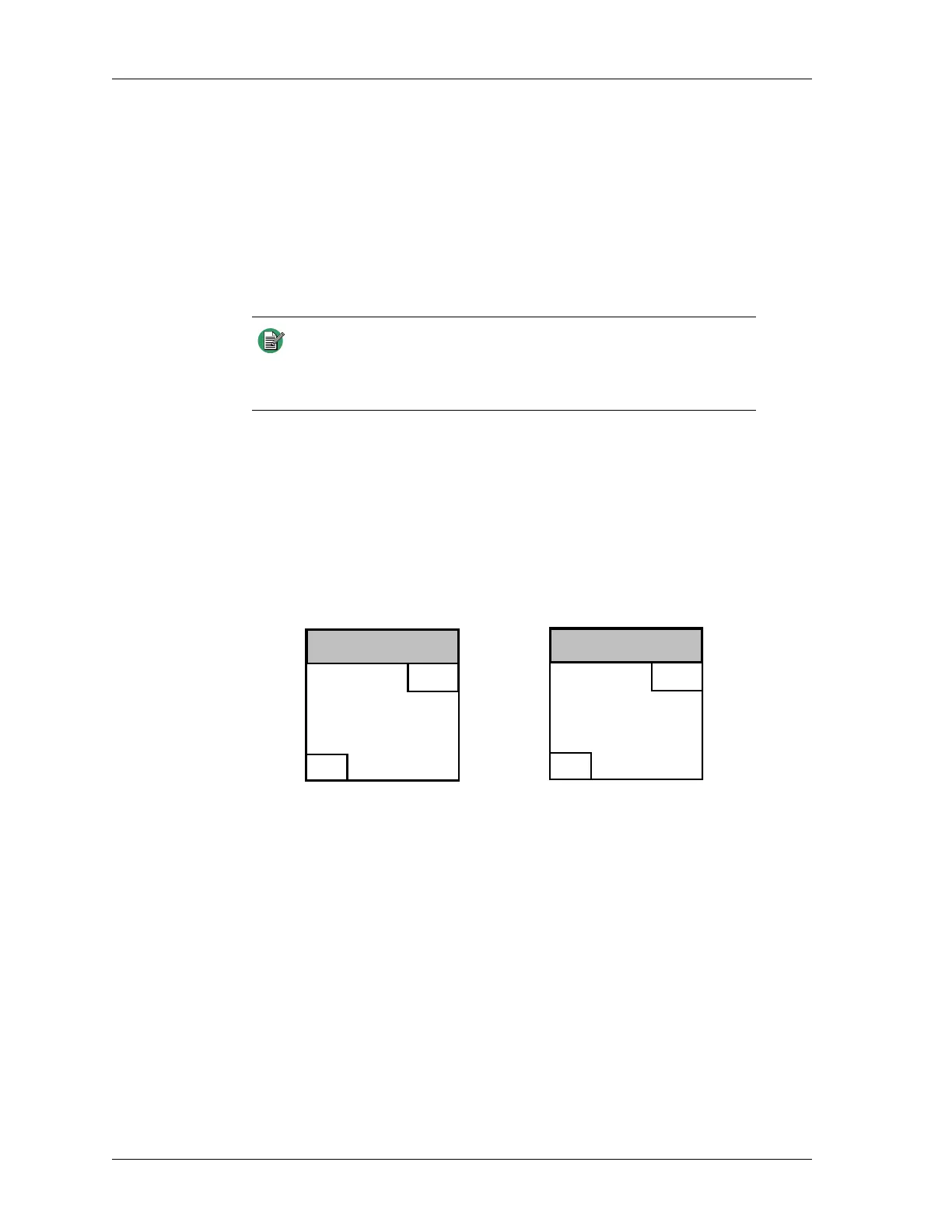
box and hitting the right mouse button. The call progress indication “Transmit..” and
the “BSY” indication activates, indicating to other console positions that the transmitter is
busy. See Figure 22.
A third way to respond to a call is by highlighting the call in the Call History Window,
using the STATUS UP and STATUS DOWN buttons or mouse, and then pressing the
CALL REPLY button. If this method of responding to a call is used, GRP/PVT call mode
setting is irrelevant.
Releasing the pressed XMIT, Reply, or right mouse button clears the BSY indication.
Figure 22: Channel Box Transmitting Indicators
Receiving a Status Message
A radio in the field can send a status update to the dispatcher. The received status is
displayed in the Call History Window along with the time and radio ID from which the
status was received.
The status numbers can be aliased to 10-character alphanumeric strings.
The status reception condition clears automatically from the radio by the iDEN Dual
Channel Card software to allow continued dispatching operation.
Receiving a Call Alert
A radio in the field can send a call alert to get the dispatcher to call back. In addition to the
audible alert, the call alert is displayed in the Call History window with a status of “--
Alert--” along with the time, radio ID, and channel from which the alert was received.
Note When responding to a call that is no longer active, the channel
must be in GRP mode to respond to Group calls and PVT mode for
private call, when using the above mentioned methods. The
current mode can be changed by pressing the CHAN MODE button.
Non-Aliased Aliased
CHANNEL TITLE
BSY
GRP
Transmit..
1234
51
CHANNEL TITLE
BSY
GRP
Transmit..
John Doe
51


 To Next Page