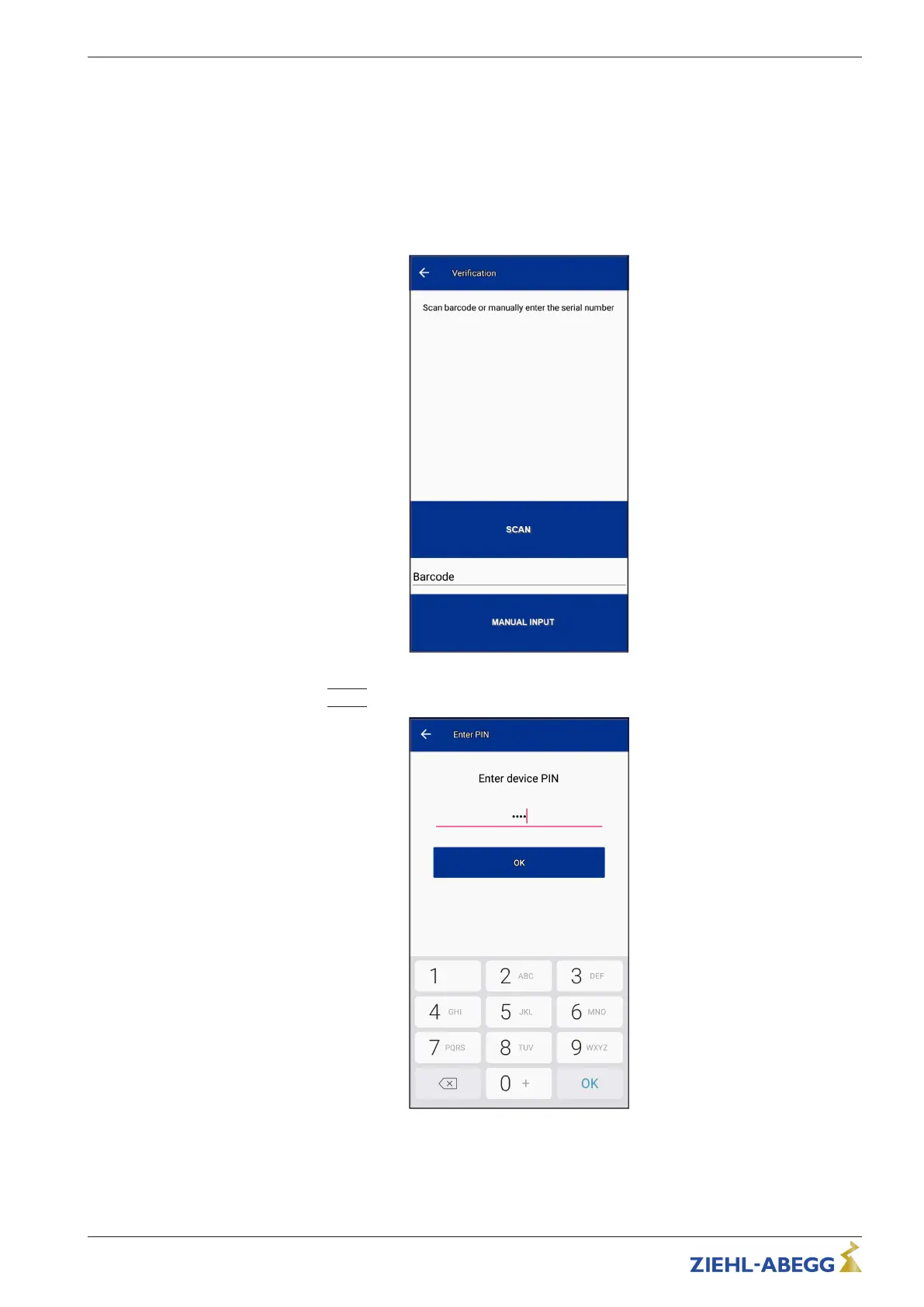
8. As soon as a connection to the device is established, a two-stage authentication process is
initiated.
– First stage: Binding (linking AM-STICK-WB with device serial number).
The app checks whether the MAC address of the stick has already been assigned a serial
number. If not, a dialog automatically opens to link with the serial number. If a binding already
exists, you have to enter the PIN (see second stage).
The serial number can either be entered manually by reading it off and entering it in a text field
or by scanning the data matrix code (see additional adhesive label).
– Second stage: Access code (PIN)
Enter the PIN
|
9999
|
(factory setting) and confirm with “OK”.
Quick Start Guide ECblue BASIC-MODBUS, ECblue BASIC AM-STICK-WB
L-BAL-F078-GB 2024 Index 005 Part.-No. 00706648-GB
23/32







 To Next Page