Select either CH1 (Large transducer) or CH2 (Medium/Hand-held transducer). The
color of the button indicates that the channel has been darkened as active.
By using one of the buttons (0) followed by selecting one of the stored programs by
using the central control knob (6), the selected mode is displayed in the mode
selection window located at the lower left part of the display.
The Programs mode is preset with parameter values while the Favourites and Expert
modes are using configurable programs.
Programs mode provides the user with a number of pre-programmed treatment
recommendations. A more detailed description can be found in the treatment guide.
Every recommendation can be further specified by selecting ‘Chronic’ or ‘Acute’
Favourites Mode
(P) Program
Information
Screen
The Favourites Mode has 20 ‘free to store’ programs. Frequency of the magnetic
field, continuous output time and pause time are set in advance. The waveform of
the selected mode is applied repeatedly during the operating time, set by the user.
The parameter setting ranges are as follows
- F1: 1 ∼ 100 Hz
- F2: 1 ∼ 100 Hz
- Ton: 1 ∼ 4s (The setting ranges are different according to the value of F1 and F2)
- Toff: 0 ∼ 10s (The setting ranges are different according to the value of F1 and
F2.)
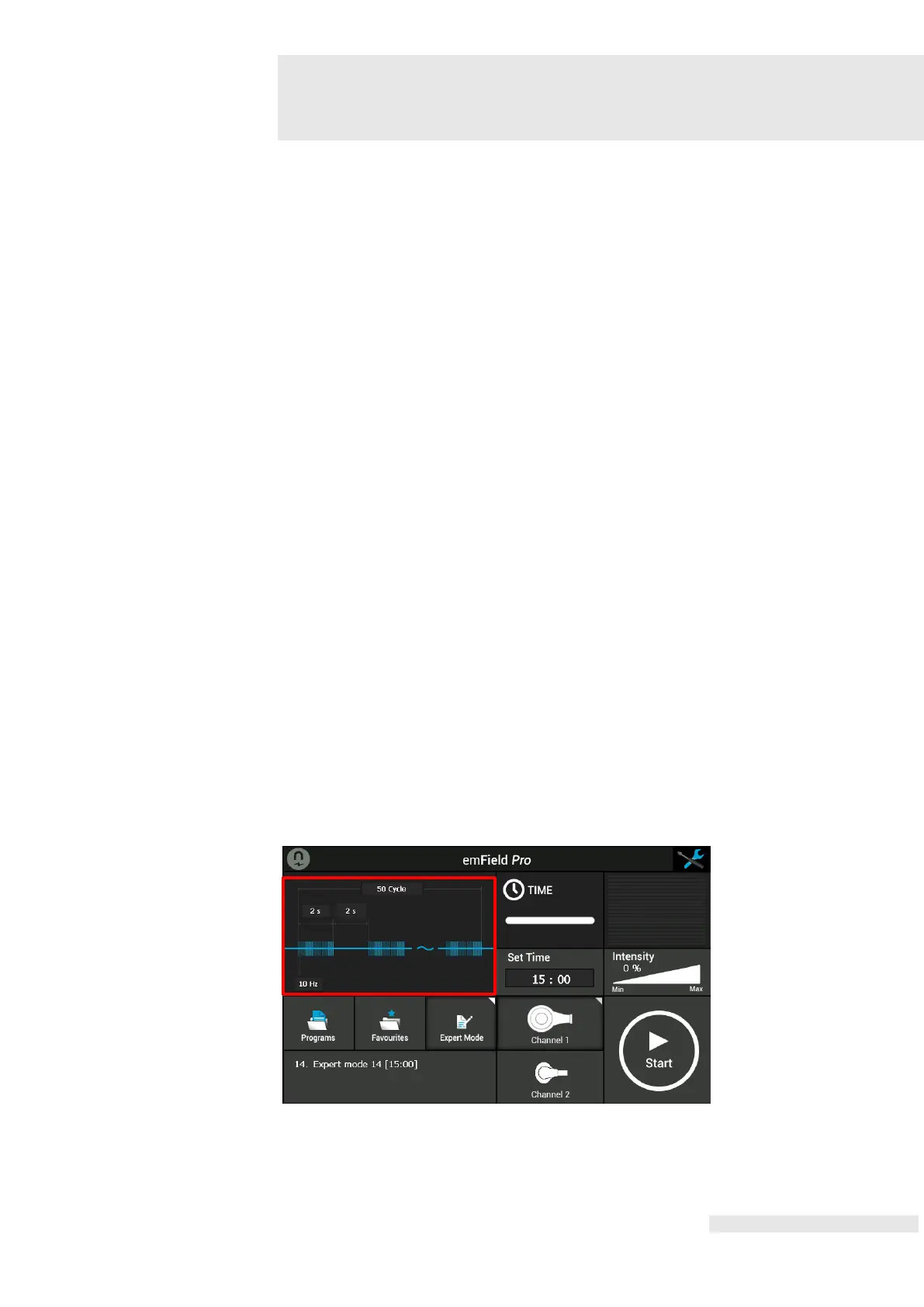
If Program is selected: this screen shows an animation.
If Favourites or Expert Mode is selected: this screen shows a graphic, representing
the chosen parameters.















 To Next Page