This Controller - HW/SW Version Info
Name: default “MX32“; a new unique name for the
controller can be entered here
Language: Selection of the languages available in
this device (loaded from the flash drive or already
present in the controller). Currently German /
English.
Style: System and function symbols come in four
different styles (see chapter “Styles”); two can be
loaded in to the controller and are available here
for selection.
UID: factory-assigned serial number (Read-only)
HW: Hardware Version (Read-only),
SW: Software Version with Date (Read-only)
RF HW/FW: SW Version Radio (Read-only)
Date (Y.M.D): The date for the internal calendar in the
controller
(NOT the system’s clock, see MX10 manual).
Time (H.M.S): Internal clock setting
(NOT the system’s clock, see MX10 manual).
Fast clock: Acceleration factor compared to real time.
E-Timeout: The time the controller remains in the E
menu page after pressing the E-Key (from
the LOCO or SWI mode) before the screen
returns to the previous page if no further se-
lection is made.
Screen Saver: A screen saver is activated after the
controller sits idle for the time entered here:
Name and address number moves randomly
around the screen.
Idle standby: Only useful when the controller is oper-
ated in radio mode: if the controller sits idle for
the time specified here, a special stand-by
screen opens with a clock counting down the
seconds until shutdown (see “Stand-by time”).
Standby-time: Time in seconds for the timer in the
stand-by screen *) to count down to 0. During this
time the controller can be returned to normal opera-
tion
(by pressing the A-Key) without going through the
boot-up sequence.
.
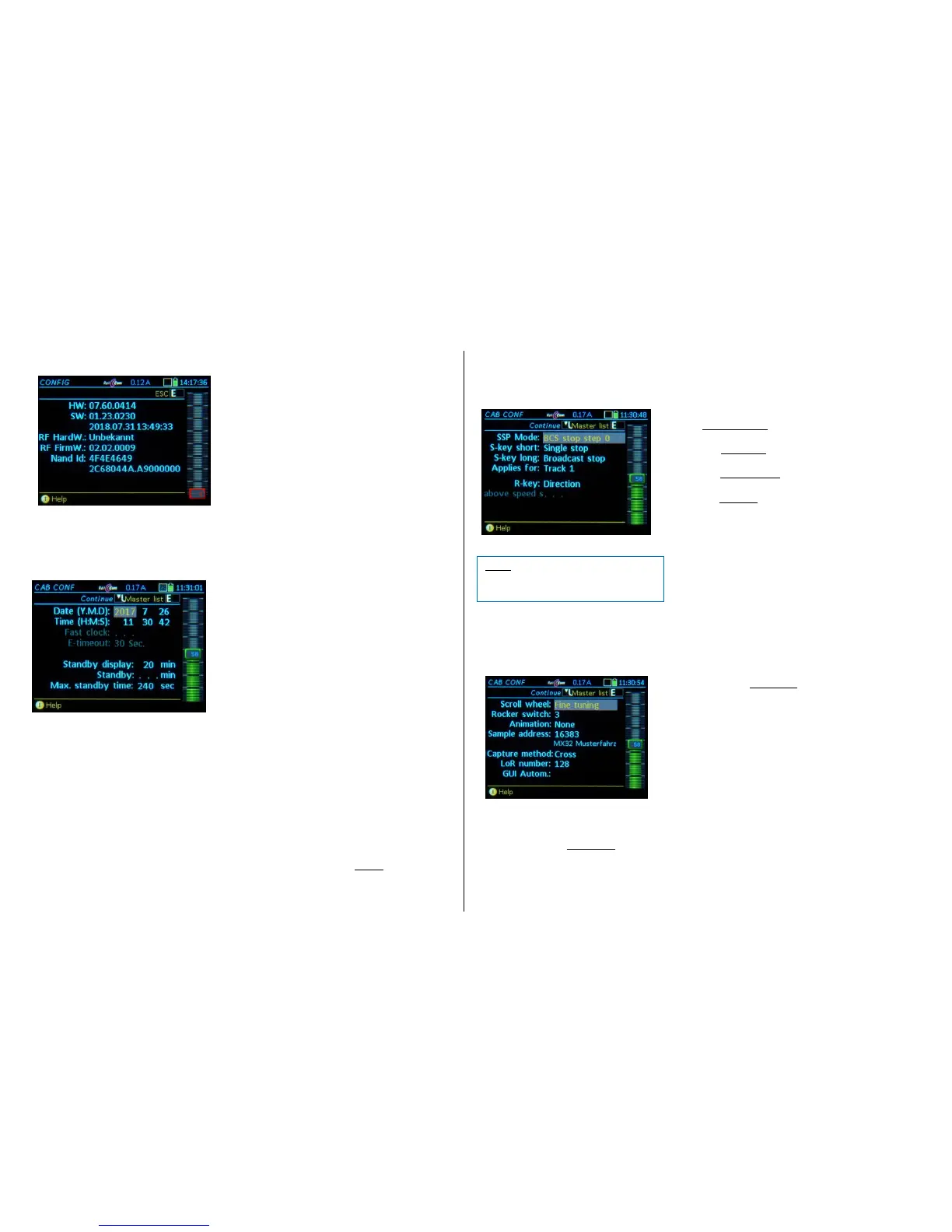
BCS Mode Type of Broadcast Stop (BCS)
= BCS emergency: Emergency broadcast stop
= BCS SS0: Normal broadcast stop **)
S-Key short = Single stop: Emergency stop for “your” engine
= Broadcast stop: Stops all engines per BCS mode
S-Key long = Broadcast stop: Stops all engines per BCS mode
= Track power OFF: Track 1 or track 1+2
R-Key = Direction: Changes direction at any speed
= Single stop: Direction key initiates an emergency
stop for “your” running engine; direction change only at
stand-still (useful when S-Key = BCS).
Above speed step: The effect of the R-Key described above as a
single stop key applies only above the speed step defined
here (e.g. changes direction immediately at lower speeds).
This Controller – Operating Mode LOCO
Scrolling wheel = Fine control: the speed (which is
normally set with the slider) can be fine-tuned in
small steps of +/- 10% of the selected speed
steps (14/28/128).
= Vehicle selection: scrolling through the
recall memory (LoR) with immediate activation
even if the memory window is NOT visible *)
= No function.
*) The above selections are not valid when the recall memory
(LoR) window is open, because the scrolling wheel is then used
exclusively to scroll through the list (= for selecting a vehicle,
but in this case also requires the A-Key to activate the ad-
dress).
Rocker Switch= No Function.
= Fine control: the speed (which is normally set with the speed slider) can be
fine-tuned in small steps of +/- 10% of the selected speed steps (14/28/128).
= Vehicle selection; scrolling through the recall memory (LoR) with immediate
activation even if the memory window is NOT visible.



 To Next Page
 Loading...