2a. The Special Features In Radio Mode (MX32FU)
The wireless MX32FU controller can be operated in tethered mode or radio mode. The controller be-
haves exactly like a “normal” MX32 when operated in tethered mode. While connected to the CAN bus,
the battery is charged when necessary: due to the extra power consumption the otherwise possible
CAN bus cable length is reduced (not for charging purposes but for driving on the CAN cable), but this
is only noticeable in rare cases.
The operation in radio mode is completely identical, but there are some inevitable limitations (i.e. ACC
LIST and SWI), where delays in the synchronization between controllers are possible, because the
radio transmission is generally less reliable and sometimes slower.
I M P O R T A N T : Registration in the System:
Before a MX32FU controller can communicate wirelessly with the command station MX10 it must be
registered with that command station.
Therefore, the radio controller is connected with a 6-pin CAN bus cable to one of the ZIMO CAN bus
sockets on the MX10, so the controller starts up in tethered mode (at least until the boot-up sequence is
finished). During that time, a system code (= identification number of the command station) is trans-
ferred and stored in the controller.
Only then, the controller can operate in radio mode. The radio mode will be entered into immediately
after registration, by disconnecting the CAN bus cable from the controller and pressing the A-key. The
link to this command station through the system code is permanent until the controller is connected to
another command station.
The MX32FU is turned on in radio mode by pressing/holding the A-key. The radio communication be-
gins, if the MX32FU is in range of the MX10, the radio controller was registered with earlier.
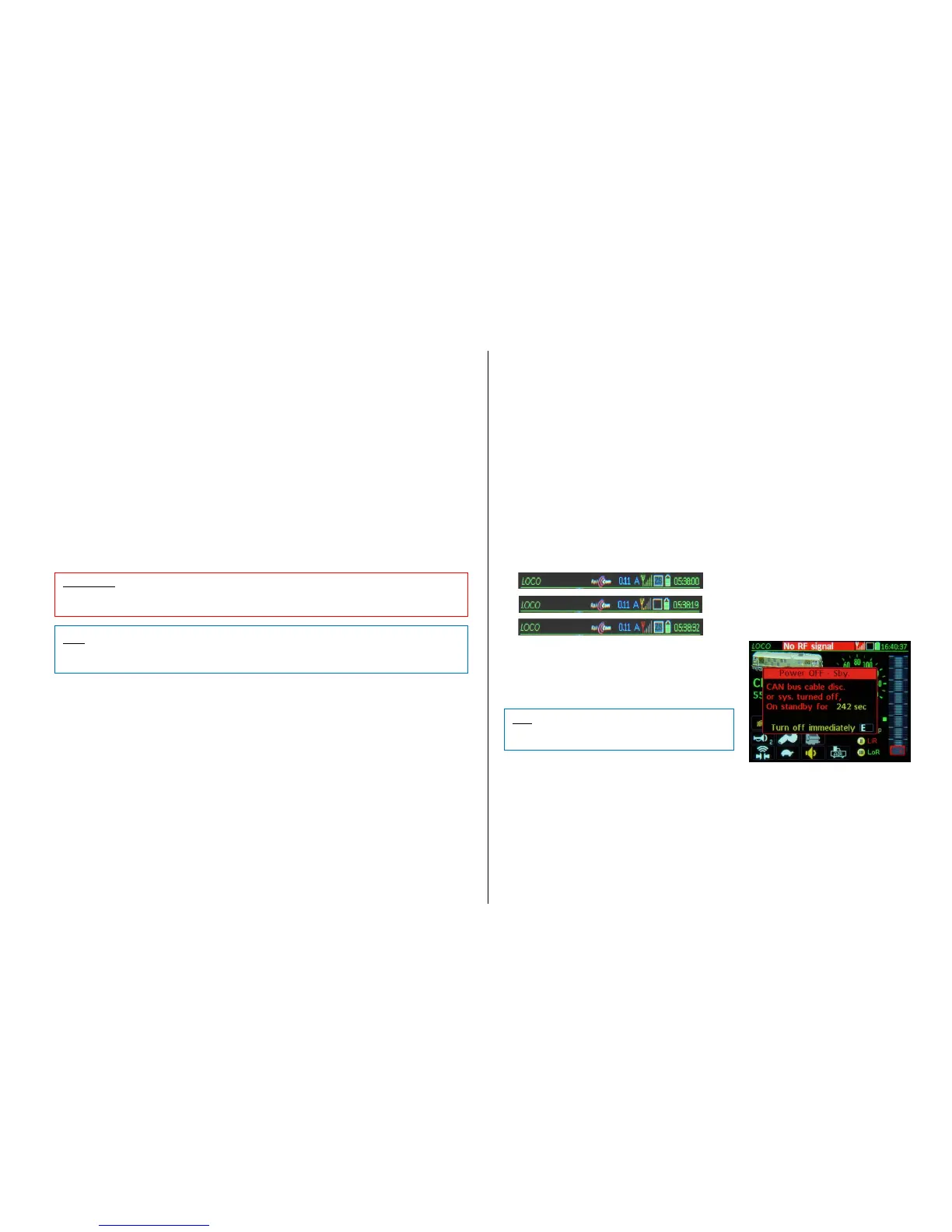
The continuous monitoring of the wireless connection:
The quality of the wireless connection between the controller and command station (MX10) is indicated
by two elements in the MX32 display header:
- Antenna icon with bar graph shows the field strength of the radio signal received:
- green: good strength; no communication delay is expected,
- yellow: satisfactory reception quality but close to the critical zone,
- red: unreliable reception, that is, communication may still be OK but may fail at any time.
- Communications dot shows a delayed or failed connection:
- Flashes every time a change is made on the MX32: high quality wireless connection,
- Sometimes longer "dark" periods: Medium quality,
- Permanently "dark": radio connection failed; see explanations below.
-
Inidcators and remedies for radio communication loss:
A time-staggered display system informs about radio reception problems:
If no radio communication for 150 msec: Communications dot is continuously red; see above,
If no radio communication for 1 sec: the function key LEDs or the function icons in the display are flash-
ing after they are pressed; the display’s speed regulator icon flashes after moving the actual regulator,
If no radio communication for 5 sec: “No RF confirmation” is displayed in the header.
A- Key Confirms and closes window (the warning remains in the header)
E- Key Turns off the controller.
Battery charge status indicator:
- The battery icon in the MX32 display header informs about the approximate state of charge,
from which the remaining operating time can be estimated.
- The “BATTERY BELOW 10%” - WINDOW appears if the controller operation is only guaran-
teed for a short period of time (an estimate is given). The user then has two options:
A- Key Confirm and close the window. The controller can then be used normally; the
message “CHARGE BATTERY…” returns periodically with reduced time remaining.
E- Key Turns off the controller immediately.
Antenna symbol and communications dot
during normal radio reception.
… with poor reception
… with brief interruptions
Header shows “No RF confirmation “
This means that no acknowledgements are coming
to earlier commands (speed, functions…) sent to
the command station. But this does NOT neces-
sarily mean that the orders have not arrived; they
could have been carried out anyway!
Turning the radio controller off:
Press and hold the E- Key, then briefly press the A- Key, release the E- Key Radio controller
turns off immediately. The radio controller also turns off automatically when the MX10 command
station powers down.



 To Next Page
 Loading...