Page 32 TETHERED CONTROLLER MX32, RADIO CONTROLLER MX32FU
13. Operating Mode LOCO
LOCO is accessible from most operating modes
including LOCO IN:
F-Key LOCO (new vehicle)
LOCO is the controller’s main operating mode
where locos (trains) are operated from.
The operating mode LOCO offers different display representations:
The possibilities depend on which GUI elements for theactive vehicles are present
(i.e. defined, which is NOT always "visible"):
- always present: die vehicle address,
at the beginning usually assigned automatically with a speedo
(most often with a green dial, which can be changed in the
vehicle template address 16383),
- optional: a Name (added in the LOCO IN screen when entering the address or with A + A),
- optional: a Speedo (select from various dials, or “No Speedo”; from ADDR SPEEDO, with E + 2),
- optional: an Image (from ADDR IMAGE, after address input or later with E + 4)
- always present: the Function Icon table (from ADDR FUSY, or later with E + 5),
the GUI elements (if any) can be displayed (or hidden) on the screen according to individual taste, or
arranged differently.
These display modes can be selected via TOUCH screen (alternatively also via the LOCO menu); this
applies in principle:
TOUCH the GUI-Element
the touched element changes size larger <> smaller.
Text field (Name & Address) larger - smaller, Image larger - smaller, Large speedo – small digital display
(the rest of the GUI elements are displayed in an appropriate way (or not when there is no space)
The only GUI element that CANNOT be changed by tapping the touch screen is the function icon table
(in this case, TOUCH is used to switch the functions themselves); the function icon panel is displayed
only when "address & name" AND "picture" are made small OR when large picture AND the digital
speed are displayed instead of the speedo dial.
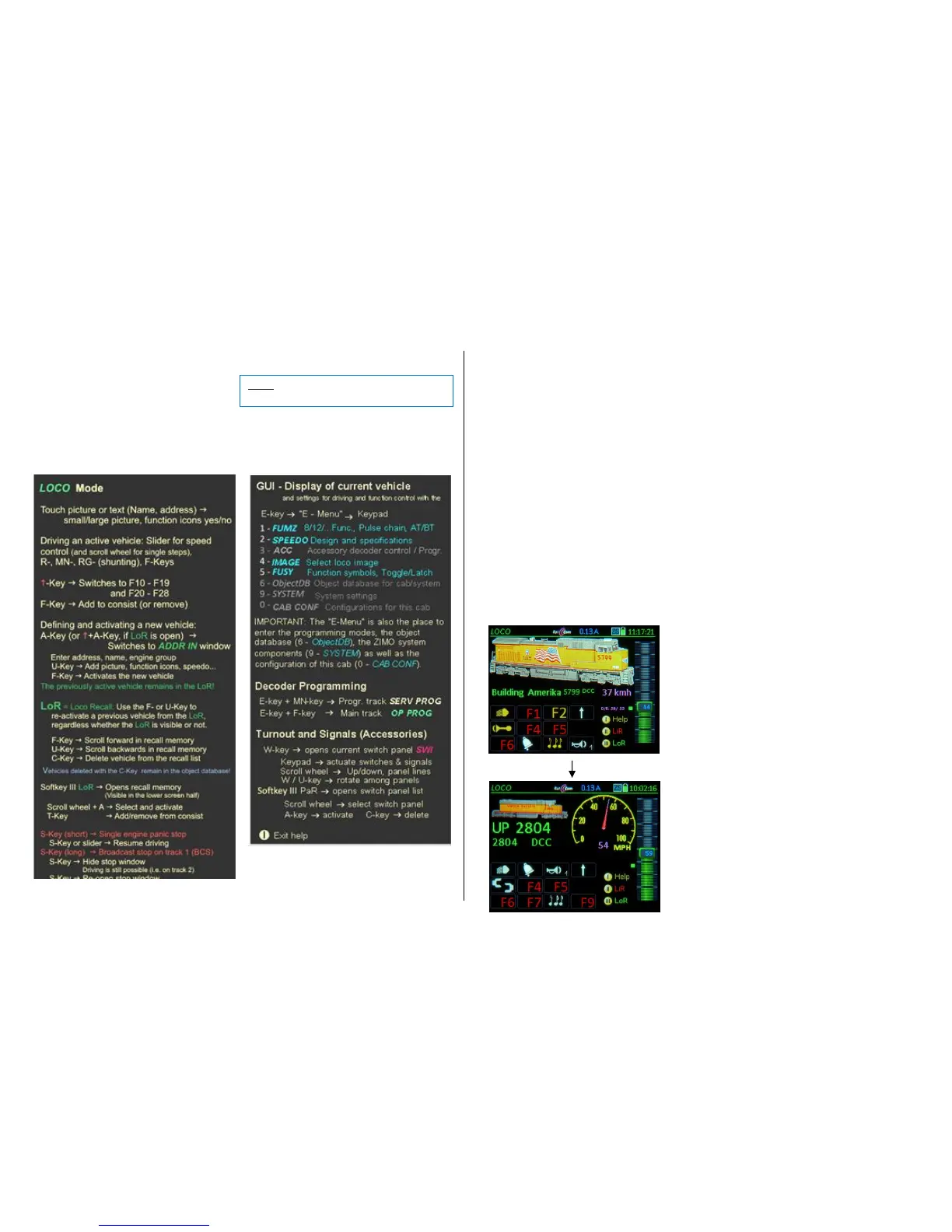
EXAMPLES
for screen modifications by TOUCH:
”Normal view”: Display with large image, small
speedo (speed shown with digits only).
TAP the image Digital speed display is replaced
with actual speedo.
Display with small image, speedo, name and
address.
(TAP the speedo Returns to normal view)



 To Next Page