The following E-Procedures follow the number keys:
1 - FUMZ (Vehicle GUI): Number of functions 8
(F0…F8), 12 (…12), 20 (…20) or 28 (…28), to be
displayed and sent out through DCC commands,
activation of the old LGB pulse chain commands;
system controlled momentum (AT, BT, CRV). This
is NOT decoder programming.
2 - SPEEDO (Vehicle GUI)
Design: Speedo type and color.
Vmax: Top speed in km/h or mph, also dic
tates the range of the speedo scale.
Rg: Shunting speed, shunting speedo display.
Trailing: simulates momentum.
Speed step diagram (valid if RailCom is not
available), so that the speed is calculated
based on speed steps: three value pairs de
termine the curve; set with the speed slider
(speed
steps with rocker switch or number keys for
km/h)
11. ADDR…FUMT, SPEEDO, IMAGE, FUSY – GUI
Settings to the stored GUI-Displays, Icons, Pictures in the
system (Command station, controllers)… for the current address
All settings that are used for the operation of a vehicle (= address) and its representation in the con-
troller display, which is the “Graphical User Interface” (= GUI), are made here through various set-
up screens: ADDR FUMT, ADDR SPEEDO, ADDR IMAGE and ADDR FUSY.
However, this is NOT about programming parameters IN the decoder, but rather programming the
system (controller or command station) FOR the vehicle, which includes the user interface or “GUI”.
ADDR FUMT, SPEEDO… can be reached
either
- in continuation of LOCO IN or LOCO MOD – i.e. after entering or editing an address and name (but
before activating it) – with the U-Key, which opens the first setup screen, in this case the ADDR
IMAGE. Beyond this point use the U-Key to advance to the next setup screen in the order of FUSY,
SPEEDO, FUMT
or
- for the currently active address in the LOCO or SWI mode with the with the E-Key + numeric keys 1
/ 2 / 4 / 5 to the corresponding setup screens ADDR FUMT / ADDR SPEEDO / ADDR IMAGE /
ADDR FUSY.
In each setup screen the:
Softkey II copies the current CVs to the clipboard
Softkey III pastes the data from the clipboard
F- Key exits the ADDR – section and stores the
new settings, or
E- Key ESCapes from the ADDR – section and
keeps the old settings.
Help-File for ADDR … FUMT, SPEEDO...
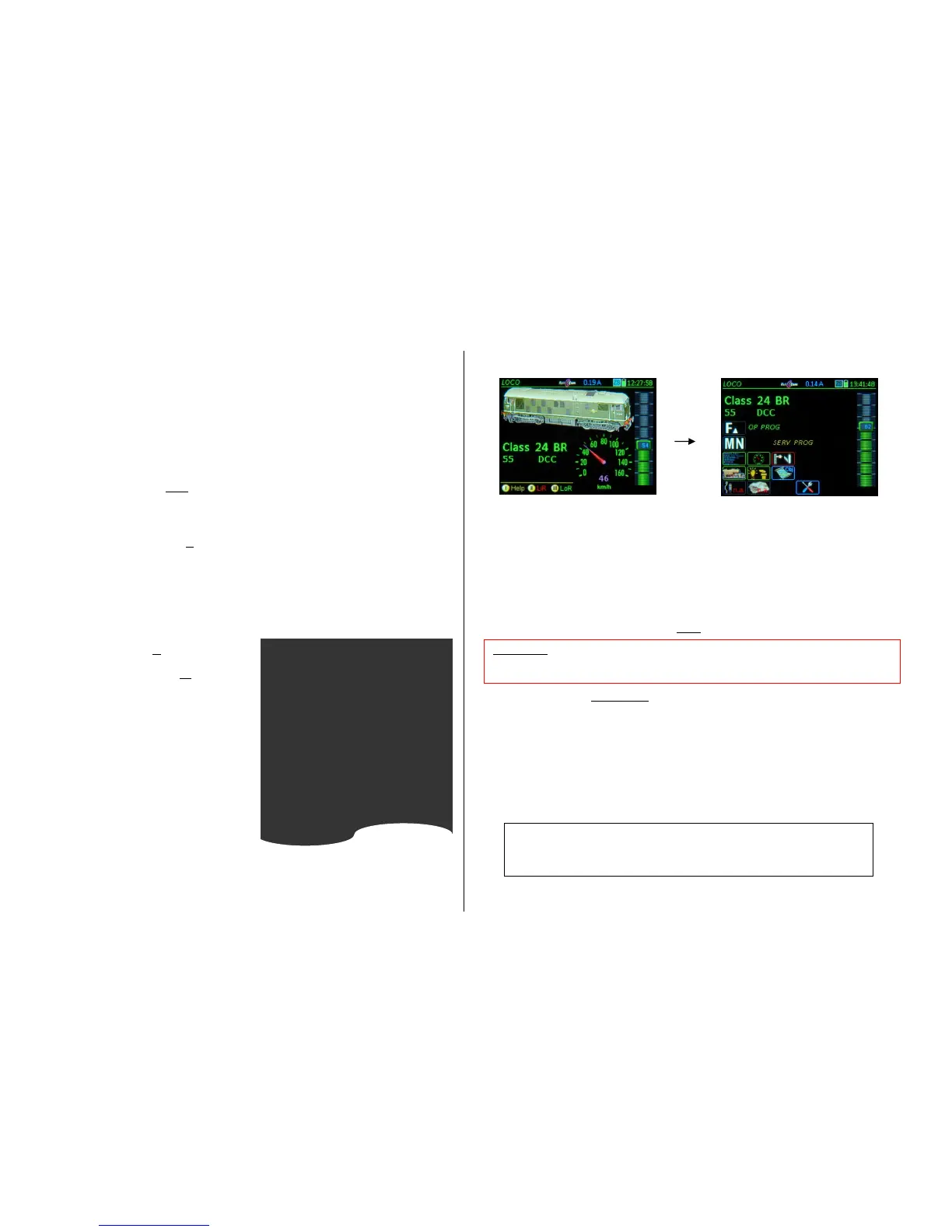
The “before” screen (starting point for
this example)
E-Key from LOCO to the “E” menu screen for further selection
Keypad (after E) open the corresponding setup screen (1, 2, 4, 5, see below);
each individual setup screen can be processed on its own (and terminated with the F-Key, which also
stores the settings) or continue to other setup screens with the U-Key.
The following applies to each of these setup screens:
F- Key closes ADDR…, activates the address and switches over to the LOCO mode; this is possible
at any time within ADDR..., whereby all settings made in the meantime (on the setup screens that have
been opened successively with the U-key) are saved.
E- Key exits ADDR … (without saving), returns to the previous state,
U- Key advances to the next setup screen, which in the case of ADDR IMAGE is ADDR FUSY and
so on to the other screens.
(Shift) + U- Key returns to previous screen.



 To Next Page
 Loading...