TETHERED CONTROLLER MX32, RADIO CONTROLLER MX32FU Page 23
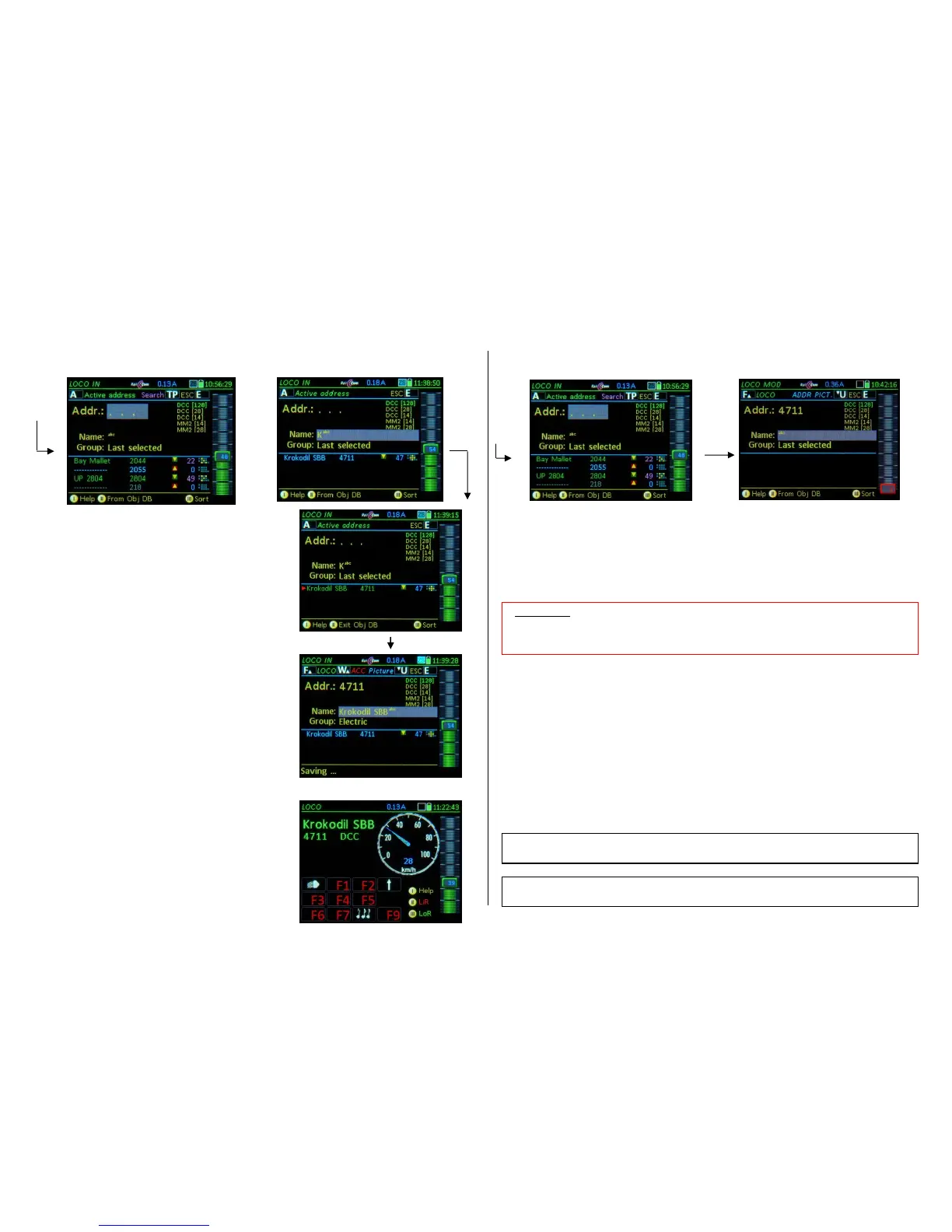
How to use LOCO IN to activate an object from the Object-Database:
Type the first digit(s) of the address number and/or the
first characters of the loco name:
The lower display half shows the object list, which contin-
uously adapts to the input. The object list is an excerpt of
the controller’s object database (ObjectDB). Only objects
are listed that specifically match their address number
and/or names to the already entered digits and characters
in the upper half of the LOCO IN display
green lines – Objects in the LoR memory of this control-
ler
(including the currently active loco)
blue lines – in ObjDB (Object-Database) of this con-
troller
but not the LoR memory
gray lines – in Object-Database of the command
station, but NOT in this controller
Softkey II Switches to the Object list (lower display
half) for scrolling through objects
Softkey III Sorting of the Object list in three ways:
Enter type (green, blue...), address or names.
Softkey II, Scrolling wheel, A-Key Mark and select a
vehicle from the object list; this vehicle will
then be moved to the upper input fields…
F-Key activates the vehicle and switches back to the
LOCO mode.
How to use the LOCO MOD to modify the currently active object:
By pressing the A-Key twice (from LOCO or SWI) the active vehicle is moved directly to the LOCO
MOD screen: for editing the fields “Name” or “Group”.
U-Key modify the object with respect to vehicle image, function key icons, speedo and more with
the help of the ADDR… screens; Activation occurs thereafter directly from these screens.
See chapter “ADDR (FUMT, ICONS, SPEEDO…)”, where all GUI elements are described.
F- Key re-activation after quick editing, i.e. after changing or completing the name
(normally though, the address is activated form the ADDR - screens).
How to use the LOCO IN mode for defining and activating an Accessory address:
Enter a valid accessory address (1 … 511), WITHOUT name, WITHOUT group, and use the
W-Key to activate the accessory address and switch to the operating mode ACC LIST , directly
to the new address, to immediately operate turnouts on this address.
Exit the ACC LIST with Softkey II.


 To Next Page
 Loading...