Page 34 TETHERED CONTROLLER MX32, RADIO CONTROLLER MX32FU
The LOWER SCREEN HALF
can also be used differently than in the "normal" LOCO presentations.
This will usually replace the function icons with the desired content.
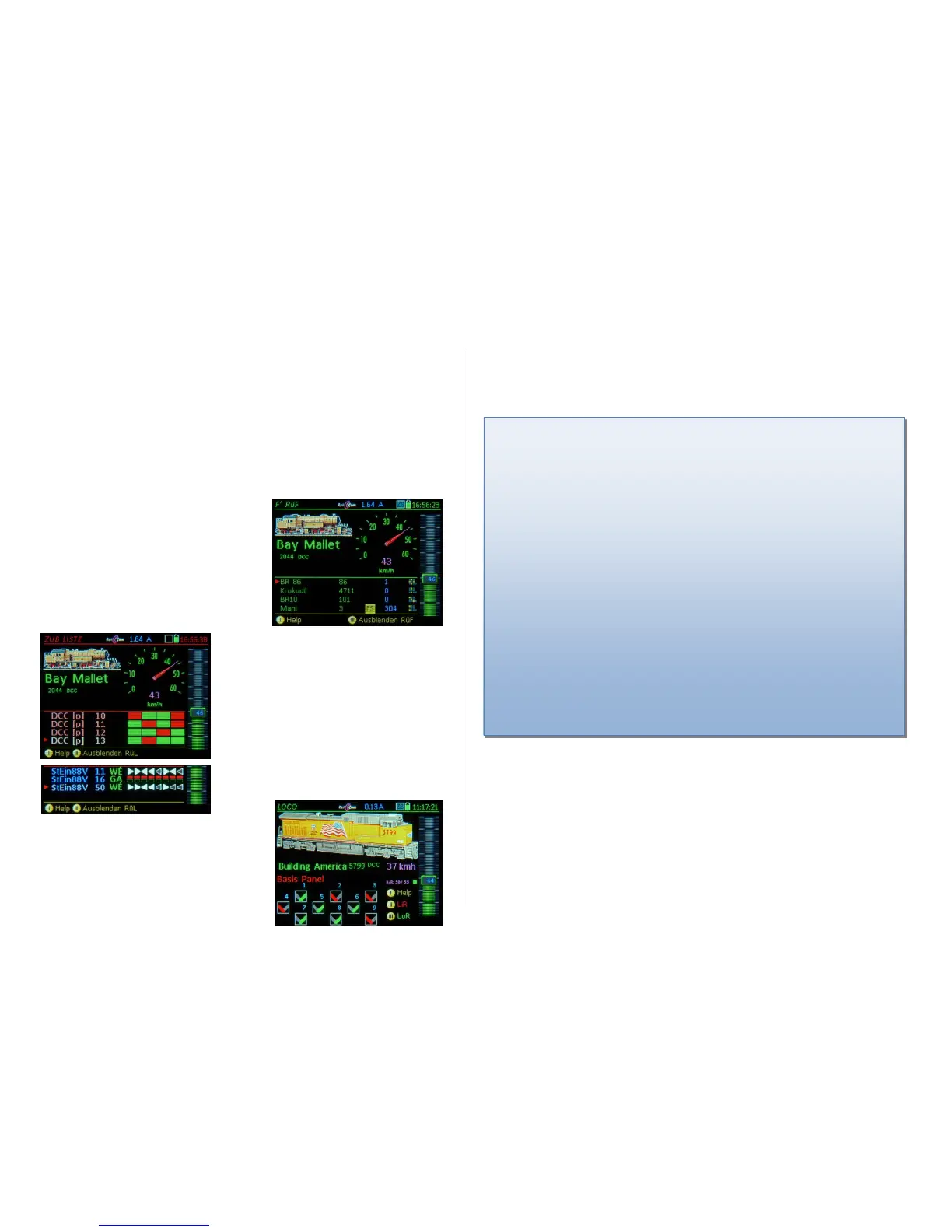
Softkey III Opens the LoR (= Loco Recall memory) in the lower screen half
repeat (while LoR is open) Softkey III Close
Softkey II Opens the ACC LIST (Accessory addresses),
repeat (while ACC LIST is open) Softkey II Close
E-Key + 8 Opens the STEIN LIST (Stationary Equipment Module “StEin“)
repeat (while STEIN LIST is open) Softkey II Close
W- Key Opens a switch panel; and switches to the operating mode SWI
Repeat (while panel is open) W- Key closes the panel, returns to LOCO
The ZIMO system is based on sophisticated data management. This can largely be ignored for small
applications (i.e. the garden railroad with 10 or 20 engines), so to "just get started" it is ok. If a large
layout (i.e. with 100 or several 100 engines) is to be operated, it is advisable to know the system’s phi-
losophy.
Especially important are the two data structures in the MX32 controller:
The loco recall memory (LoR) is always available in the operating mode LOCO to activate vehicles,
whether it is visible or not:
F- and U-Key switches directly from address to address (more precisely: from driving object to driv-
ing object, which may also be consists or trains), ascending or descending in the loco recall memory
(LoR). If required, the object list containing names and addresses can be made visible in the lower half of
the screen:
W-Key SWI in the lower half of the display,
also see chapter Operating mode SWI
In the operating mode SWI (= switching turnouts, but
actually operates all types of accessories) "panels" or
track diagrams are filled with icons for turnouts, sig-
nals, etc., which are used for operation on the layout.
See chapter SWI – for object-oriented control of
turnouts and signals…
Softkey III LoR in the lower half of the display,
see description in this chapter
The LoR (= Loco Recall memory) provides an over-
view of and quick access to all vehicles (addresses)
and trains that are already in this controller. 4 lines
can be seen at once, the rest is made visible by
scrolling.
Each line contains name, address, current speed
(preferably through RailCom feedback), functions
F0...F9 and a possible consist membership (T1,
T2…).
A-Key activates the marked vehicle.
Loco Recall = LoR & Object Database = ObjectDb
Each “Driving Object“ (Address, vehicle, train) that is activated and driven will remain in the LoR (recall
memory) and the ObjectDb (object database) even after it is deactivated; the LoR however is limited to
a maximum of 128 objects.
Both, current driving data and the so-called "GUI data” are stored there. The latter determines the ap-
pearance of the vehicle on display screens, such as name, image, function icons, etc.
The task of the LoR (recall memory) is to quickly find, observe and activate vehicles (trains...) that
were active on this cab earlier, but were moved to the background (inactive) due to the activation of a
different vehicle; the LoR is also a kind of “Favorites list“.
It is recommended to delete entries that are likely no longer needed from the LoR (C-Key in the
LoR table display); this will NOT delete them from the ObjectDb (object database), so that the data
can be retrieved by the LoR if needed.
Objects stored in the LoR (loco recall memory) are also ALWAYS stored in the ObjectDb (object
database) and identified there by the green font. The reverse is NOT the case; there are usually
many more entries in the ObjectDb (blue font, if the address is not in the LoR).
There is also access to the ObjectDb - with the possibility of transfer - to the object databases of
other devices (control panels, control center, app's, if integrated). Deleting an object from the object
database is also possible (C-Key…) but should be proceeded with caution (create a back-up first).
See chapter ObjctDb (Object Database)
Another important data structure in the system is the object database of the MX10 command sta-
tion, which is primarily used to organize the data packets (DCC, MM...) that are to be sent via tracks
to the vehicles and accessories.
There, copies of object database entries of all cabs and other input devices are created automatical-
ly. As already briefly mentioned above, entries can also be transferred back to the cabs, or just parts
of the data, i.e. for the purpose of the so-called "GUI acquisition" (if, for example, the name and the
image for a particular address from one cab should be copied to another cab).
Softkey II ACC LIST opens,
also see chapter ACC LIST
(= List of accessory addresses) shows the ad-
dresses of accessory decoders as well as MX8 and
MX9 modules registered in this cab. The accesso-
ries belonging to the marked address can be oper-
ated by the number keys.
A-Key at the line >NEW< Enter another address
as single/paired function.
E-Key + 8 STEIN LIST opens,
also see chapter STEIN LIST
(= StEin Module List) shows the track sections,
turnouts and other inputs / outputs of the StEin
modules.
Tap on the LoR
or a LIST
to toggle between
full screen and
half screen



 To Next Page
 Loading...