Page 40 TETHERED CONTROLLER MX32, RADIO CONTROLLER MX32FU
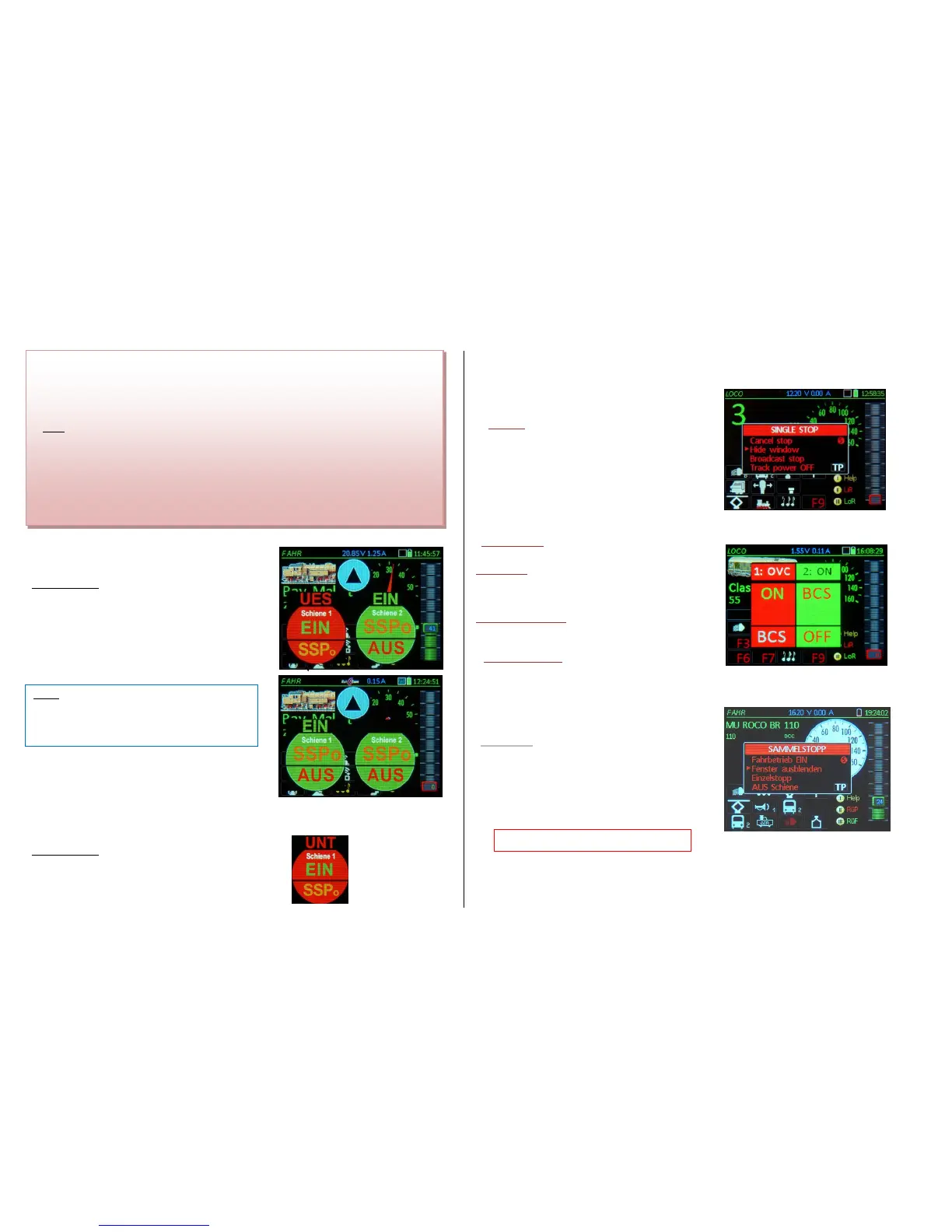
Overcurrent (Short circuit) on track-1
(Track output is turned off; there is NO automatic
power-on)
at the same time opens the “STOP Bullets”
with OVC on top
The overcurrent handling of the MX32 is principally
the same as for STOPP & OFF: the two track outputs
(if two are present, i.e. MX10) can be turned on again
independently by touching the corresponding fields
ON (turns track power back on) or BCS (=Broadcast
stop), provided there is no longer a short circuit pre-
sent.
Undervoltage at track-1
(Track output is turned off; there is NO
automatic power-on)
at the same time opens the “STOP Bullets”
with UND on top
UND therefore appears in place of OVC. Otherwise,
the effect and procedure is the same.
From LOCO:
S-Key (short) SINGLE STOP
(= Stops the active loco)
and also: opens the STOP window, with the fol-
lowing possible further options:
Resume driving S-Key
Hide window
Broadcast stop, track 1
Track Pwr OFF TP-Key
Select from the options with the scrolling wheel (or
the U-Key to scroll down) and confirm with the
A-Key (or without scrolling using the S or TP-Keys to go
to the relevant points directly).
Resume driving S-Key
= Resume driving after SINGLE STOP
Hide window A-Key
= SINGLE STOP remains, but the window does no long-
er block the display content, “SINGLE STOP” is instead
displayed in the header.
Broadcast stop track 1 U + A-Key
= Switches to BROADCAST STOP (the SINGLE STOP
in this case only serves as intermediate state)
Track 1 Power OFF TP-Key
= Turns track power off.
SINGLE STOP is cancelled automatically when the
speed slider is moved to 0 (Stop)!
S-Key (long) BROADCAST STOP
(= Stops all trains)
at the same time: opens the BROADCAST STOP
window, with these options:
:
Resume driving S-Key
Hide window
Emergency stop
Track 1 Pwr OFF TP-Key
- "OVC" = OVERCURRENT (Short); the “OVC” message indicates that the maximum current de-
fined in the command station (identified as “SHORT threshold” in the MX10) has been reached for
the specified output, and the track output (1 or 2) has been turned off; therefore the message
“1:SHORT” or “2:SHORT” is shown in the stop bullet (top).
NOTE: ZIMO command stations don’t allow for an actual overcurrent to flow, but rather limit the current to the
set threshold. The term "overcurrent" is to be understood as "potential overcurrent", which would flow if not pre-
vented by an automatic voltage reduction.
- “UND“ = UNDERVOLTAGE; the “UND” message is displayed, not because the overcurrent
threshold was reached, but because the desired track voltage could not be maintained and the
track power had to be turned off. This usually happens because of a weak power supply and the
current thresholds for the track outputs are set too high, which causes the power supply to over-
load or overheat after reaching a specific current level, and therefore lowers the output voltage (=



 To Next Page
 Loading...