Here, too, the scrolling wheel (or the U- and A-key) is used
to make further selections (or S and TP-Key).
Cancel broadcast stop S-Key
= Resumes driving after BROADCAST STOP
Hide window A-Key
= BROADCAST STOP remains but the window does no
longer block the display content, “SINGLE STOP” is in-
stead displayed in the header.
Single stop U + A-Key
= Switches to EMERGENCY STOP, often after
erroneous BROADCAST STOP
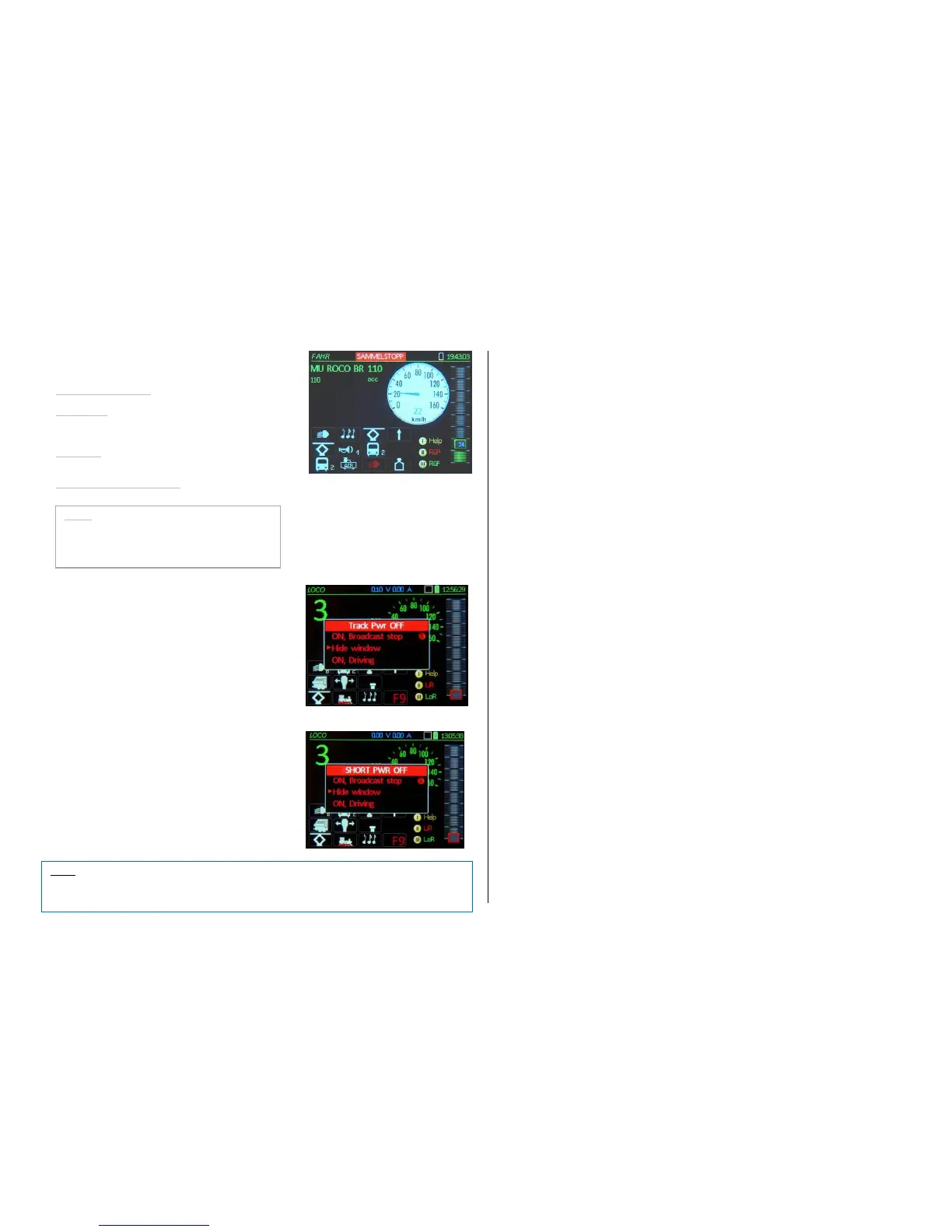
Track 1 (or 2 or 1+2) Pwr OFF TP-Key
= Turns track power off.
S-Key (short or long) + TP-Key Track power off
(Turns track power off)
with the following options in the stop window:
ON, broadcast stop S-Key
Hide window
OFF track 1
OFF track 2
OFF track 1+2 TP-Key
Here you can decide which track outputs should
be turned OFF (if the command station has
more than one track output).
Overcurrent- and short circuits at a track output
OVC Track OFF
Track power is turned off automatically.
Options for further actions power OFF state.
>>> STOP – Actuation sequences,
Summary, organized by initiating state:
>> Directly from the driving window LOCO:
S (short) EMERGENCY (single) STOP
S (long) BROADCAST STOP
S (short or long) + TP OFF, track 1 only power to track output 1 is turned off
S + TP + TP (2 x TP) OFF, track 1 + 2 fastest way to turn all track power off
S (short) + Scroll + A OFF track 1, 2 or 1+2 Scroll in STOP window
>> From the EMERGENCY STOP window:
A-Key hide STOP window, indication moves to header
(without scrolling because cursor is already pointing to it)
S (short) STOP cancelled, if slider is moved away from 0: Resumes driving
S (long) BROADCAST STOP
U + A BROADCAST STOP, to issue broadcast stop after S (short) was pressed by mistake
TP OFF, track 1 only power to track output 1 is turned off
TP + TP (2 x TP) OFF, track 1 + 2 fastest way to turn all track power off
>> From BROADCAST STOP window:
A-Key hide STOP window, indication moves to header
(without scrolling because cursor is already pointing to it)
S (short) BROADCAST STOP cancelled = Resume driving
TP
OFF, track 1 NOTE: “OFF, track 2” via EMERGENCY stop menu
TP + TP (2 x TP)
OFF, track 1 + 2 fastest way to turn all track power off
>> From TRACK PWR OFF or OVC state window (after a short circuit):
A-Key hide STOP window, indication moves to header
(without scrolling because cursor is already pointing to it)
S (short) OFF cancelled = power restored but with BROADCAST STOP
S + S (2 x S) OFF and BROADCAST STOP cancelled = Resumes driving
TP OFF, track 1 + 2 Power of both tracks outputs is turned off
>> From the LOCO window (with STOP shown in header):
S (short) Restore STOP window, from there continue as above
S + S (2 x S) STOP cancelled = Resume DRIVING (from EMERGENCY or BROADCAST)
STOP S + S + S (3 x S) STOP cancelled = Resume DRIVING after POWER OFF or SHORT!



 To Next Page
 Loading...