20. StEin LIST
Monitoring and operating stationary equipment,
connected to StEin-modules.
ZIMO "StEin" modules used for stationary equipment of the model railroad layouts, especially track sec-
tions (with occupancy and overcurrent detection, HLU, RailCom), as well as turnouts, signals, uncou-
plers, inputs (track contacts, reed switches, photocells…) and speakers.
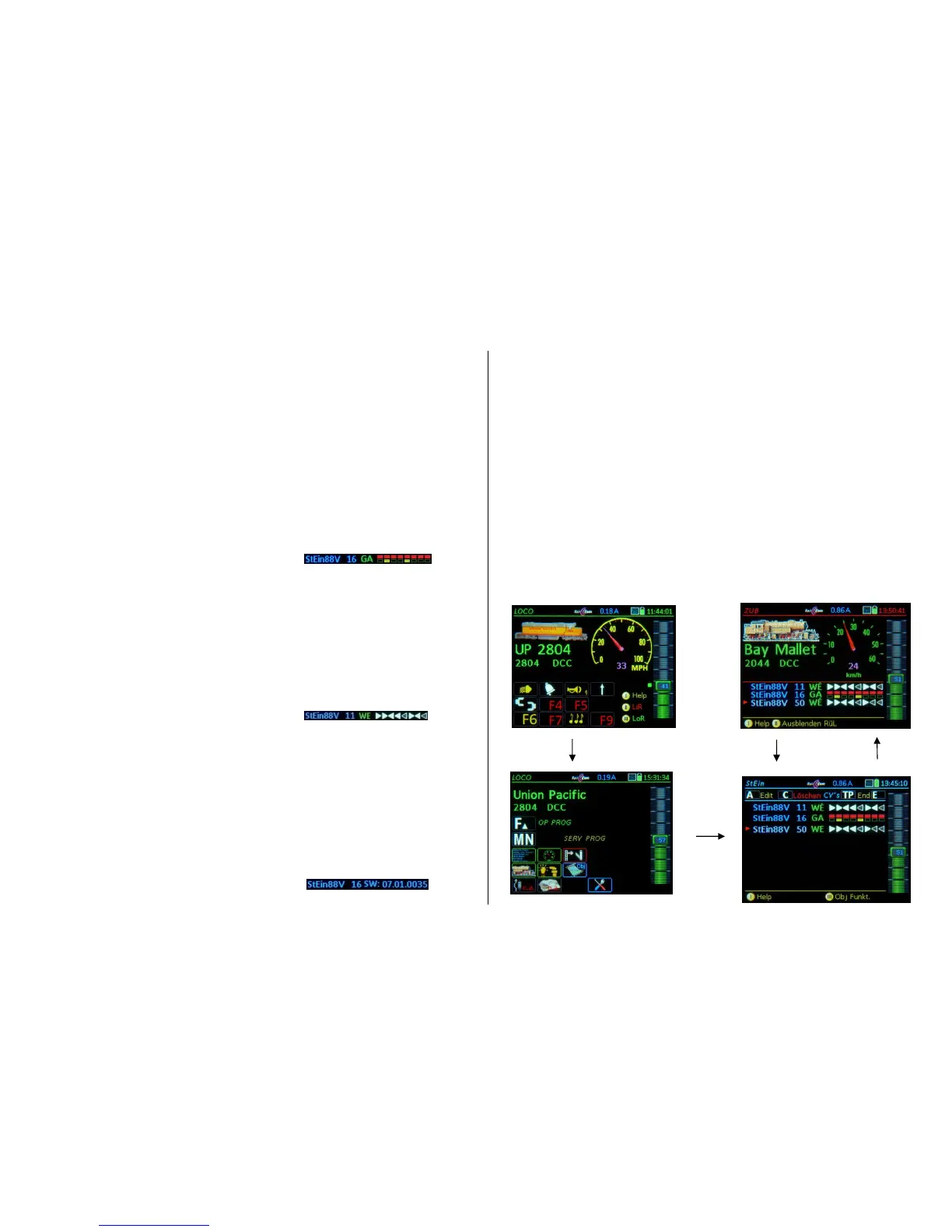
The StEin LIST is accessible from the operating mode LOCO or SWI with the:
E- Key + 8 StEin LIST
All existing StEin modules in the system are arranged in the StEin LIST according to module numbers
and represented by one line each; depending on the chosen representation (half or full screen), more or
less modules are visible at the same time. Tap anywhere on the list to switch between these two repre-
sentations.
(Shift)- Key (Short) Switch between the display line levels for track sections, turnouts, signals
or inputs. The respectively displayed elements can be actuated with the function keys.
GA – Track sections:
For each of the 8 track connections is shown:
- the active HLU state (multi-color dot, similar to the red-green LED on the module),
- the occupancy detection (yellow dot, similar to the to the yellow LED on the module),
- overcurrent and short circuit states (blue dot, similar to the blue LED on the module),
The display logic of the luminous dots is modeled on the LED’s next to the screw terminals of the
module’s track outputs, although not identical for practical reasons.
The track section HLU states can be switched from the controller:
- BRIEFLY press the corresponding number key up by one step (i.e. HUH, HUU etc.),
- PRESS/HOLD the corresponding number key opens a list of the HLU states;
select another state with a number key
Repower a track section after a short circuit with the number key!
WE – Turnouts or single outputs:
For each of the 8 turnout outputs (2 pins each) is shown:
- the current turnout setting is displayed by an arrow, which depending on feedback, is either col-
ored or blank; Flashes until the desired position is reached (i.e. with motorized turnouts) or when
malfunctions occur.
The turnouts can be switched from the controller with the:
- corresponding number keys switches turnout back and forth
IN – Switch inputs: for each of the 16 switch inputs is shown:
- the current state (green dot means ON).
(Shift) - Key LONG shows software versions of ALL StEin modules in the list;
(for a quick overview)
DETAILS WILL BE ADDED LATER.


 To Next Page
 Loading...