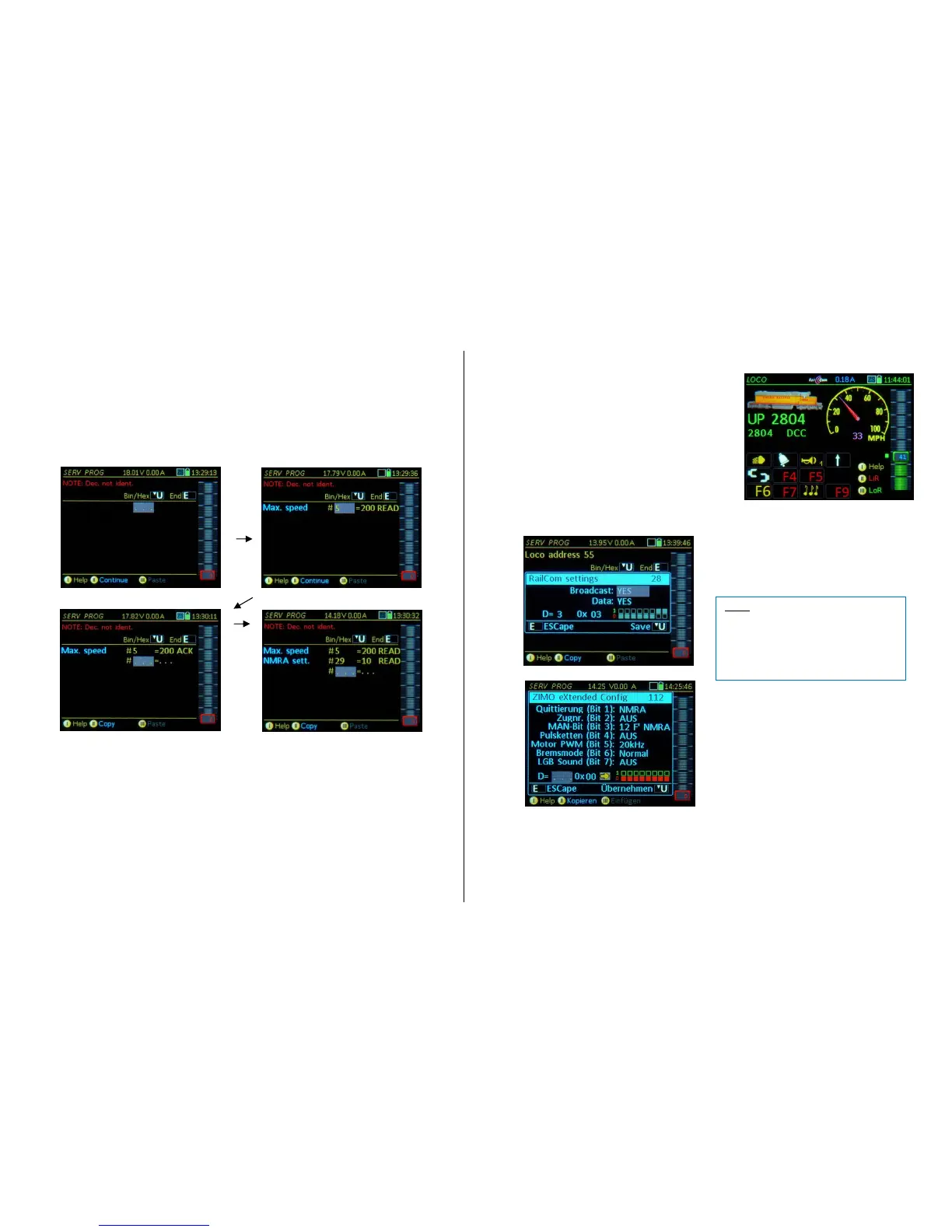
SERV PROG – CV - Programming (after pressing the U- Key)
After entering "CV-programming" (with the U-Key), the first input line is the first editable. If CV pro-
gramming is entered WITHOUT prior decoder identification, the message “… unidentified decoder” will
appear. The key sequences for programming are as follows:
… Program a CV by
Typing a CV number – A-Key – Enter a CV value – A-Key
… Read-out a CV by
Typing a CV number – A-Key – (again) A-Key
CV programming success (or failure) report at the end of each line after completion with the A key:
ACK successful CV programming (acknowledged)
READ CV value read out successfully
NACK programmed without acknowledgement
NO-R CV read-out failed
An automatic line feed occurs after each programming or read-out step in order to immediately proceed
with the next CV. Use the
Scrolling wheel to edit values or CV numbers of previously edited lines,
C-Key to delete the highlighted number (CV number or value), then enter a new value in the field
followed again with the A-Key; the process of correcting a line is the same as entering to a new line
(see above).
The following actions can be taken at any time during CV programming:
F-Key activates the vehicle and switches to the
LOCO mode (only when the address is known, i.e. if
the decoder was identified with the TP-Key or ad-
dress read-out with A+A, before starting the CV pro-
gramming).
E-Key returns to the programming menu screen
and pressing the E-Key again returns to the screen
the controller was in before entering SERV PROG,
which is usually the LOCO or SWI mode.
U-Key opens an editing window for the CV current-
ly worked on, to turn individual bits ON/OFF, some im-
portant CV’s come with a description and a hexadeci-
mal representation.
. Examples
NOTE: In many cases, the individual bits
have no standardized meaning and can be
used differently by the decoder manufac-
turers. Therefore, full names of some CVs
are only available if the decoder was previ-
ously identified (TP-Key) as ZIMO decod-
er.



 To Next Page