TETHERED CONTROLLER MX32, RADIO CONTROLLER MX32FU Page 53
SERV PROG – Creation and use of CV - Sets
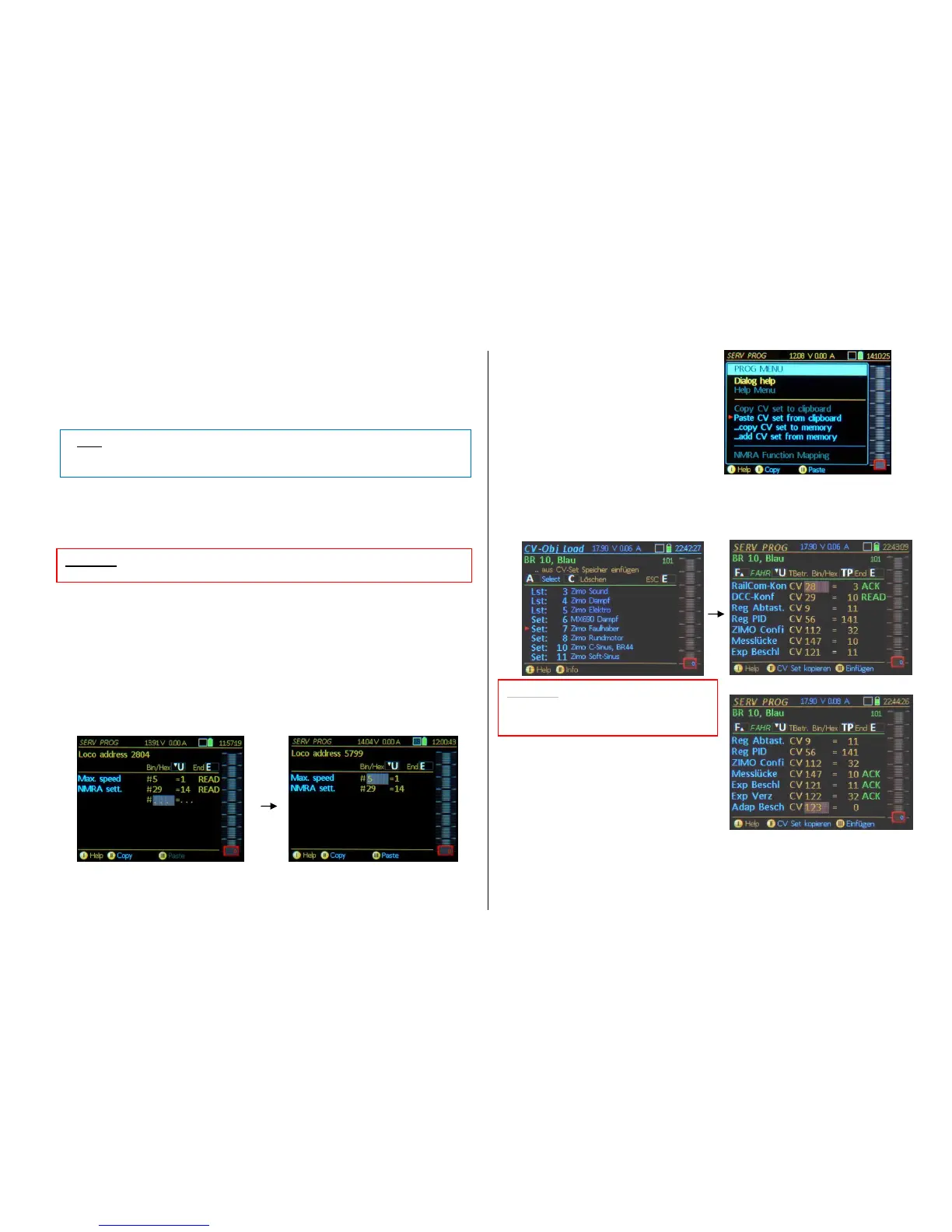
…. using the clipboard:
Softkey II = Continue (appears when entering the CV programming mode after a previous program-
ming session with the same address).
Displays the programmed and read-out CV lines from the last session again (i.e. CV 29 = 10
READ, etc.).
Soft-key II = Copy copies all CV lines (i.e. CV #29 = 10, etc.) from the current screen view to the
clipboard. Copying serves primarily to transfer a group of CVs (a "CV-Set") from the decoder cur-
rently worked on to another.
Soft-key III = Paste The CV lines from the clipboard (i.e. CV #29 = 10, etc.) are pasted to the current
screen. See notes above for Soft-Key II = Copy.
A-Key (after scrolling to the first line) repeat for each CV number and value (other than press-
ing the A-Key, no further actions are required, except when a line is to be skipped), then the con-
firmation ACK appears in each line if the programming step was successful.
…. from and within the CV-Set-Memory:
In contrast to the clipboard (for one single CV set) an (almost) limitless number of CV-sets is managed
by the CV-set memory, stored by theme with freely definable names and descriptions. A number of CV-
sets is included from the outset in the controller and more can be added via flash drive (as part of the
general controller software updates or independent thereof)
(Shift) switches the Soft-Keys II and III from the above clipboard application (II = copy, III = paste) to
the CV-set application; recognizable by changing to a blue font:
II = copy CV-Set III = paste CV-Set
Soft-Key II = Copy CV-Set Saves the CV
rows of the current screen to the CV-Set
memory:
A CV-Set input window opens.
Theme: Select one of the suggested themes (with
toggle switch).
Name: Enter a name of your choice.
Info: Free choice of text.
-Key + A-Key SAVE
(Attention: otherwise the CV-Set is not
saved).
Soft-Key III = Paste… Search for the desired CV-Set in the CV-Set database and paste the CV-
set rows to the current display screen.
A- KEY (after scrolling to
the first row) for
each CV number and value (other
than A, no further actions are to be
taken, except when a row is to be
skipped), then the confirmation ACK
appears in each row if the
programming step was successful.
CV-List vs. CV-Sets:
CV Set: Each line consists of the CV-number and the CV value (e.g. CV 29 = 10)
CV-List: The CV-lines are stored without values and are therefore also inserted without values; they
must be filled line by line and serve as a template for the complete coverage of all CVs for a specific
topic (e.g. parameters necessary for motor control).


 To Next Page
 Loading...