TETHERED CONTROLLER MX32, RADIO CONTROLLER MX32FU Page 55
OP PROG – A-Key
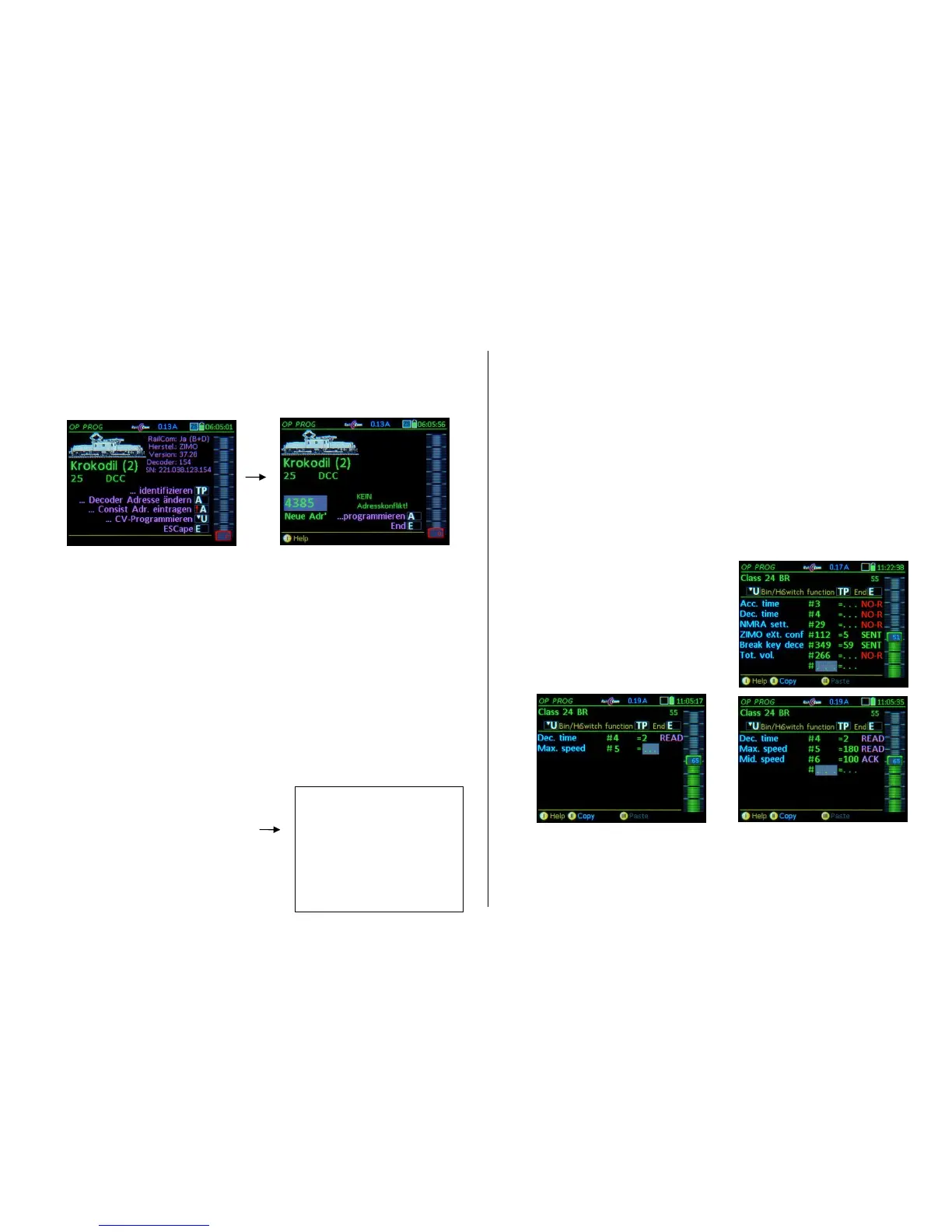
Decoder Address change
NOTE: The address programming via "PoM" is only possible for decoders that support it, for ZIMO
decoders from SW version 37.8 (non-sound) or 37.28 (sound decoder). Older versions and many third
party decoders can only be programmed in SERV PROG (i.e. on the programming track).
A- Key Enters the procedure “Change decoder address”
The next screen displays an entry field
where the desired address can be entered; then:
A- Key (… programming) the address is programmed to the decoder
ACK after programming a CV and confirmation via “RailCom“ (or other feedback)
SENT after programming a CV without a feedback system
NACK after a programming attempt without acknowledgement (even though a feedback system is pre-
sent).
The active engine is automatically switched to the new address and can be driven immediately! (Excep-
tion after “NACK”: the old address remains active).
OP PROG –
-A-Key
Consist address entry
NOTE I: described here is the decoder-based consisting, which is not the same as the system-based
consisting as explained in the chapter “DRIVING AND CONSIST CONTROL”!
NOTE II: The ZIMO controller procedure for the allocation of a consist address partly refers to settings
which only exist in ZIMO decoders, for example the use of the CV #20 for consist addresses >127 (to
9999) and the consist automation (automatic switching between single engine and consist driving,
when the individual address of a (consist) vehicle is actuated).
NOTE III: there are a few other consist settings available for ZIMO decoders, such as automatic
BEMF reduction, automatic light suppression when in consist mode etc., which must be defined
through CV programming for each decoder in the consist.
-A- Key starts the procedure “Consist address entry”
The currently valid consist data (the consist address,
direction and consist automation) is read out of the de-
coder and displayed in the input fields,where
new data can be entered: the new consist address for
the vehicle, the desired direction (same as the consist
or reversed) and the consist automation (ON / OFF),
see above for details.
A-Key new data is sent to the decoder.
OP PROG – U-Key
CV-Programming
After entering “CV programming” (with U-Key), the first input line appears for:
… Programming a CV by typing in a
CV-Number – A- Key – CV-value – A- Key, or
… Read-out of a CV (if RailCom or other feedback system is available) by typing in a
CV-Number – A- Key – (repeat) A- Key
A report about success (or failure) of a program or read-out process, at the end of each line after com-
pletion with the A key, appears automatically:
ACK after programming a CV and receiving confirmation via “RailCom“ (or other feedback)
READ after reading out a CV value and confirmation through “RailCom“ (or other feedback)
SENT after programming a CV without a feedback system
NACK programmed without acknowledgement (even though a feedback system is present)
NO-R after unsuccessful read-out (usually because of no feedback)
Scrolling wheel is used to mark previously edited lines (values or CV numbers) and overwrite the
values as needed.
C-Key deletes the marked value (CV number or value)
CV programming without feedback:
Values are sent (SENT), programming success
cannot by checked, read-out is not possible
(therefore always NO-R), only NMRA standardized
CV descriptions will be shown because the
decoder manufacturer is not known.
CV programming, read-out with feedback (RailCom):
Programming is acknowledged (ACK), read-out
is possible (READ) and all CVs of ZIMO
decoders have descriptions.
E- Key Returns to the menu and with a second E-Key to the LOCO or SWI mode.
TP- Key Testing (with function key window) without leaving the programming screen.
U- Key CV-Bit-Programing (via a special pop-up window for turning individual bits on or off).
The Softkeys: II = Continue with or copy the last edited CV-List, III = Paste
“Copy” and “Paste”: to or from the clipboard for CV-sets. This allows CV sets
(these are the CVs in the current list) to be passed from one decoder to another.



 To Next Page
 Loading...