TETHERED CONTROLLER MX32, RADIO CONTROLLER MX32FU Page 57
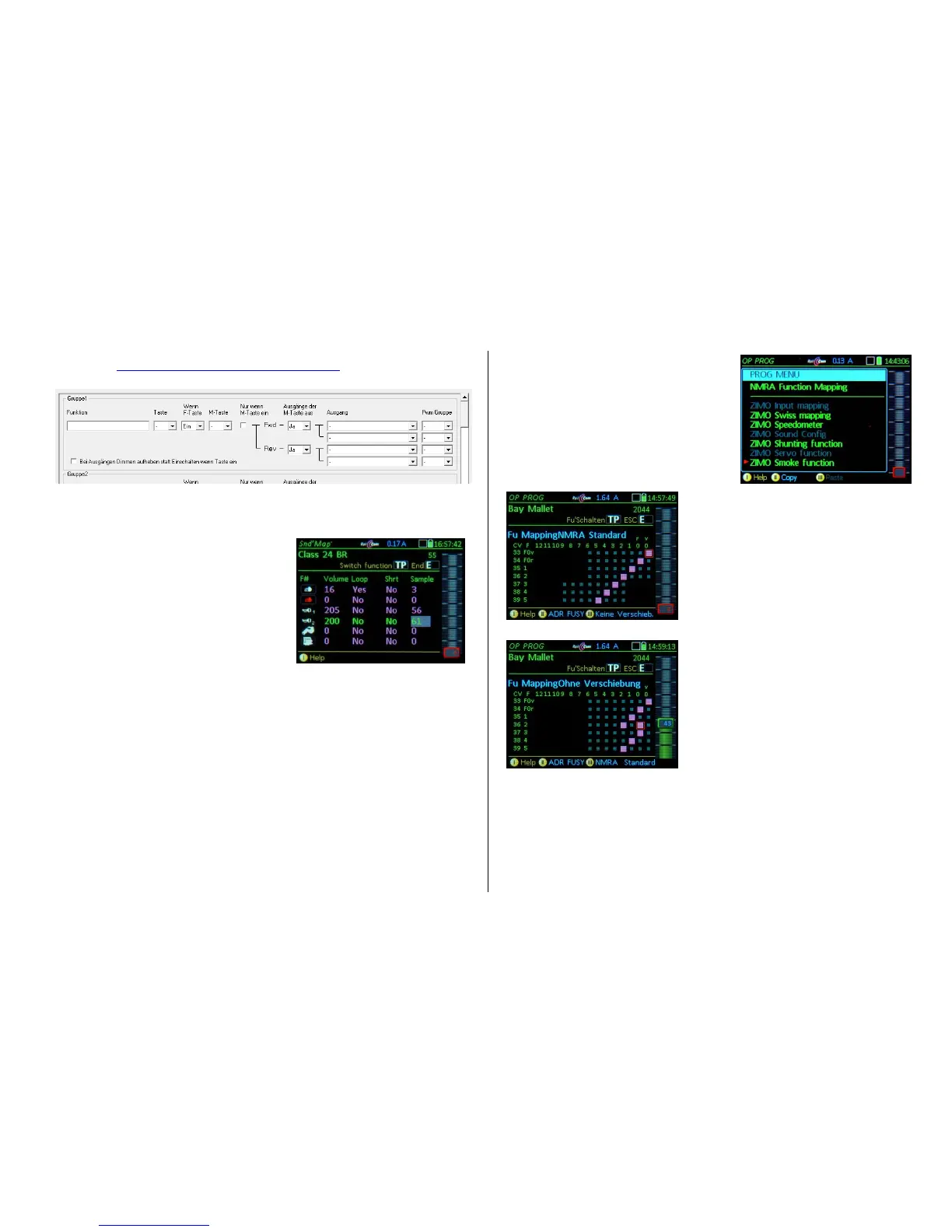
The logic is the same as in the “ZIMO Sound Programmer” (ZSP) available as a free download from the
ZIMO Website http://www.zimo.at/web2010/products/zspdownload.htm). The picture below is a screen
copy to compare with the MX32 display. Text in magenta is from the MX32 Swiss Mapping:
The ZIMO Function Sound Volume screen, allows to
quickly and easily assign function sounds to (free) func-
tion keys and adjust the volume at the same time.
The sounds can also be set to endless playback or
short playback duration (sound breaks off and plays
the end part of the loop). To simplify the use of this
setting, it is of advantage to know the sound sample
number, which is published by the "Sound Providers".
OP PROG – NMRA Function mapping
Accessible in OP PROG with:
M-Key the first menu lines appear.
Scrolling wheel scroll to the desired line
A- Key starts the selected procedure.
NMRA Function Mapping (standard)
This is the basic function mapping of ZIMO decoders,
with certain additional capabilities, compared to the
NMRA defined procedures.
Scrolling wheel scroll in the column
Rocker switch scroll in the row
Number keys select the function keys
NMRA Function Mapping without left-shift
This special ZIMO feature is accessible with CV #61 = 97
and allows "higher" F-keys to also control "lower" functions.



 To Next Page