TETHERED CONTROLLER MX32, RADIO CONTROLLER MX32FU Page 7
NOTE: The help system is currently under development and will be continuously updated.
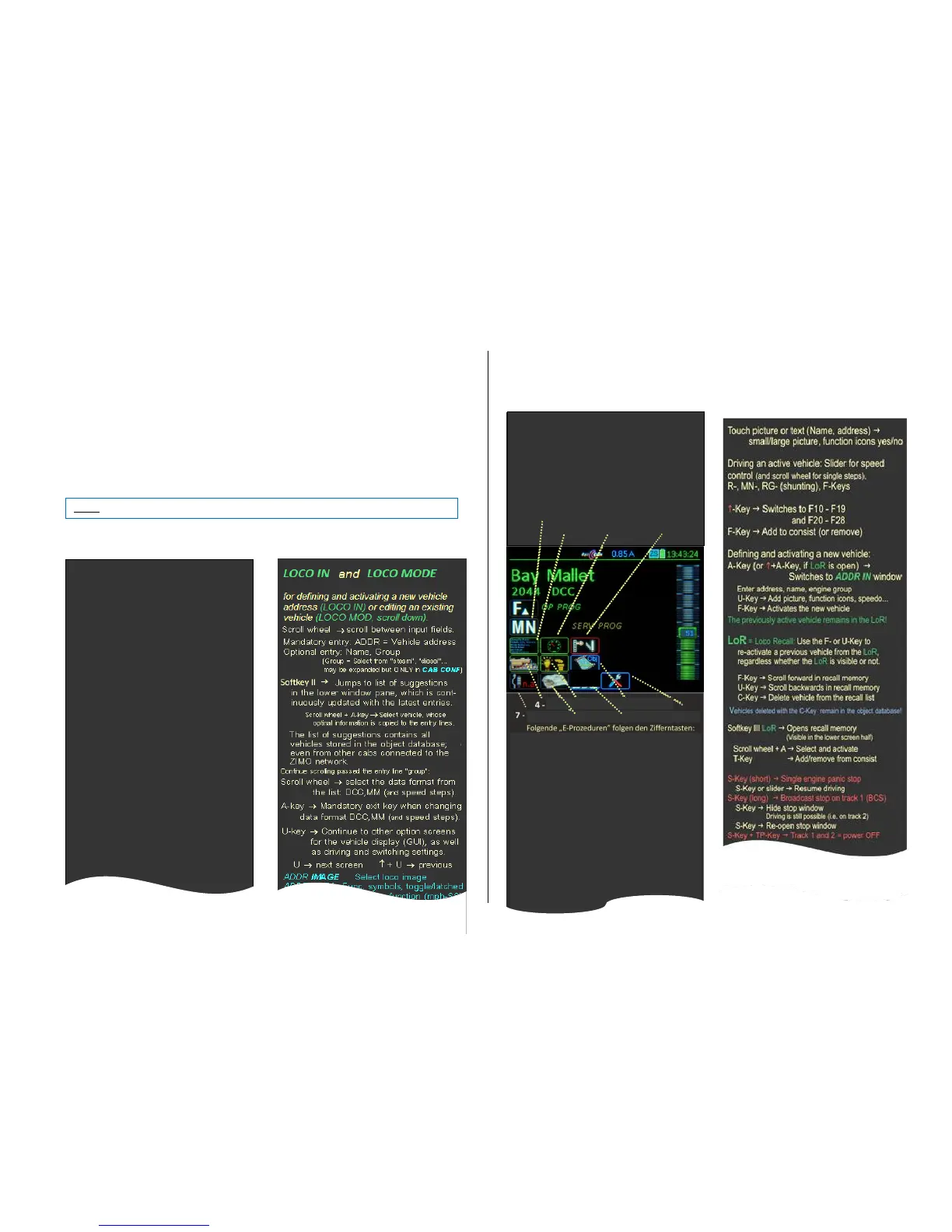
The following E-Procedures follow the number keys:
1 - FUMZ (Vehicle GUI): Number of functions 8
(F0…F8), 12 (…12), 20 (…20) or 28 (…28), to be
displayed and sent out through DCC commands,
activation of the old LGB pulse chain commands;
system controlled momentum (AT, BT, CRV). This
is NOT decoder programming.
2 - SPEEDO (Vehicle GUI)
Design: Speedo type and color.
Vmax: Top speed in km/h or mph, also dic
tates the range of the speedo scale.
Rg: Shunting speed, shunting speedo display.
Trailing: simulates momentum.
Speed step diagram (valid if RailCom is not
available), so that the speed is calculated
based on speed steps: three value pairs de
termine the curve; set with the speed slider
(speed
steps with rocker switch or number keys for
km/h)
1. The MX32 HELP-System
Softkey I is reserved for calling up the help screen in most operating modes. If this Softkey is
pressed, it opens the proper help screen for the current situation.
Each displayed help file is scrollable, if there is more content than the screen can hold. The controller
remains operational in driving and switching modes (LOCO and SWI) while the help file is displayed; but
not in the programming modes, which would make little sense without the programming screen present.
Softkey I closes the help screen and returns to the previous operating mode.
Softkey II, III in some cases these Softkeys are used to switch directly to other help files.
The help files shown in this manual are part of the explanations!
HELP-EXAMPLES
(Attention – may not always be up to date)
Consist
for defining and activating of a new consist.
TP-Key, Softkey III, Scroll wheel, Number keys
Building a consist:
Softkey III Jumps to the LoR (bottom half of
screen).
Scroll wheel Select the first vehicle for the
consist.
TP-Key + Number-Key (i.e. 1) Adds the se-
lected vehicle to the consist (the color in the LoR
switches to turquoise).
Repeat this procedure for each vehicle to be
added to the consist:
TP-Key + Number-Key (i.e. 1).
A consist can receive a number between 1 and
9. The vehicles display changes to turquoise in
the LoR as well as in the LOCO display.
The vehicles can be controlled after closing the
LoR like all other (single) vehicles in the LOCO
display. TP-Key: Scrolls among the vehicles of a
consist. F- / U-Key: Scrolls among all vehicles in
the LoR.
Removing a vehicle from a consist (when LoR is
open): Briefly press the TP-Key. The last remain-
ing vehicle of a consist also delets the consist.
All vehicles will be shown in green again.
The “E-Menu” in LOCO or SWI mode
Is the entry point for various applications such as
decoder CV programming, “GUI” (Display) settings
for vehicles, configuring of ZIMO command station
and this cab etc.
(E+)…F-Key, MN-key, number keys 1…0
F – OP PROG – Programming on the main
MN – SERV PROG… on the programming track
1 – FUMZ 2 – SPEEDO 3 – ACC LIST
PICTURE 5 - FUSY 6 - ObjectDB
ROUTES 8 - StEin List 9 - BAB 0 - CONFIG


 To Next Page
 Loading...