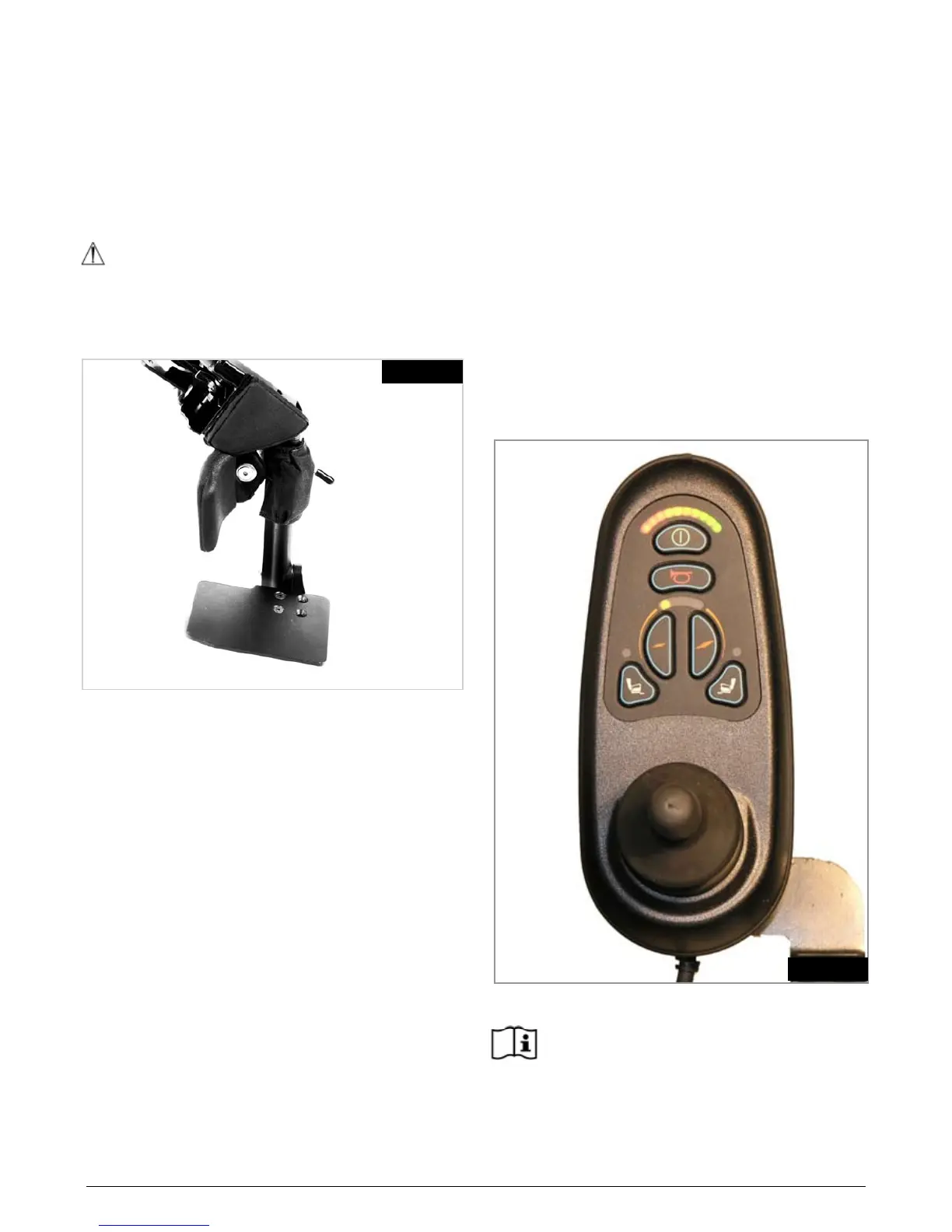
5.9.5 Manual Articulating / Elevating Legrest (ALR/
ELR)
To elevate:
Pull the legrest upwards and stop at the desired height.
The legrest will automatically lock in the chosen position.
To lower:
Push the release lever slowly forward. The legrest will lower
the angle. As soon as you release the lever, the legrest will
be locked in the current position (Fig. 5.46).
WARNING!
Keep hands clear of the adjustment mechanism between
the frame and the movable parts of the legrest while
elevating or lowering the legrest.
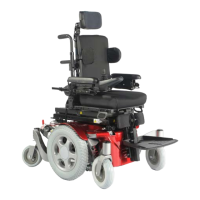
VR2 Control:
The actuator buttons can operate any factory approved
actuator. Operation is dependent on what options are fitted
to your wheelchair. To operate the back recline, seat tilt or
seat lift.
• Pushoneoftheactuatorbuttonsthathastheseaticon
on it to select actuator mode
• Operatethejoystickleftorrighttoselecttheactuator
required (actuator 1 or actuator 2). Selection is indicated
via the lighting of the red LED adjacent to the desired
actuator button.
• Operatethejoystickintheforwardorrearwarddirection
to move the back recline, seat lift or tilt up or down.
• Release the Joystick when the desired angle is
reached.
• To return to drive mode, press the actuator button
again. (Fig. 5.48)
As soon as any of the powered options reaches their
maximum or minimum positions, let go of the joystick. Do
not hold the joystick in its operating position as this could
damage the actuators.
R-net Control
Please refer to your R-net Owner’s Manual for
details.
LEVER
Fig. 5.46
Fig. 5.48


 To Next Page