D3 Series User Manual
Page | 61 Copyright©2023 ZKTECO CO., LTD. All rights reserved.
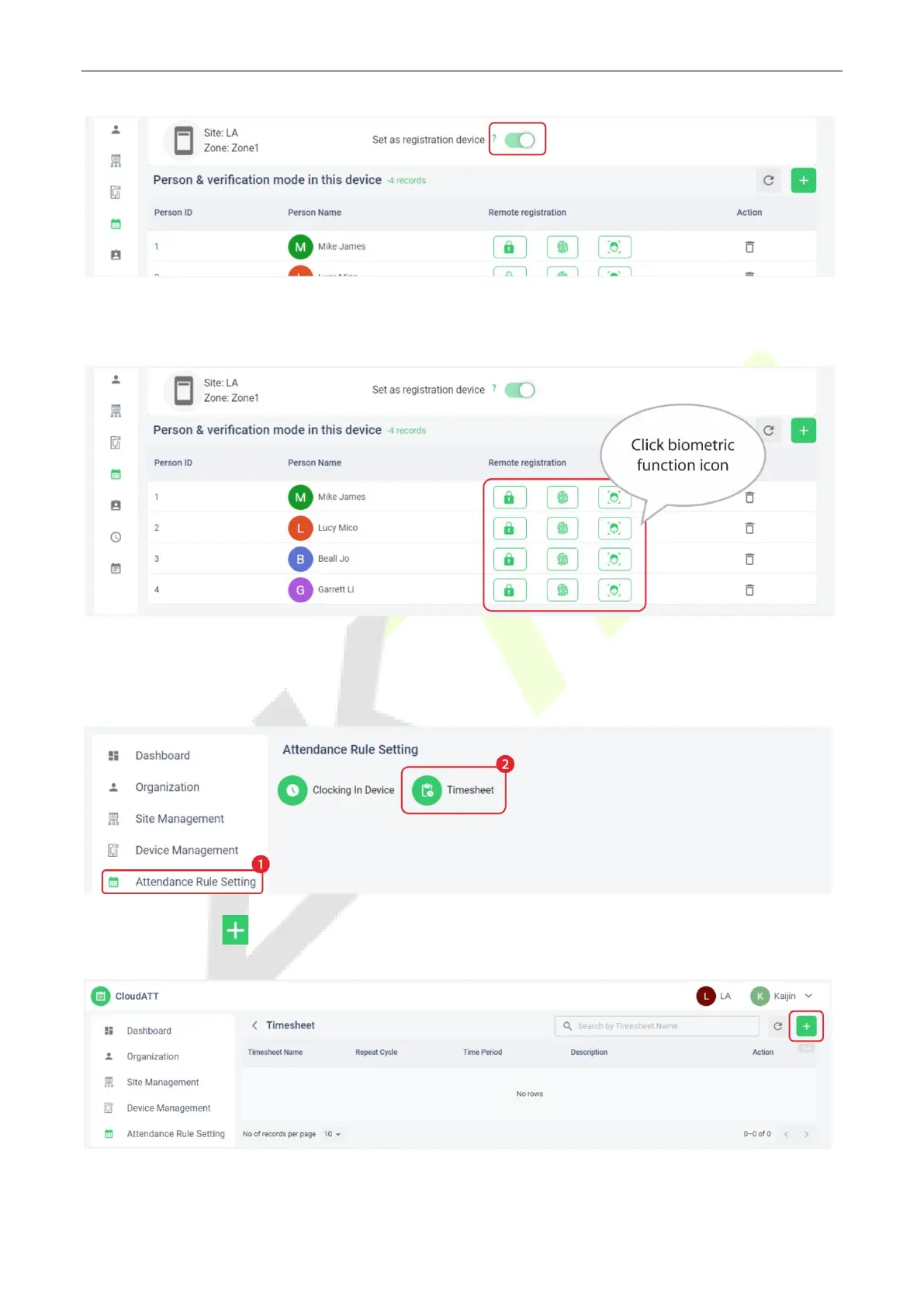
2. Click the relevant biometric function icon (fingerprint/face/password) to remotely register the
personnel biometric identification method.
Timesheet Setting on the ZKBio Zlink Web 12.4
1. Click [Attendance Rule Setting] > [Timesheet] on the [CloudATT].
2. Click add icon to set the attendance rule and timesheet, and click [SAVE].


 To Next Page
 Loading...










