Need help?
Do you have a question about the ZKTeco D3 Series and is the answer not in the manual?
Describes the manual's purpose and content scope for the D3 Series.
Explains graphical user interface conventions, including text formatting and menu separators.
Explains the meaning of various icons used throughout the manual for clarity.
Guides user posture and facial expression for accurate facial recognition during enrollment.
Provides detailed instructions and recommendations for registering a user's face.
Illustrates correct finger placement on the sensor for fingerprint registration and identification.
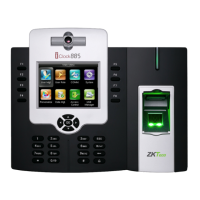
Illustrates and labels the external components of the D3 Series device.
Details the function of each terminal and provides wiring diagrams for connections.
Recommends optimal environmental conditions for installing the device.
Provides step-by-step instructions for mounting the device on a wall.
Provides step-by-step instructions for mounting the device on a desktop.
Guides the process of connecting the device to the ZKBio Zlink mobile application.
Guides the process of connecting the device to the ZKBio Zlink web platform.
Explains the process and outcomes of facial recognition verification.
Details the process and outcomes of card-based verification.
Explains the process and outcomes of fingerprint identification.
Outlines the procedure for registering new users with their details and credentials.
Describes how to search for and retrieve user information from the system.
Explains how to modify existing user information and settings.
Details the process for removing user data from the system.
Configures network settings such as IP address, subnet mask, and gateway.
Configures connection parameters for ZKTeco's cloud services.
Guides the setup and connection to wireless networks.
Allows manual setting of the device's date, time, and daylight saving.
Configures general system parameters like volume, language, and display options.
Adjusts parameters for face recognition accuracy and performance.
Configures settings related to door locks and sensors for access control.
Provides options for managing the device, including restart and reset functions.
Enables automatic testing of device modules to check their functionality.
Details the process for upgrading the device's firmware.
Guides users on how to change their login password for the WebServer.
Allows viewing and downloading of the device's operational history.
Explains how to download system and firmware logs for troubleshooting.
Displays detailed hardware and software information of the device.
Shows the device's storage capacity for users, records, and other data.
Lists the versions of the device's firmware and associated services.
Guides on adding new personnel profiles via the ZKBio Zlink web interface.
Explains how to transfer personnel data from the web to the device.
Details how to remotely set verification methods for personnel on the device.
Guides on configuring attendance timesheets and rules via the web.
Explains how to set up work schedules and assign them to employees.
Details how to query and view attendance records through the web interface.
Provides guidelines for capturing high-quality facial images for registration.
Specifies the technical data requirements for digital face images.
Outlines ZKTeco's policies on collecting, using, and protecting personal information.
 General
| Brand | ZKTeco |
|---|---|
| Model | D3 Series |
| Category | Touch terminals |
| Language | English |


 To Next Page