F18 User Manual V1.0
- 40 -
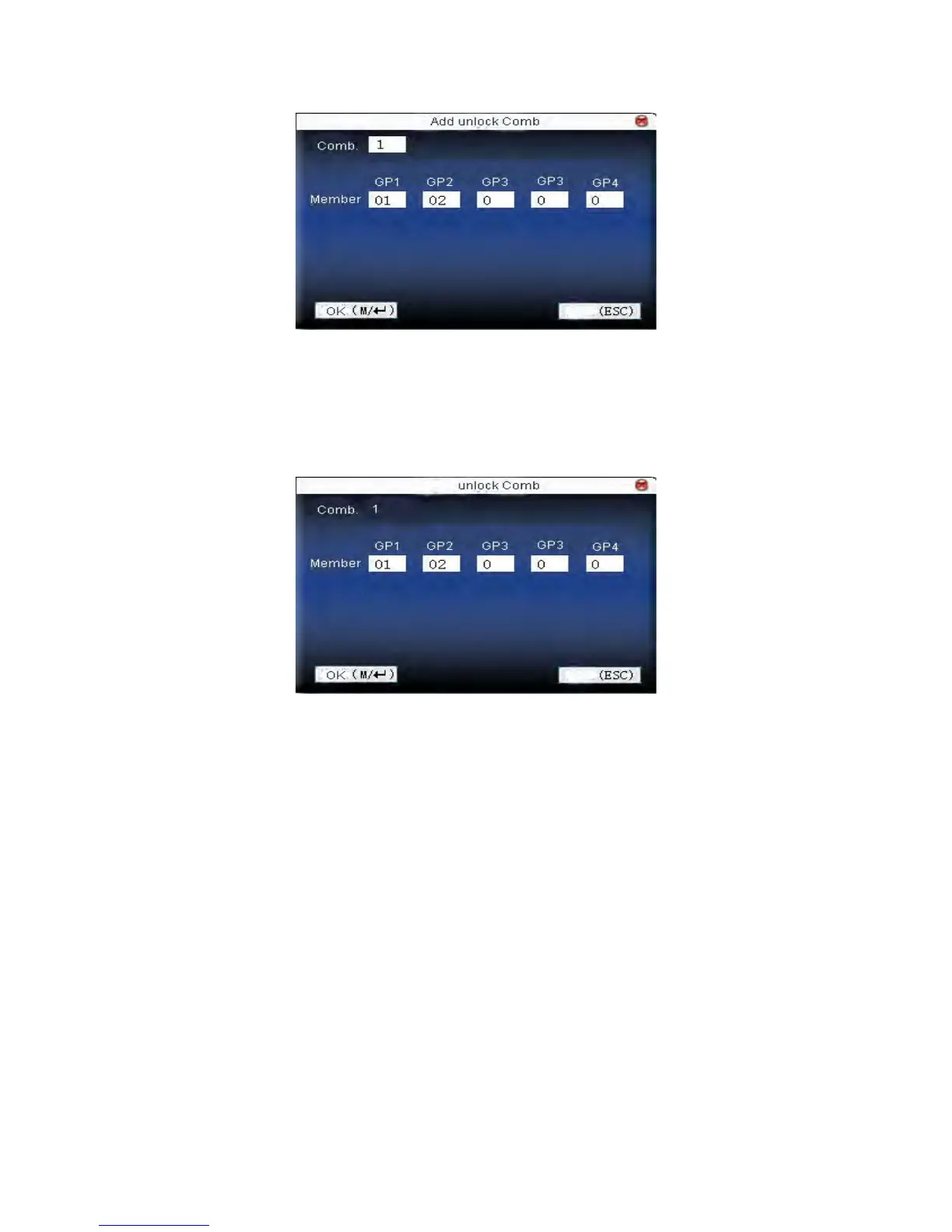
Press ▲/▼ to move cursor to the input box. Press numeric key on small
keyboard to input value. After setting, press Menu to save it. Then press
ESC to exit.
2. Edit unlock combination
Select the line to be edited. Press OK directly or press Menu to select
edit in operating menu.
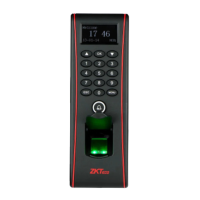
Press ▲/▼ to move cursor to the input box. Press numeric key on small
keyboard to input value. After setting, press Menu to save it. Then press
ESC to exit.
3. Delete unlock combination
Select the line to be deleted. Press Menu to select Delete in operating



 To Next Page