SA40 User Manual
Page | 8 Copyright©2021 ZKTECO CO., LTD. All rights reserved.
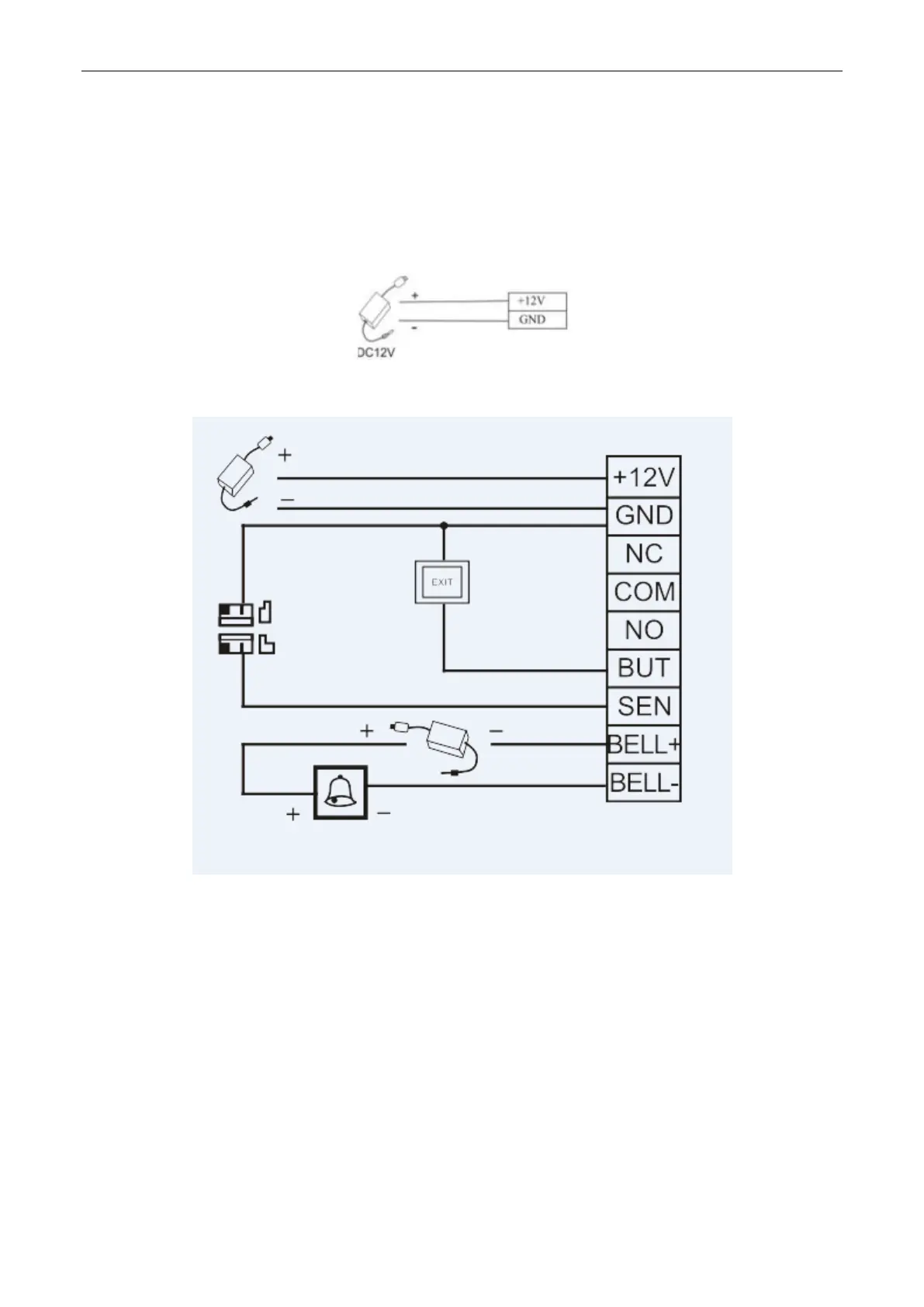
(3) Connect the power supply.
The device uses a DC 12V power supply and external cables are connected directly to the main board. The
operating current is equal to or less than 200mA, and the standby current is equal to or less than
150mA. The power supply can work after its positive and negative poles are connected to +12V and GND
terminals respectively. Do not reverse its positive and negative poles.
(4) Connect other devices













 To Next Page