15
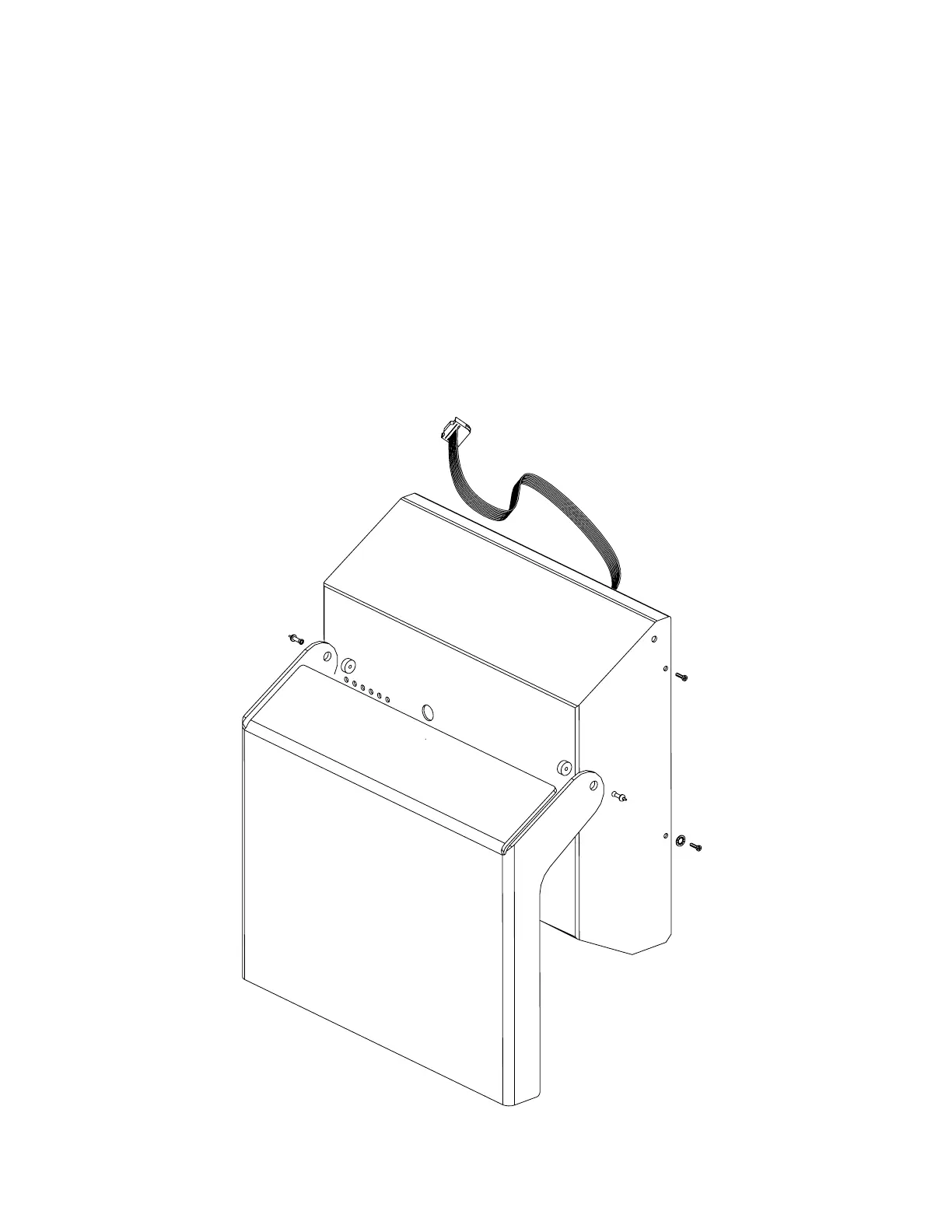
Clear Cover
Replace
1. Turn off power supply.
2. Remove the 4 cover screws, disconnect the ribbon wire and remove the cover.
3. From the inside, push the center pin out of the plasti rivet, remove (pliers may be needed).
4. Gently pull the plasti rivets out of the cover & remove the clear cover.
5. Lay paper down (to avoid scratching the replacement cover) and place the new cover on the paper.
6. Insert the plasti rivet thru the hole in the clear cover and push the anchor partially into the spacer (to hold the spacer
in place).
7. Set the metal cover into the clear plastic cover.
8. Insert the pins through the anchor to lock the cover in place.






 To Next Page