Appendix A: TCP/IP Settings 29
2
22
2
On the
Configuration
tab, in the
Profile
text box, enter a
name for the profile you want to create.
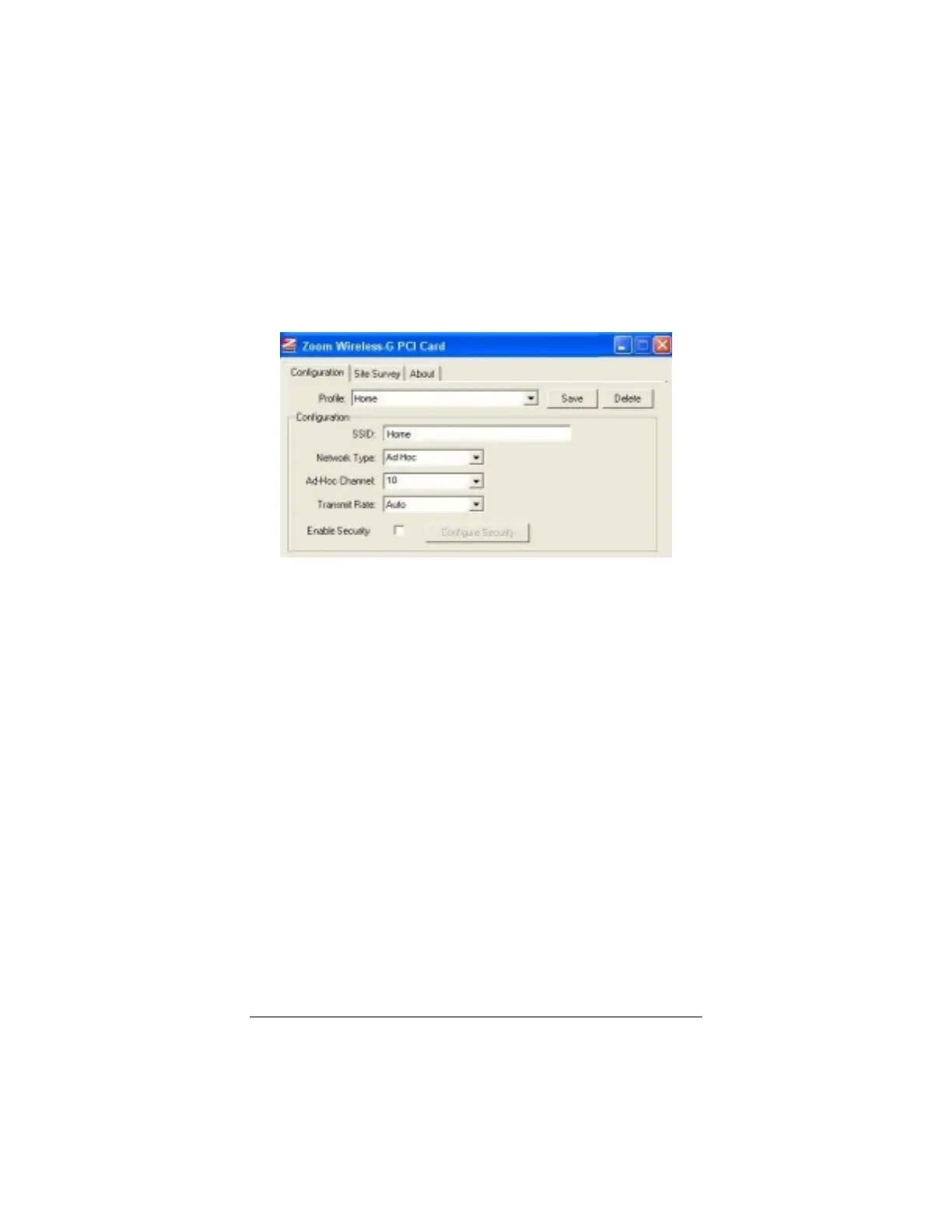
For example, let’s say you have a small Ad Hoc home
network to which you want to be able to switch quickly when
you arrive home. Give the profile the name “Home”:
3
33
3
In the Configuration area, enter the following settings:
•
SSID
– Enter the network name. In the example above,
the SSID is
Home
.
•
Network Type
– From the drop-down list, select
Ad
Hoc.
•
Ad Hoc channel
– From the drop-down list, select the
channel used by the other device(s) in the network. If
you are setting up the first computer in the network,
select a channel.
Also, to avoid interference, it is desirable to have a 5-
channel difference between your channel and the
channel being used by another network within range.
Click
Site Survey
, then
Rescan
to check the channel
settings of other networks within range.
If you are unsure of which channel to use, select the
default, Channel 6.
!
Transmit Rate
– Select
Auto
to allow your device to
adjust automatically in the case of interference or a weak
connection. If you want to specify a fixed speed, choose



 To Next Page