34 Wireless-G PCI Card
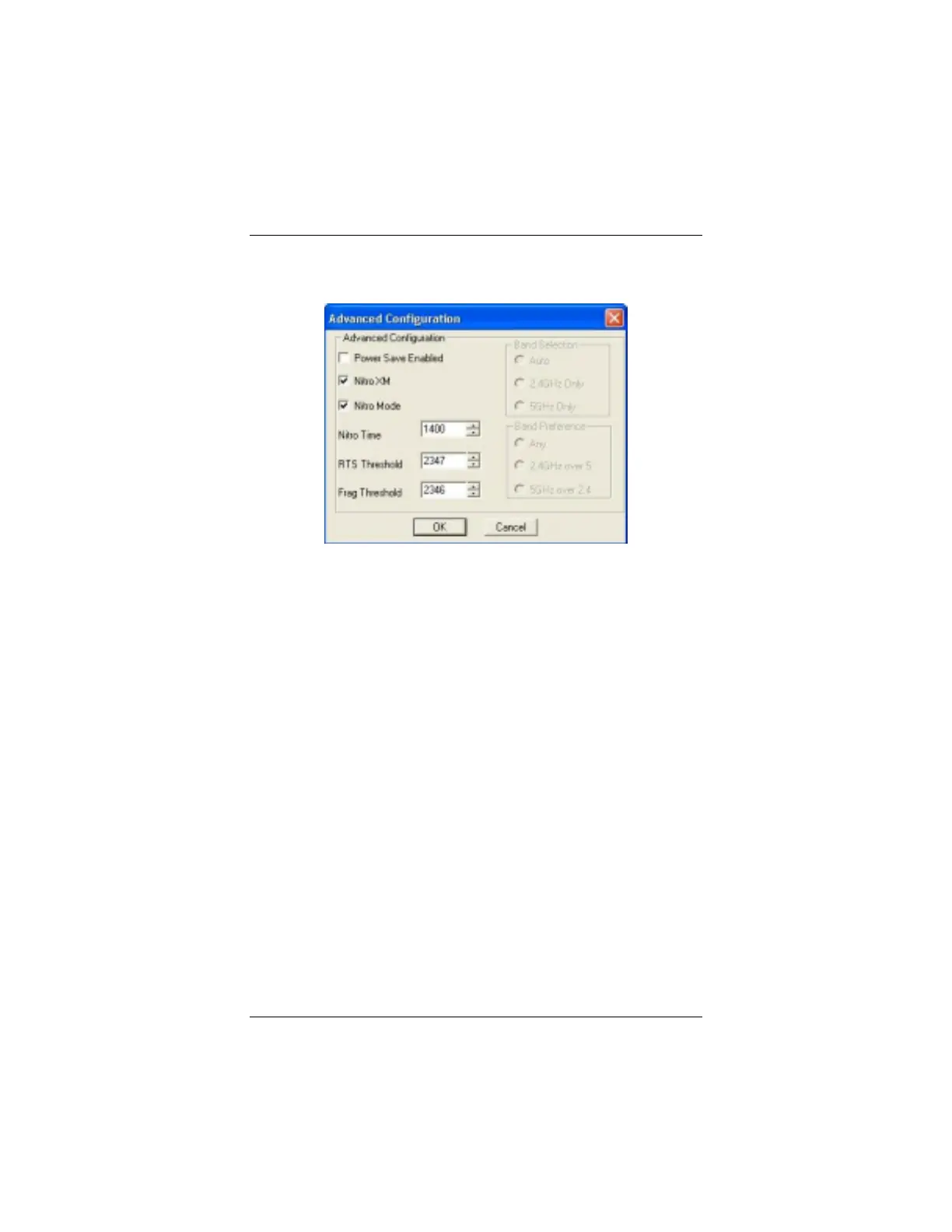
Advanced Configuration
To access this window, click the
Advanced
button on the
Configuration
tab.
•
Power Save Enabled
: When
you select this option, the
Wireless-G PCI Card
immediately signals the access
point that it is in Power Save
mode. The access point buffers
all packets until it is polled by
the PCI Card.
Note:
The access point you use
must also support Power Save.
•
Nitro XM
: Selected by default.
This technology lets devices
communicate directly with each
other while they remain linked
to a Nitro XM-enabled access
point. Nitro XM enables data
compression and can
significantly enhance data
transfer speed.
•
Nitro Mode
: Selected by
default. Provides special
protocol enhancements to
improve the throughput of your
wireless connection.
•
RTS
(
R
equest
T
o
S
end)
Threshold
: This is a
mechanism designed to ensure
that all devices in a network
can send data to the access
point. If some computers are
having trouble communicating,
enter the maximum packet size
of data to be sent – 0 to 1500
is recommended. If the packet
size exceeds the value you set,
RTS will be activated. The
default is
Disabled
(2347).
•
Frag
(Data fragmentation)
Threshold:
If your PCI Card
often transmits large files, you
can set a limit on packet size. If
the limit is exceeded, the PCI
Card will split the packet. The
default is
Disabled
(2346).



 To Next Page