©2019, Zortrax S.A. All rights reserved. All trade names, logos and trademarks mentioned in the following
document are registered trademarks of Zortrax and are subject to legal protection.
44
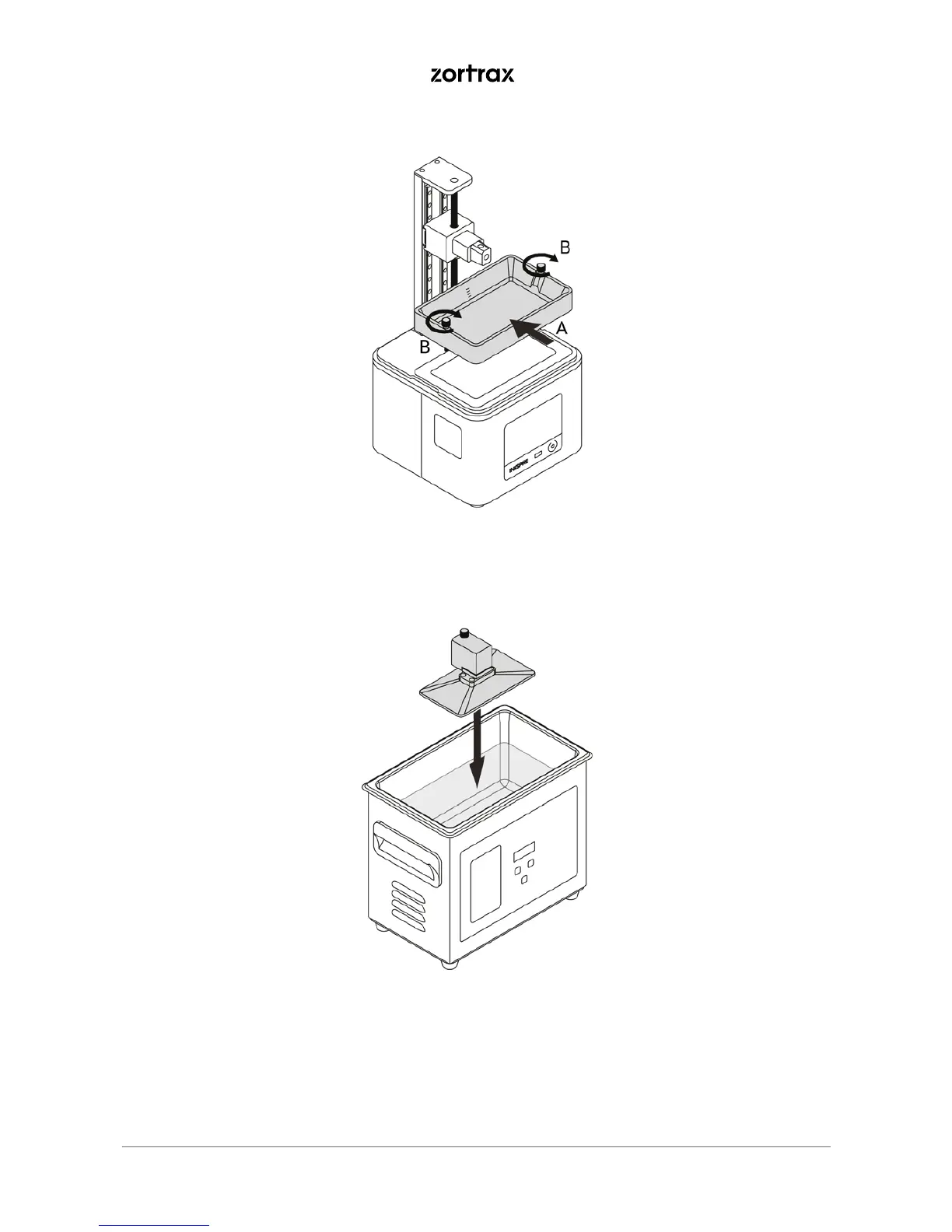
14. Clean the LCD screen and the outside of the FEP film with a soft cloth. Install the resin tank back in its
place (A) and secure it with the two screws (B).
15. Clean the platform surface with a spatula to remove the residues of cured resin. Next, put the platform
in the Ultrasonic Cleaner and turn on the device for about 30-60 seconds.



 To Next Page