8
9
7
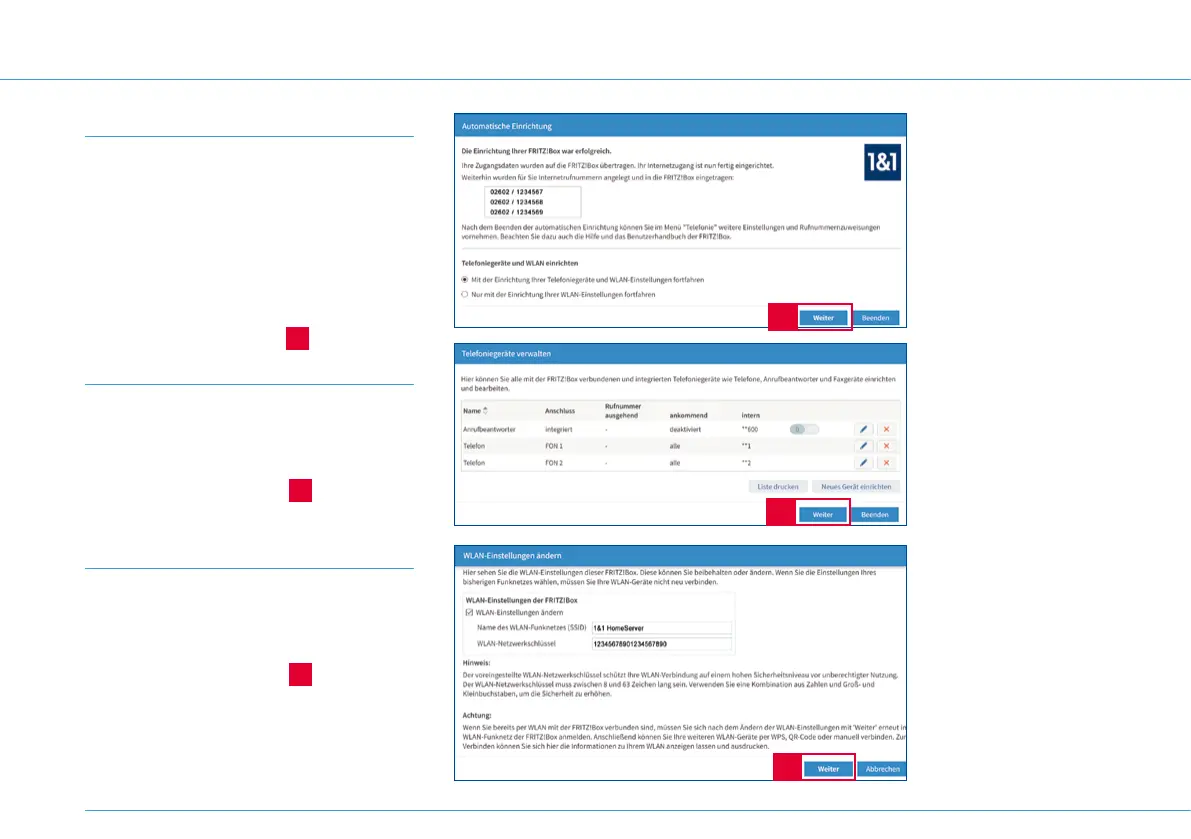
Step 7
Once you have successfully set up your
connection, you will see an overview of your
telephone numbers.
Activate “Mit der Einrichtung Ihrer
Telefoniegeräte und WLAN Einstellun-
gen fortfahren” (Continue to set-up your
telephone devices and Wi-Fi settings) and
click on Weiter (Continue)
7
.
Step 8
You can now set up new telephones and
answering machines. You can find out more
in the DSL user guide.
Click on Weiter (Continue)
8
.
Step 9
You can change the Wi-Fi settings for your
1&1 HomeServer, e.g. to the name and pass-
word from your previous DSL router.
Click on Weiter (Continue)
9
.
16


 To Next Page