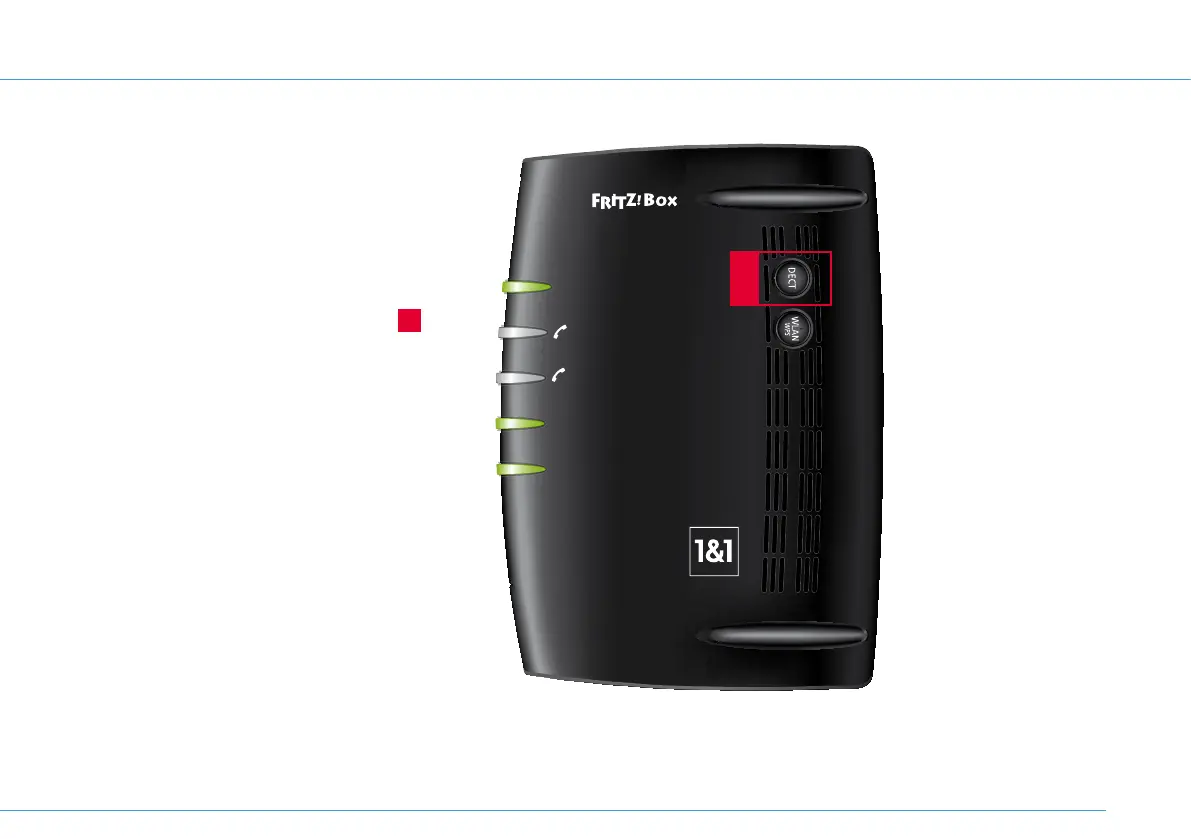
Power / DSL
Internet
Festnetz
WLAN
Info
1&1 HomeServer+
A
Cordless telephones (DECT
Read and follow the instructions provided
with your DECT telephone to manually set
up a base station.
As soon as you are requested to press the
registration/paging button on the base
station, press and hold the DECT button
A
on the 1&1 HomeServer until the Info LED
starts to flash.
The default DECT pin for the 1&1 HomeServer
is “0000”.
Connect USB devices
Please see the Home
network chapter of the
1&1 DSL user guide for
information about how
to connect USB devices,
e.g. a USB printer or USB
external hard drive.
19


 To Next Page