Step 1
Open your browser, go to http://fritz.box,
enter your FRITZ!Box password and press
ENTER.
Step 2
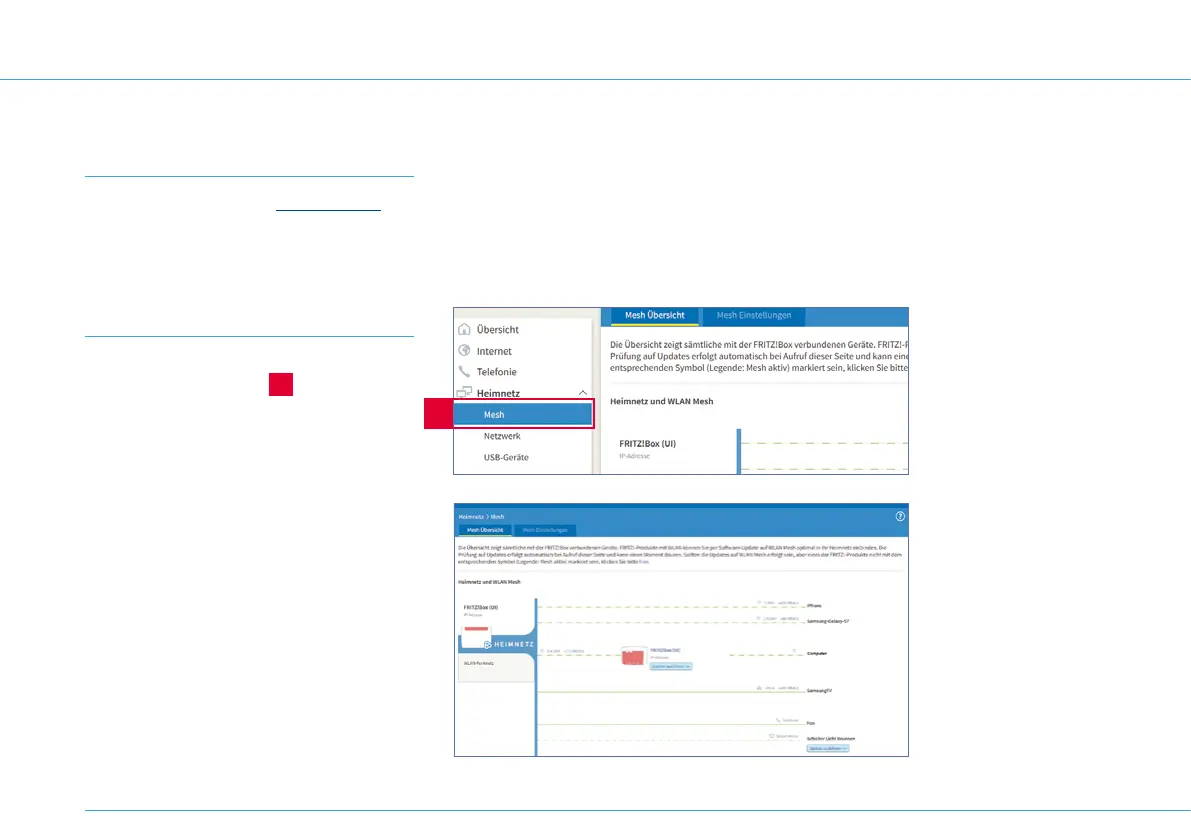
Click on Heimnetz > Mesh
(Home network > Mesh)
2
.
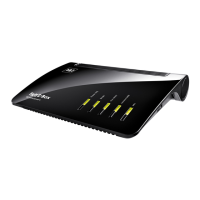
This shows which devices are connected to
the 1&1 HomeServer. It also shows the speed
for the connected devices.
These figures update regularly, so you can
see any changes as they occur. Try moving a
device to see if this improves the connection
speed.
2
Measure speed with
the 1&1 Control-
Center app
Under WLAN-Verbin-
dung (Wi-Fi connection)
in the 1&1 Control-Center
app, you can find tools
to help you measure and
improve the quality of
your Wi-Fi network.
You can download the
1&1 Control-Center app
from the Google Play Store
(Android) and from the
Apple App Store (iOS).
Slow Wi-Fi connection
26


 To Next Page