2N® Indoor View User Manual
•
•
•
•
•
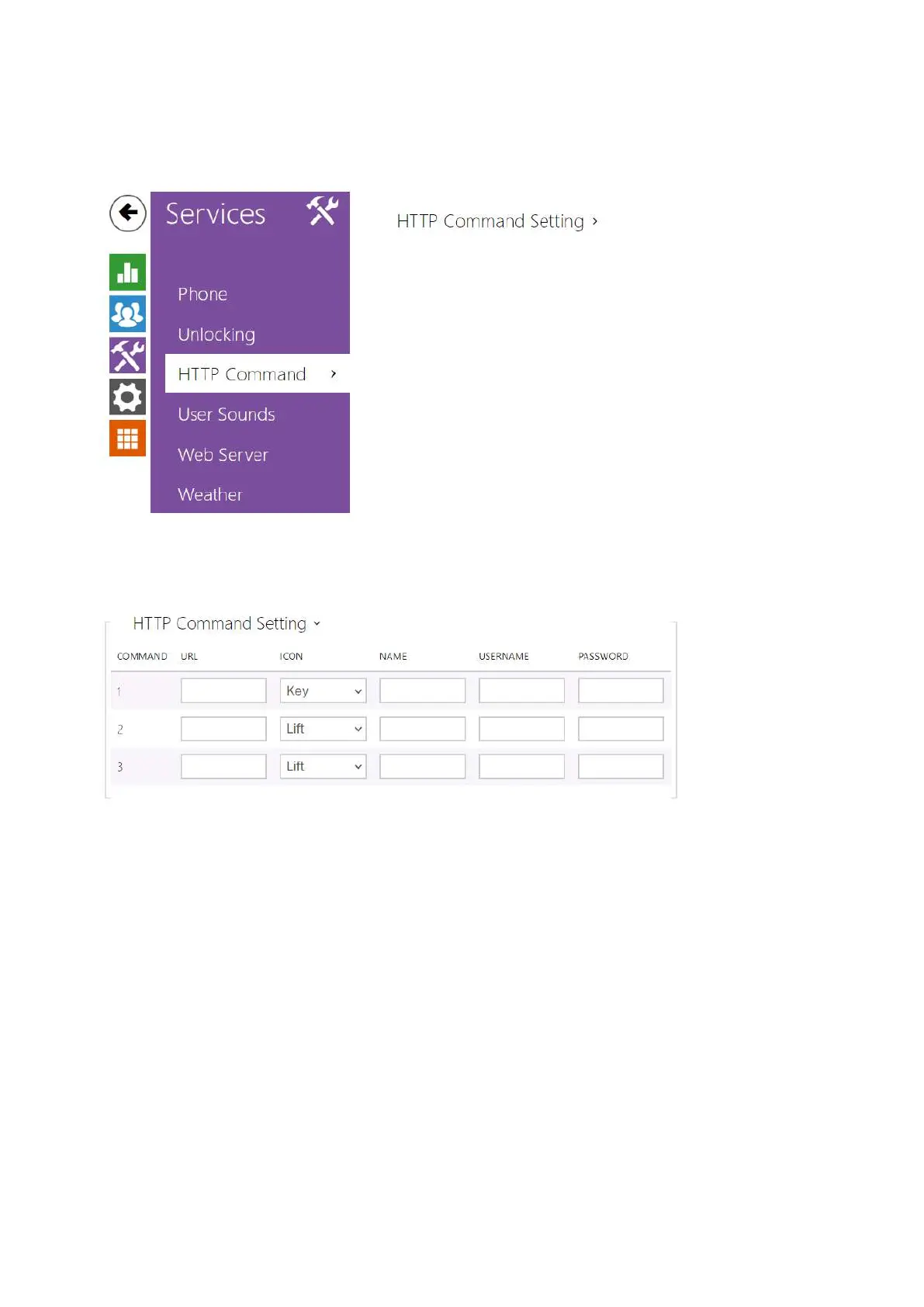
3.2.3.3 HTTP Command
HTTP Command on the 2N
®
Indoor View answering unit helps you send up to 3 selected HTTP
commands by a button press. The buttons are displayed on the Home page under the selected
icon in case the function is set.
URL – set the HTTP command to be sent to an external device by pressing a button. The
command is sent via the HTTP (GET request). The command format is http://ip_address/
path. E.g. http://192.168.1.50/relay1=on. If the parameter is empty, the command is not
sent.
Icon – choose the HTTP command button icon. The button is displayed on the device
home page and can be used for sending the set HTTP command.
Name – set the HTTP command name.
Username – set the user name for authentication of the HTTP command to be sent by
pressing a button. The parameter is mandatory only if the requested device requires
authentication.
Password – set the password for authentication of the HTTP command to be sent by
pressing a button. The parameter is mandatory only if the requested device requires
authentication.



 To Next Page