2N® Indoor View User Manual
•
•
•
•
•
•
•
•
•
•
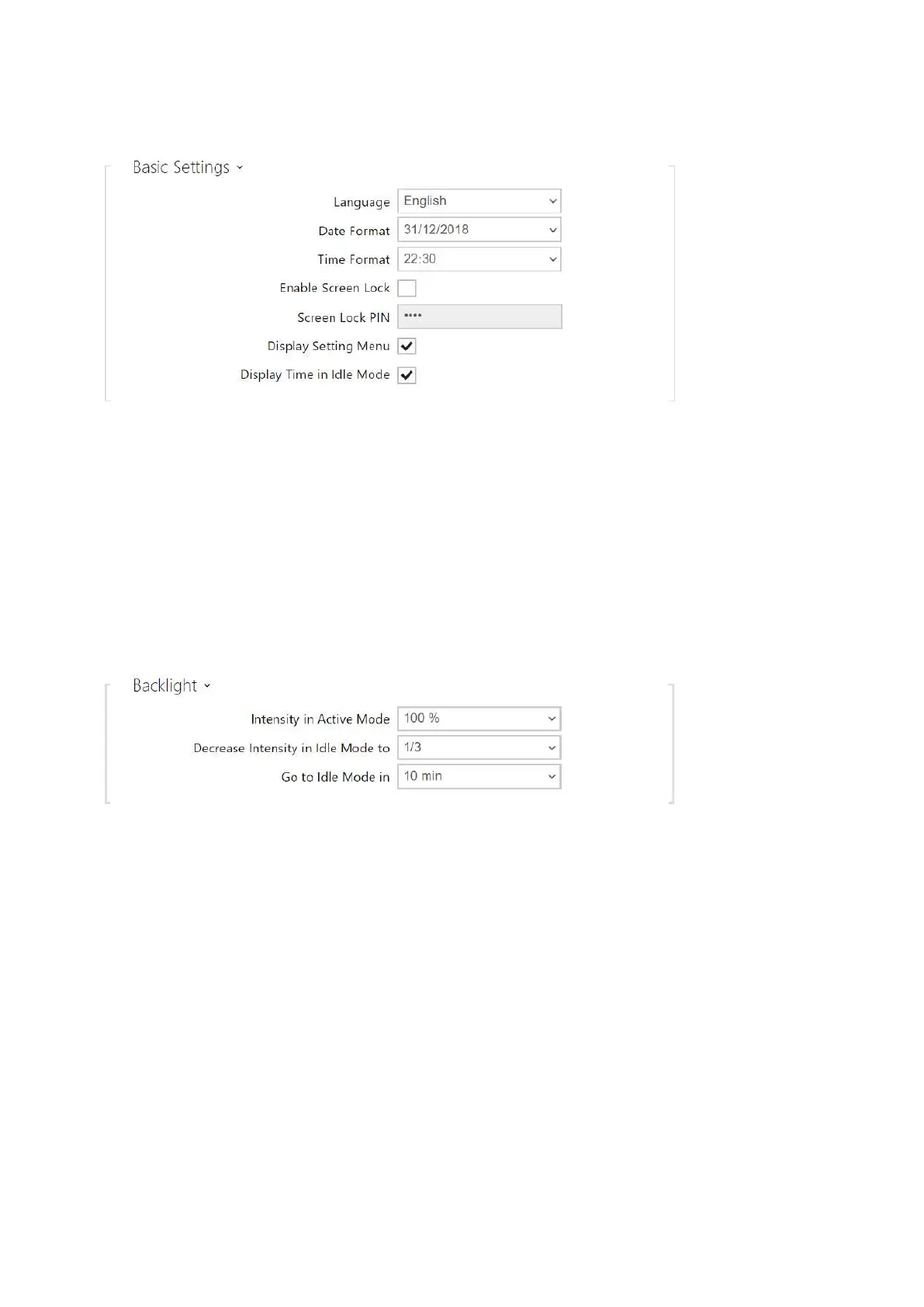
Language – set the language of the texts to be displayed. Choose one of the eight pre-
defined languages (CZ, EN, DE, NL, FR, ES, IT, RU).
Date Format – set the date format to be displayed.
Time Format – set the time format to be displayed.
Enabled Screen Lock – enable the screen lock in the idle device mode. Enter the screen
lock PIN to unlock the user interface.
Screen Lock PIN – set the screen lock activation/deactivation code.
Display Setting Menu – display the setting menu.
Display Time in Idle Mode – allow the device to display time in the idle mode.
Intensity in Active Mode – set the backlight brightness level.Set the value as a
percentage of the maximum possible LED brightness.
Decrease Intensity in Idle Mode to – set the backlight intensity reduction level if the
device goes into the idle mode.
Go to Idle Mode in – set the inactivity timeout after which the device switches to the idle
mode.



 To Next Page