Mounting the Server 2-3
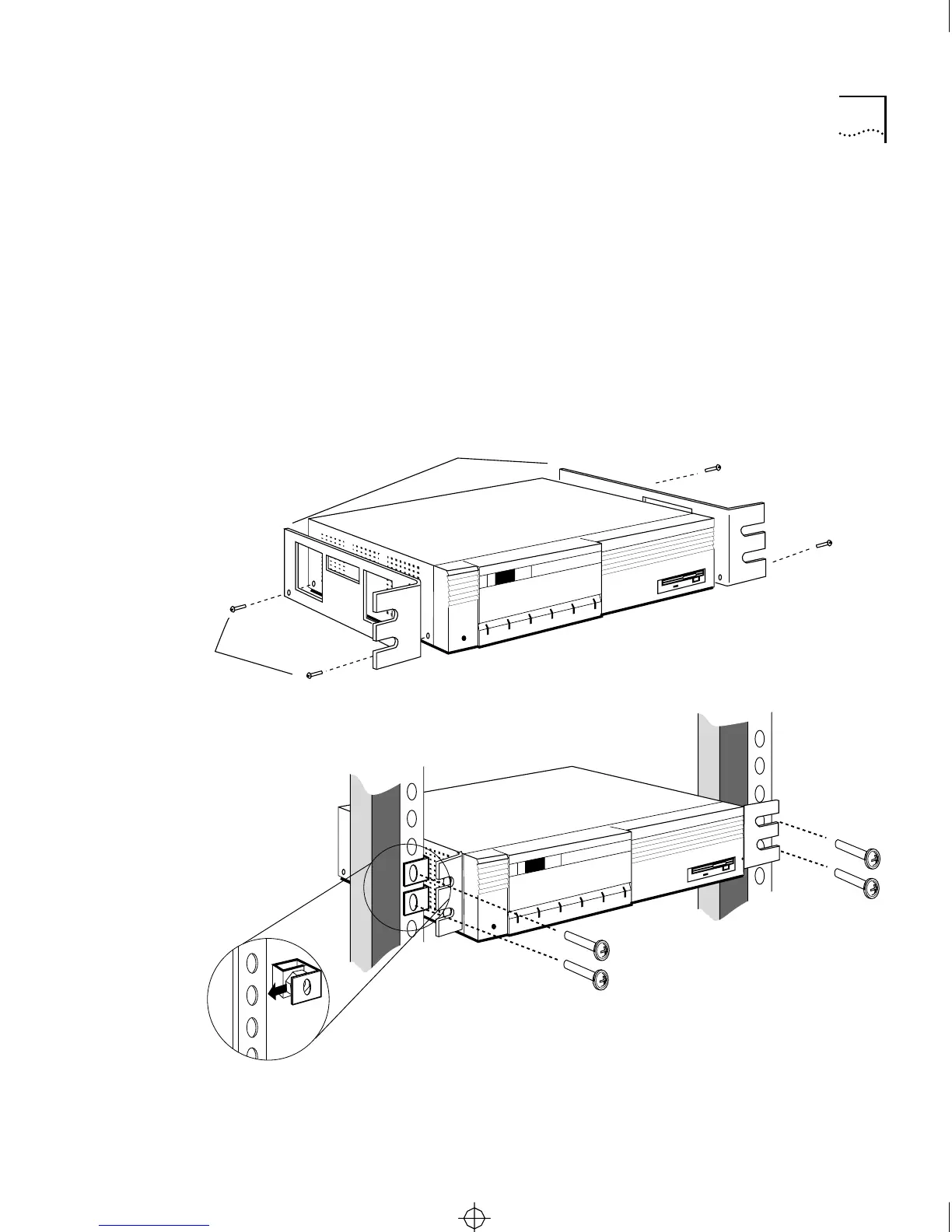
2 Slip two spring-clip captive nuts over the holes of each rack pole where
you want to install the server (see Figure 2-1).
Make sure that the nut goes behind the pole.
3 Attach the server to the rack.
One person should hold the server between the poles of the rack, while
the other attaches the server to the poles. Attach the server to the rack
with the four #10-32 panhead screws using the #2 Phillips screwdriver,
as shown in Figure 2-1. Tighten each screw securely.
Figure 2-1 Mounting in a Rack
brackets
4/40
crews
CS/2600
3Com
Install server in rack
CS/2600
3Com
Install brackets
CS2500BookFile : Installation Page 3 Thursday, December 11, 1997 10:44 AM



 To Next Page