Upgrades 5-7
4 Grasp both sides of the cover and carefully lift it off.
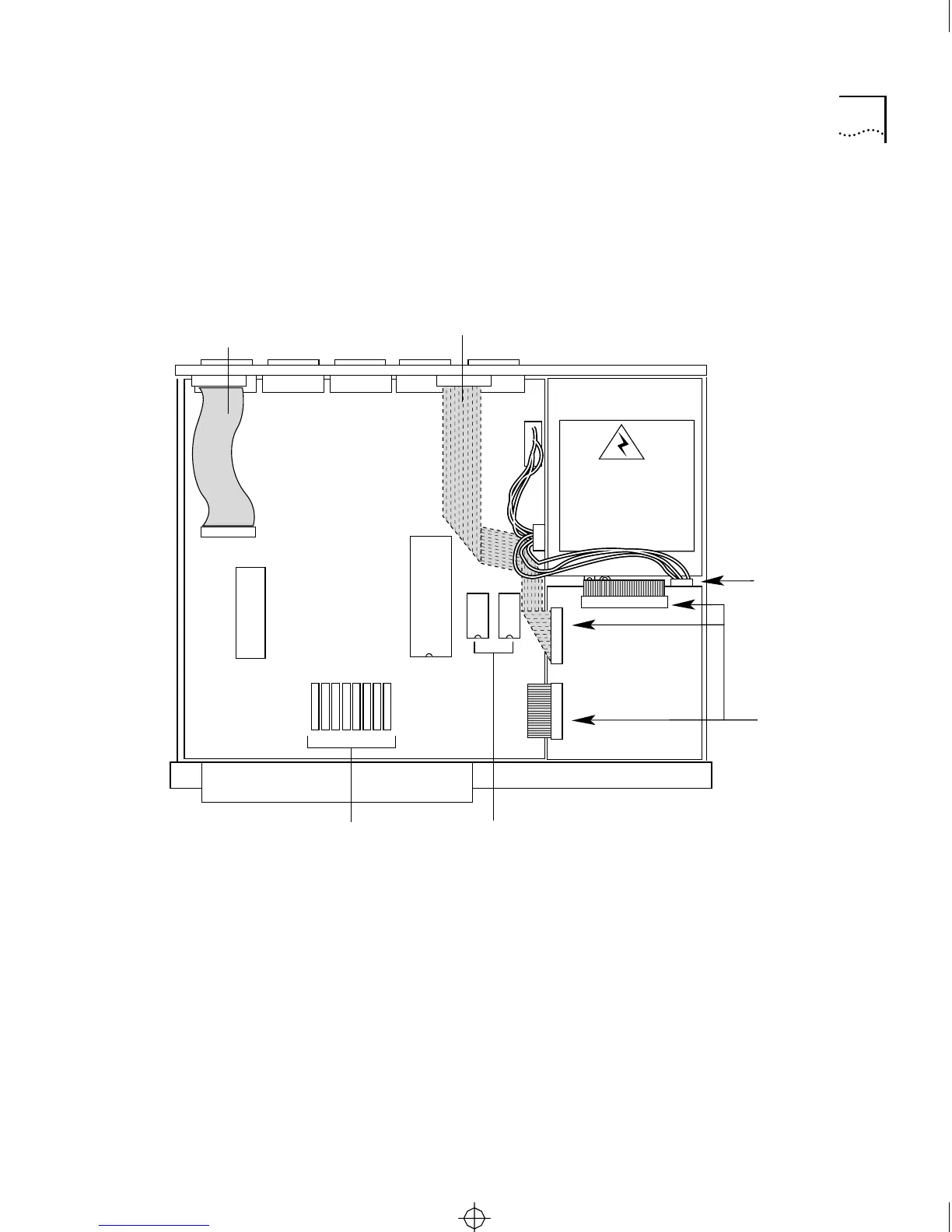
Figure 5-4 shows a view of the server interior and its components.
Figure 5-5 shows the motherboard and the locations of the memory chips
and EPROMs that can be replaced.
Figure 5-4 Server Components
Rear
Front
Daughtercard
assembly and
diskette drive
(CS/2600 only)
Power supply
WARNING:
Hazardous voltage.
Do not open.
No user-serviceable
parts inside.
Memory chips (RAM) EPROMs
Printer cableTransceiver connector
and cable
Motherboard
Ribbon cable
connectors
Power wiring
harness connector
CS2500BookFile : MaintenanceUpgrades Page 7 Thursday, December 11, 1997 10:44 AM



 To Next Page