5-8 C
HAPTER
5: M
AINTENANCE
AND
U
PGRADES
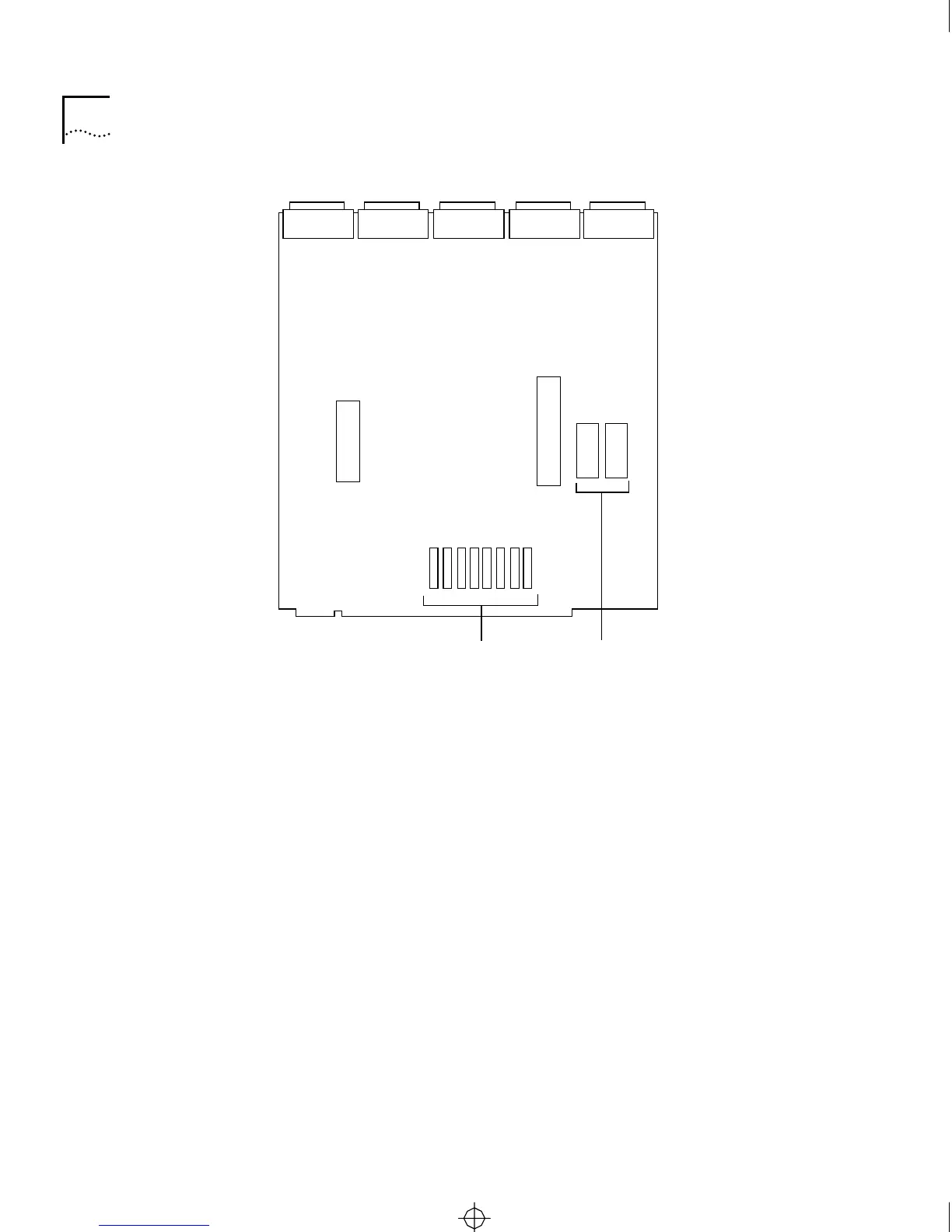
Figure 5-5 Memory Chip and EPROM Locations on Motherboard
Replacing the Diskette
Drive
This section explains how to replace the diskette drive (Model CS/2600
only).
You need a #1 and a #2 Phillips screwdriver. A pair of needlenose pliers
is also helpful for removing and replacing screws and connectors.
Follow this procedure:
1 Make sure server power is off and the power cord is unplugged.
2 Remove the cover, as described in “Removing the Cover” on page 5-6.
3 Perform the steps illustrated in Figure 5-6.
a Disconnect the ribbon cables from the side of the daughtercard
mounted on top of the diskette drive bracket (step 1 in Figure 5-6).
Note the orientation of the cables.
EPROMsMemory chips (RAM)
0-7
8-F
Rear
Front
CS2500BookFile : MaintenanceUpgrades Page 8 Thursday, December 11, 1997 10:44 AM



 To Next Page