Pannoramic DESK 1.18.1 User’s Guide 3 Preparing Slides
3.1 Affixing Barcode Stickers to Slides
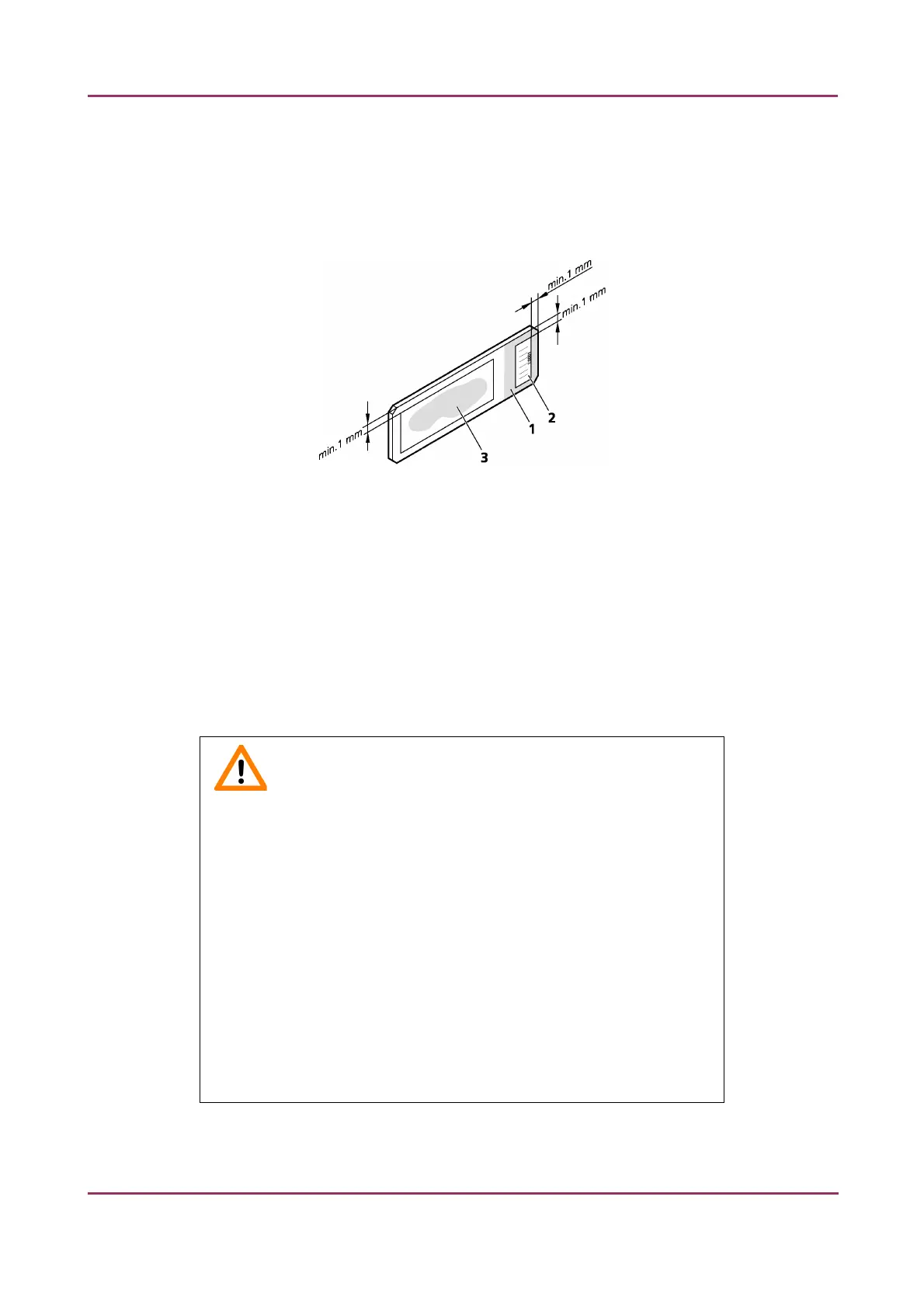
This section describes how to affix barcode stickers to slides. Barcodes enable virtual slide
identification.
Figure 5 – Slide with a barcode sticker
The label area (1) is recorded by the preview camera, and can be displayed by the control and viewer
software.
To affix barcode stickers to slides, do the following:
1. Peel off the barcode sticker (2) from the roll.
2. Stick it on the colored label area (1) of the slide, on the specimen side.
Caution!
Ensure that a marginal space of 1-2 mm remains on all sides between
the sticker and the label area outer limits. It is vital for barcode
identification.
Do not let barcode sticker protrude from slide edges, or stick on the
coverslip surface (3).
The thickness of the barcode sticker on the slide must not exceed 0.4
mm!
Do not stick more than four barcode stickers over each other and the
overall thickness must must be kept below 1.65 mm (including the
barcodes and the slide).
May 29, 2014 – Rev. 1 3DHISTECH Ltd. 22(77)



 To Next Page