Pannoramic DESK 1.18.1 User’s Guide 4 Software Description
The Scanned slide destination field determines where to digitize the virtual slides.
• To be able to choose the Scan To CaseCenter function, you have to install the ScanToServer
application. For information on how to install and use the ScanToServer application, see
section 4.4 Scan To Server.
• If you enable the Directory function, the virtual slides will be digitized in the specified
folder. You can browse for the folder with the Browse button. If you specify a folder that
does not exist, the software will create it.
All parameter inputs are saved for the next software session.
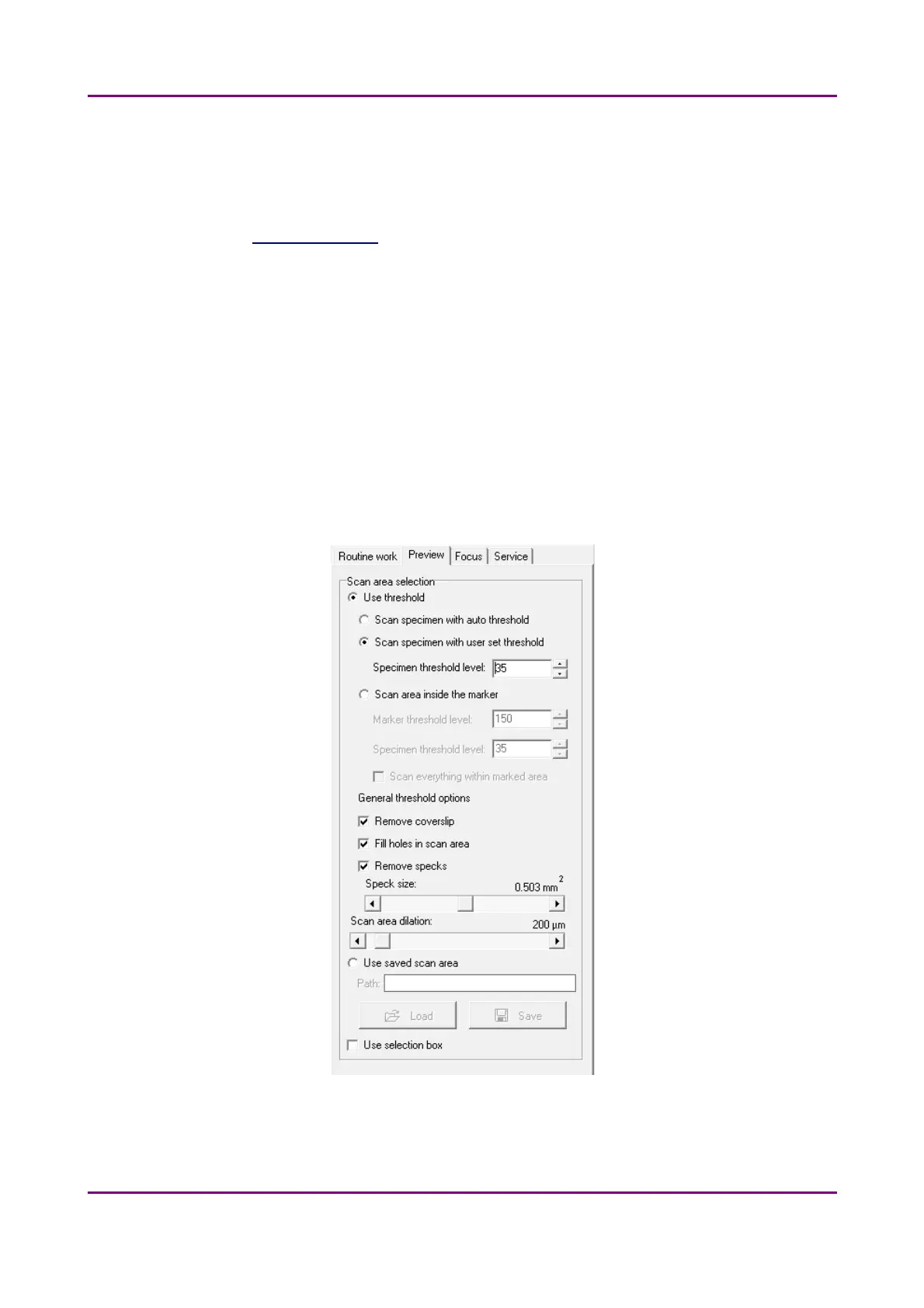
4.3.3 Preview tab
The Preview tab offers options for threshold setting and selection of the area to be scanned.
Figure 22 – Preview tab
May 29, 2014 - Rev. 1 3DHISTECH Ltd.
43(77)



 To Next Page