Pannoramic DESK 1.18.1 User’s Guide 4 Software Description
4.3 Using Brightfield Manual Mode
The Brightfield Manual mode is perfect for digitizing slides that require unique settings, or single
slides. You can use this mode to set the scanning, preview, and image quality settings. You can also
set profile settings here, and start scanning in Brightfield Manual mode. For more information on
profiles, see section 4.5 Using Profiles.
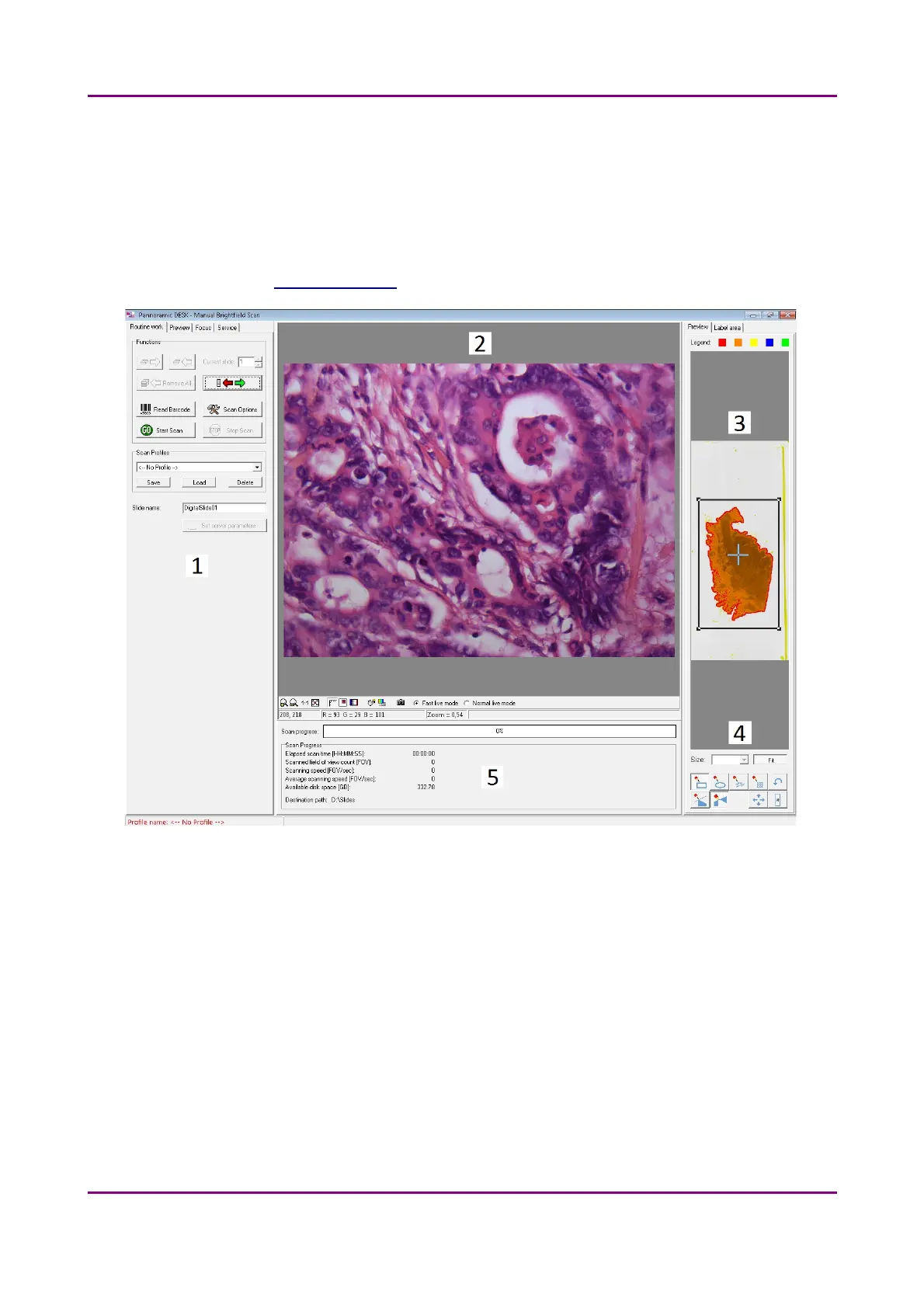
Figure 19 – Main window of control software
1. Tab panel with scanner functions and settings
2. Scan camera live image display area
3. Preview image recorded by the preview camera
4. Preview image editor toolbar
5. Information area about the digitization progress
May 29, 2014 - Rev. 1 3DHISTECH Ltd.
39(77)



 To Next Page