Pannoramic DESK 1.18.1 User’s Guide 4 Software Description
4.2.4 Event Call Settings
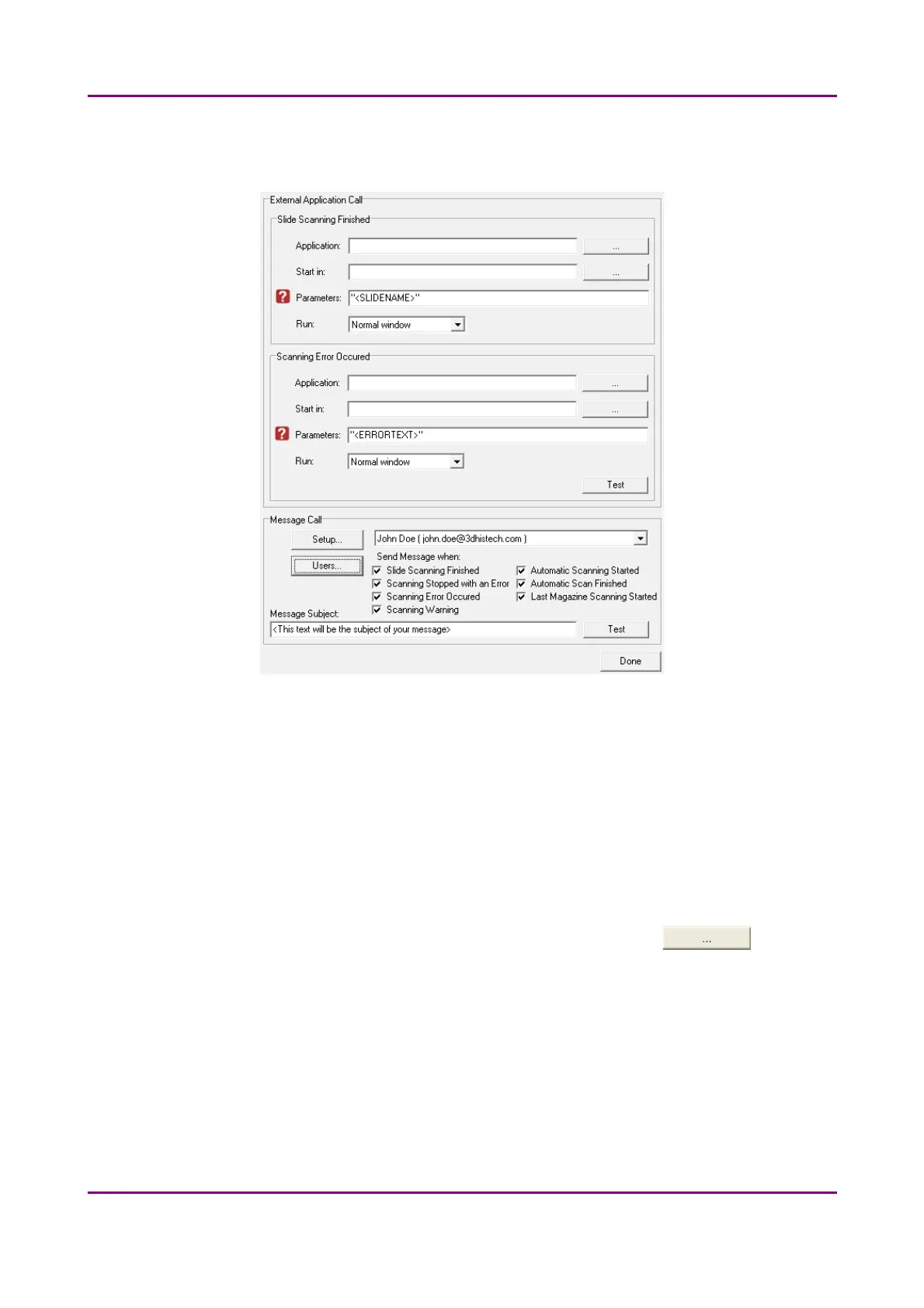
Figure 16 – External Application Call Settings
Two of the three settings are responsible for opening external applications (.exe or .bat) as defined
(for example, Pannoramic Viewer software can be opened after scanning is finished).
You can define external application call settings for the following cases:
• Slide Scanning Finished
• Scanning Error Occurred
For Slide Scanning Finished and Scanning Error Occurred you can define the external software by
entering the file path in the Application box, or by browsing for it by clicking . If you
define parameters in the Parameters box, it will pass them to the software that it starts. If no
parameter is defined, then the parameter will not be passed. The default parameters are the
following:
• For Scan Finished Call: "<SLIDENAME>" – transfers the slide name
• For Error Occurred Call: "<ERRORTEXT>" – transfers the error message
May 29, 2014 - Rev. 1 3DHISTECH Ltd.
36(77)



 To Next Page