Pannoramic DESK 1.18.1 User’s Guide 4 Software Description
4.3.1 Routine work tab
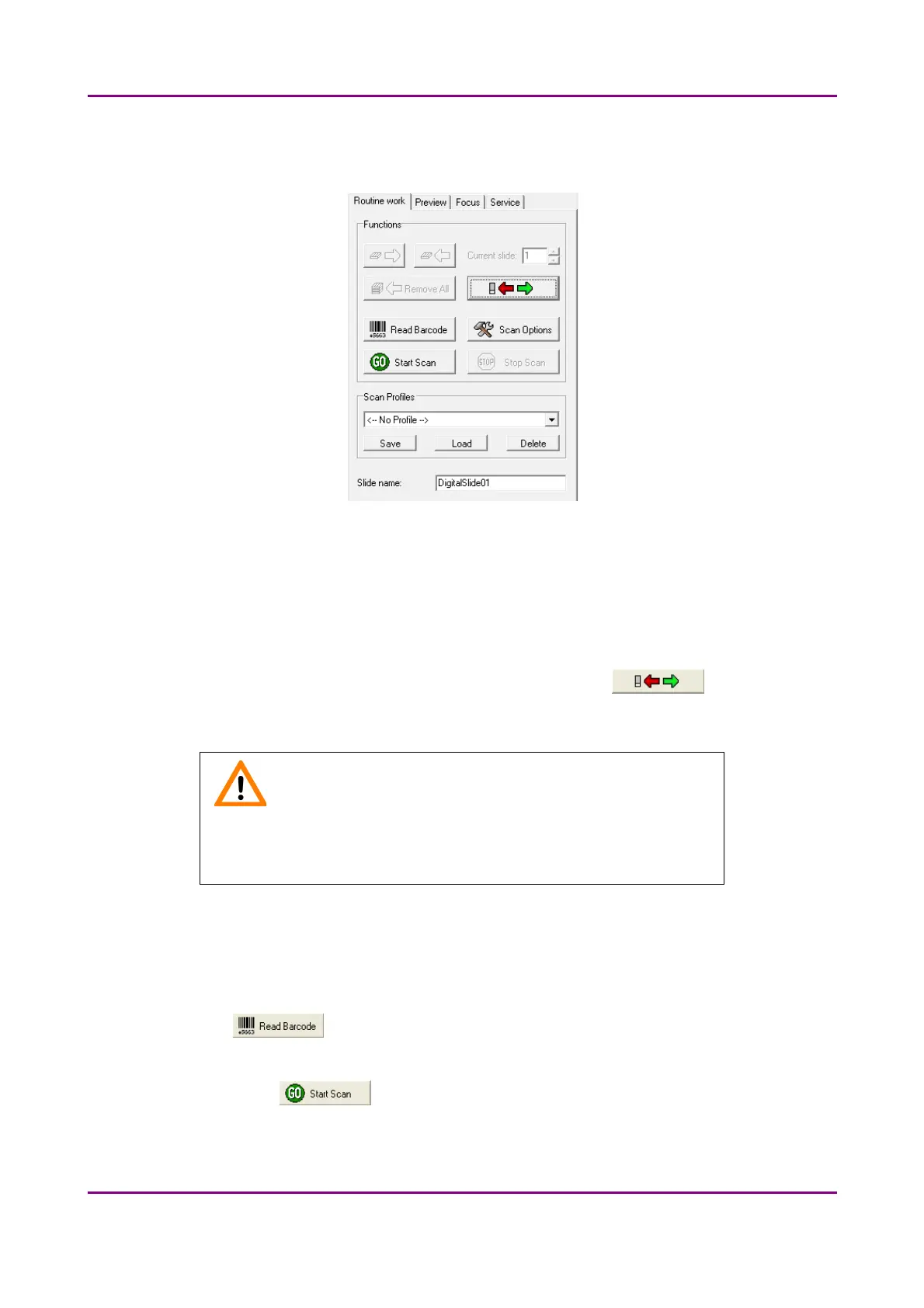
Figure 20 – Routine work tab
The Routine work tab provides the following basic digitization functions:
To insert and remove slides
• To move the specimen holder to load/unload position, click .
• Follow instructions detailed in section 3.2.
Caution!
Ensure that the slide is not tilted, and that it rests perfectly horizontally
on the stage.
To enter the slide name
• To enter the slide name manually, type it into the Slide Name field.
• To use the barcode as a slide name if a compatible barcode sticker is affixed on the slide,
click . First, the software automatically detects the barcode on the slide, then
the barcode string will be displayed in the Slide Name field.
You can also find the button on this tab that you can start scanning with, but it is
recommended to go through all the settings before clicking it.
May 29, 2014 - Rev. 1 3DHISTECH Ltd.
40(77)



 To Next Page