253D Systems, Inc.
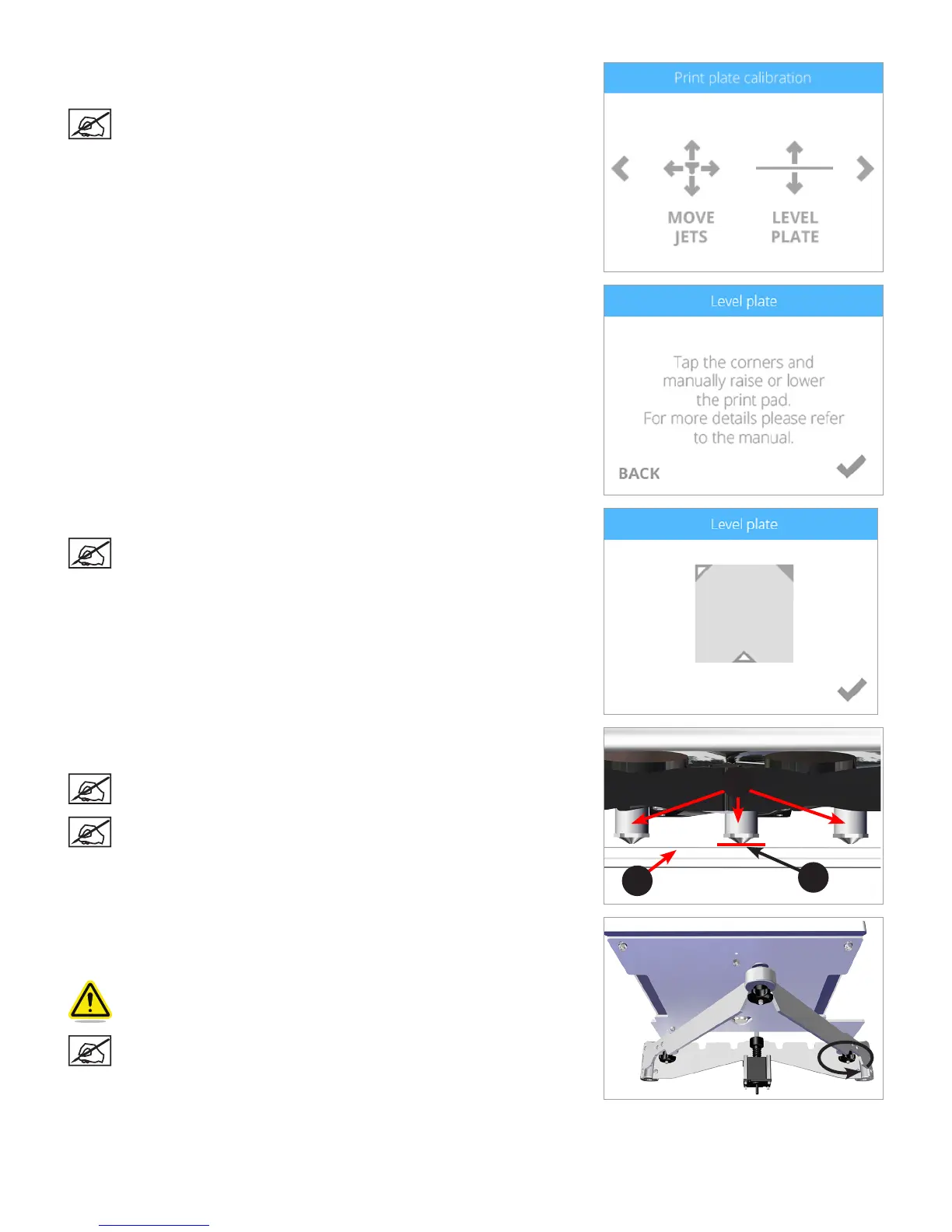
60. Navigate to the Print Plate Calibration screen and select LEVEL PLATE.
Select the checkmark to continue.
NOTE: The print pad will raise and the print jets will maneuver to the
left rear of the printer.
61. Select the upper right corner of the triangle on the touchscreen display.
NOTE: The printheads will move to the right rear corner of the print
pad.
62. Using the designated page from the Setup/Repack instructions, slide the paper
between the print jets and the print pad.
NOTE: If there is a slight resistance, proceed to step 64.
NOTE: The red line (C) illustrates the gap between the print jets (A)
and the print pad (B).
63. If the paper slides easily between the print jets and print pad, rotate the
adjustment knob counter-clockwise (from the bottom) until there is a slight
resistance.
CAUTION: If the print pad is set too high, damage to the print pad or
print jets may occur.
NOTE: If the paper can not be inserted between the print jets and
the print pad, turn the adjustment knob clockwise (from the bottom)
until there is a slight resistance on the paper.
A
B
C












 To Next Page