363D Systems, Inc.
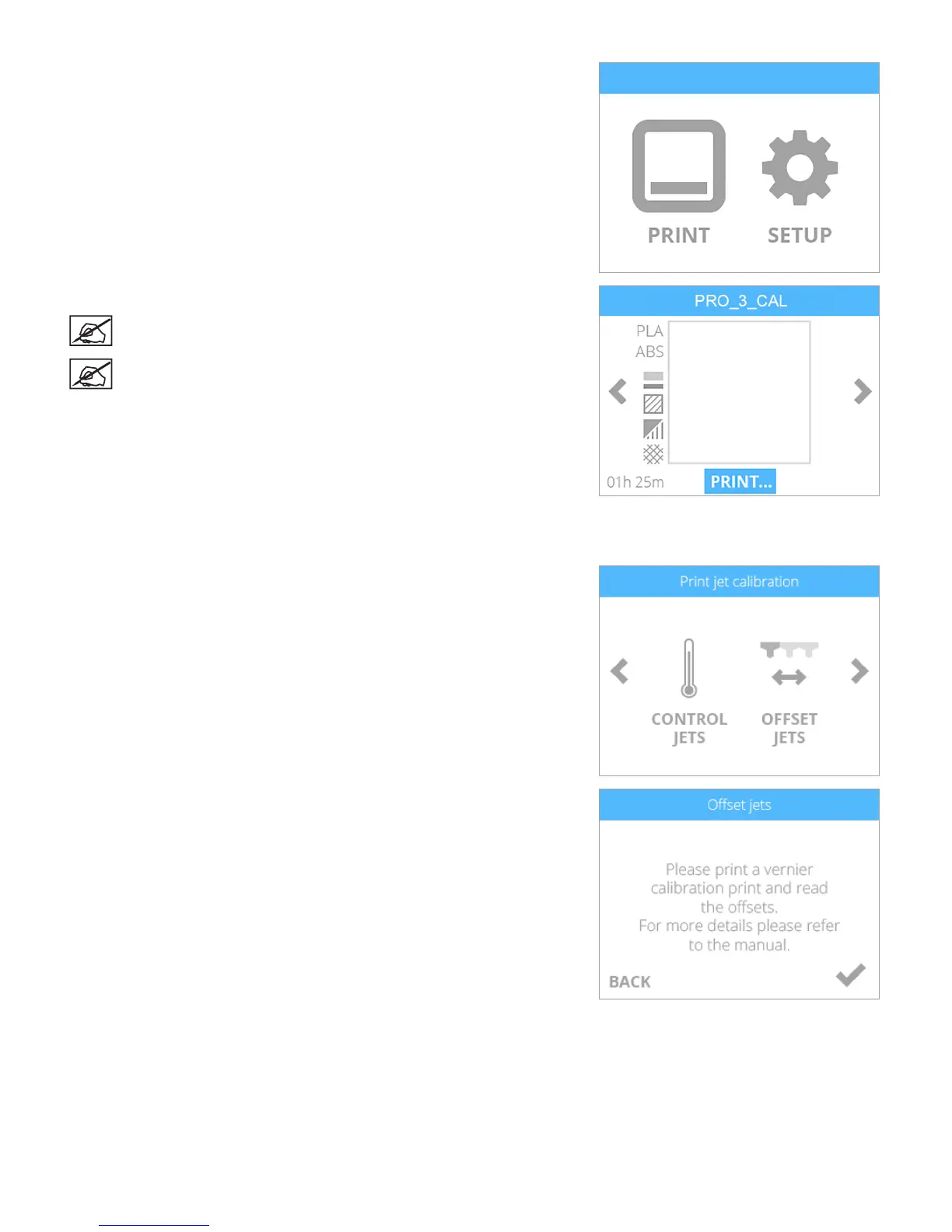
5. Insert the mass storage device into the printer’s USB host port and select
PRINT.
6. Navigate to the calibration le and select PRINT.
NOTE: The lename may differ from the illustration.
NOTE: The printer may require you to install additional cartridges
or replace a cartridge. Follow the instructions on the screen and
refer to the user guide if necessary.
7. Once the printer has nished printing, remove the print pad from the printer and
inspect the scales. If adjustments are required, proceed to the next step. If the
scales are aligned properly, no further action is required.
8. Navigate to the Print Jet Calibration screen and select OFFSET JETS.
9. Since the le has already been printed, select the checkmark to continue.












 To Next Page