Pannoramic 1000 1.2 – User’s Guide 3.2 Preparing Magazines
Insert magazines into the device
Note:
Magazines can be loaded into the device once the control software has
been launched.
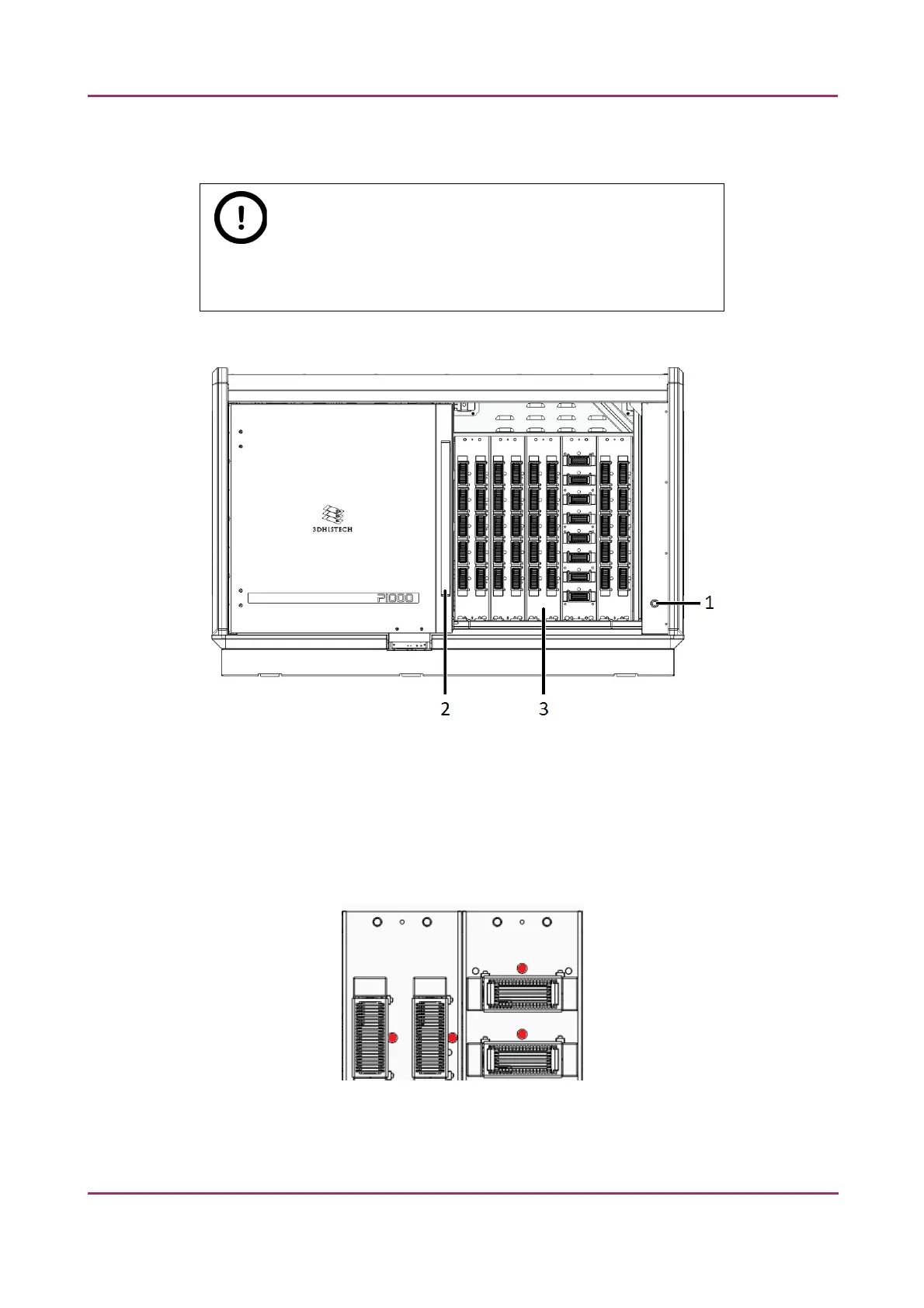
1. If the door opener button is lit green, push the door opener button (1).
2. Open the magazine compartment door (2) by sliding it to the left.
3. Insert the prepared magazine(s) to the desired magazine slot in the compartment (3). Make
sure to push magazines into the dedicated slots until you hear a clacking sound. A dedicated
LED (next to the magazine by standard slides; above the magazine by large slides) is lit in
white if the magazine has been inserted correctly. Locations of LED indicators are marked
with red in the below image:
March 19, 2019 – Rev. 2 3DHISTECH Ltd. 28(78)



 To Next Page