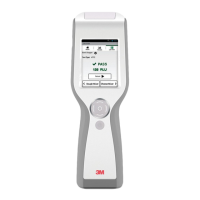
EasyManua.ls Logo

3M LM1 - User Manual

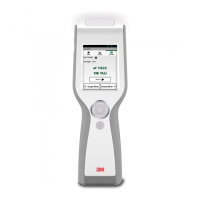
3M LM1
22 pages
Print Icon
To Next Page IconTo Next Page
Loading...
User Manual
LM1
3
Clean-Trace
Luminometer

Table of Contents

Questions and Answers

  • V
    vhullSep 2, 2025
    What does Error 9 mean on 3M Measuring Instruments and how do I fix it?
    • R
      Robert GriffinSep 2, 2025
      If your 3M Clean?Trace Measuring Instruments displays Error 9, it means the cap was open while reading a test. Close the cap, and then repeat reading the test. If the problem persists, contact 3M or your local distributor.
  • D
    David HardyAug 31, 2025
    How to resolve Error 7 on 3M LM1 Measuring Instruments?
    • S
      Stephen SandovalAug 31, 2025
      If your 3M Clean?Trace Measuring Instruments displays Error: 7, it indicates a firmware upgrade problem. First, turn the device off and then on again. Next, repeat the firmware upgrade. If the problem continues, contact 3M or your local distributor.
  • R
    Richard BowenAug 29, 2025
    What to do if I see a 'Rocker Cap Open' message on 3M Measuring Instruments?
    • J
      Joshua CowanAug 29, 2025
      The 'Rocker Cap Open' message on 3M Clean?Trace Measuring Instruments means that the rocker cap was open when you tried to start the reading process. Make sure to close the rocker cap after inserting a 3M Clean?Trace Test and before starting the reading process.
  • K
    Katherine RodriguezAug 27, 2025
    Why are the test results unexpectedly high on 3M LM1?
    • C
      crystal50Aug 27, 2025
      If you get unexpectedly high test results on your 3M Clean?Trace Measuring Instruments, it could be because the instrument was dropped or subjected to a physical shock. Try switching off the power for 5 minutes, then switch it on again.
  • S
    Stephanie ChenAug 26, 2025
    How to fix an unresponsive 3M LM1 Measuring Instruments?
    • J
      Jennifer ThompsonAug 27, 2025
      If your 3M Clean?Trace Measuring Instruments becomes unresponsive, it may be due to a temporary software malfunction. Perform a hard reset by pressing the on/off button for 15 seconds. Then, restart the instrument by pressing the on/off button for 3 seconds.
  • J
    Jeffrey DavisAug 25, 2025
    What to do if the test is cancelled on 3M LM1 Measuring Instruments?
    • C
      Cole WalkerAug 25, 2025
      The 'Test Cancelled' message on 3M Measuring Instruments indicates that the luminometer was tilted during the test measurement. To resolve this, hold the luminometer firmly, pointing it at no more than 68 degrees from vertical, when running the test.
  • A
    Alec CalderonAug 22, 2025
    Why is there no display on my 3M LM1?
    • R
      Robert DunlapAug 22, 2025
      If the 3M Clean?Trace Measuring Instruments screen is blank, there could be several reasons: * The device might be in Sleep mode. Press the up arrow button on the control panel for 3 seconds. * The battery may be fully discharged. Recharge the battery. * There may be an instrument malfunction. In this case, contact 3M or your local distributor.

Summary

INTENDED USE

INSTRUMENT SPECIFICATIONS

PRODUCT DESCRIPTION

ATP Detection for Hygiene Monitoring

Describes the system's use of ATP bioluminescence for hygiene monitoring and contamination measurement.

OPERATING THE 3 M CLEAN-TRACE LUMINOMETER

Switching the Power Off

CONTROLLING THE SOFTWARE

LOGGING IN ON THE LUMINOMETER

LOGGING IN WITH A PIN

PERFORMING TESTS IN SAMPLE PLANS

Performing an ATP Test

Step-by-step guide for conducting an ATP test on a designated test point within a sample plan.

Retesting Caution or Fail ATP Results

Procedure for retesting test points that yielded caution or fail results before proceeding.

RETESTING ATP RESULTS AFTER MOVING TEST POINTS

Performing a Visual Inspection Test

Guide for performing a visual inspection test on a test point within a sample plan.

ADDING OPTIONAL COMMENTS TO RESULTS

CHANGING TEMPERATURE OR PH RECORDING

SETTING UP CUSTOM TEST TYPES

PERFORMING UNPLANNED TEST POINTS

Performing an Unplanned ATP Test

Steps for conducting an ATP test when no pre-defined sample plan is in use.

Performing an Unplanned Visual Inspection Test

Guide for performing a visual inspection test without a structured sample plan.

SYNCHRONIZING WITH COMPUTER DATABASE

Setting Up USB Synchronization

Instructions for establishing the initial data synchronization connection via USB.

Setting Up Bluetooth Synchronization

Guide for configuring the luminometer for data synchronization using Bluetooth.

Setting Up WiFi Synchronization

Steps to set up data synchronization by connecting the device to a Wi-Fi network.

WIFI SYNCHRONIZATION SETUP DETAILS

CHANGING CONNECTION TYPE

PERFORMING ADMINISTRATIVE TASKS

DISPLAYING SOFTWARE VERSIONS

TROUBLESHOOTING COMMON ISSUES

Provides solutions for common problems encountered with the 3M Clean-Trace Luminometer.

TROUBLESHOOTING SPECIFIC ERRORS

3M LM1 Specifications

General IconGeneral
Brand3M
ModelLM1
CategoryMeasuring Instruments
LanguageEnglish

Related product manuals