Connecting power supply
WARNING ►Please use extra caution when connecting the power cord as
incorrect or faulty connections may result in fire and/or electrical shock.
• Only use the power cord that came with the projector. If it is damaged, contact
your dealer to newly get correct one.
• Only plug the power cord into an outlet rated for use with the power cord's
specified voltage range.
• Never modify the power cord. Never attempt to defeat the ground connection
of the three-pronged plug.
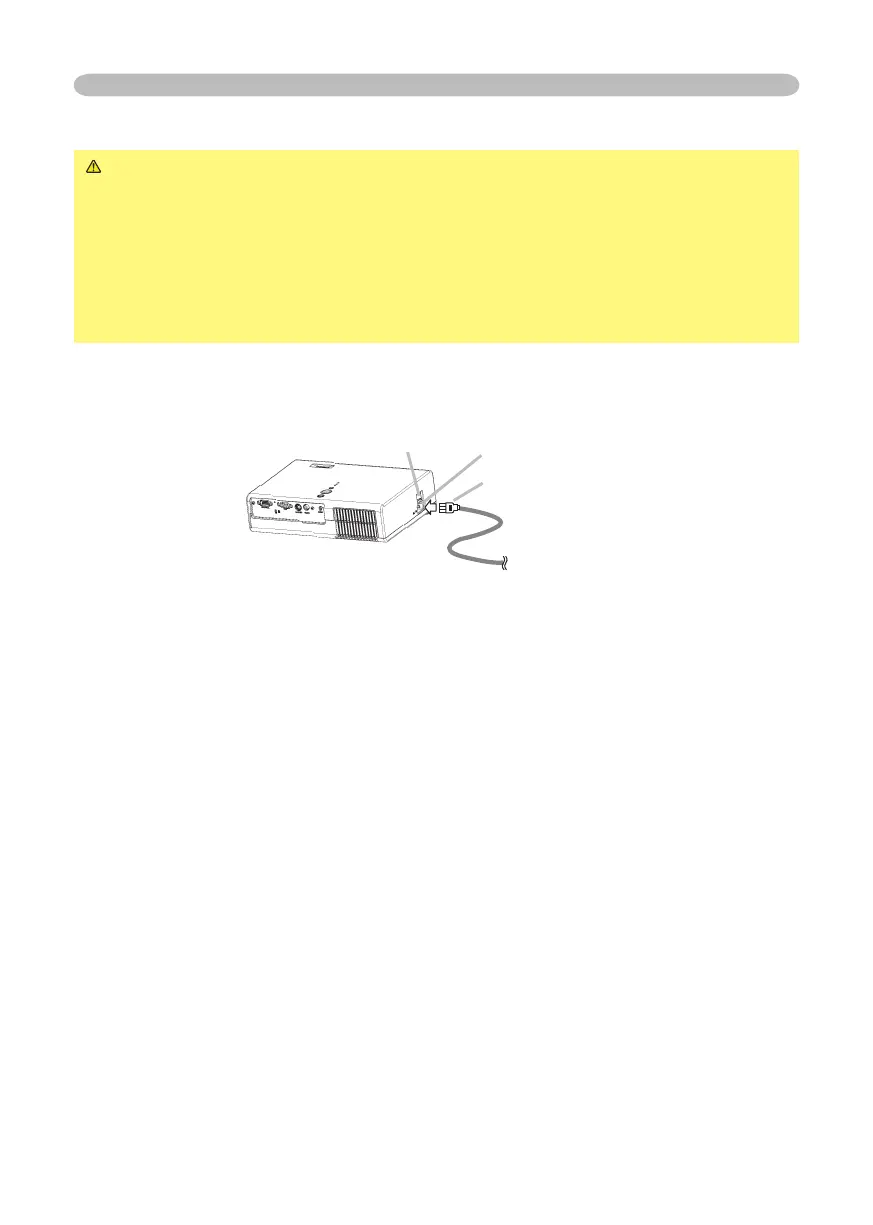
Before connecting, make sure that the power switch is the OFF position (pressed
the side marked “O”).
1.
Connect the connector of the power cord to the AC inlet of the projector.
2.
Firmly plug the power cord's plug into the outlet.
Setting up
Power switch
AC inlet
Connector of the power cord
© 3M 2005. 3M™ Digital Projector S15/X15



 To Next Page