Multifunctional settings
IMAGE menu
Item Description
ASPECT
Using the buttons ▲/▼ switches the mode for aspect ratio.
At a RGB signal
4:3
16:9
NORMAL
At a video signal / no signal
4:3
16:9
• The NORMAL mode keeps the original aspect ratio of the signal.
• At a HDTV component video signal of 1125i (1080i) or 750p (720p),
this item can’t be chosen.
• Performing the automatic adjustment initializes the aspect ratio
setting.
OVER SCAN
Using the buttons ▲/▼ adjusts the over-scan ratio.
Large (It reduces picture)
Small (It magnifies picture)
• This item can be chosen only at a video signal.
• When this adjustment is too large, certain degradation may appear
at the frame area of the picture. In such a case, please adjust small.
• The number displayed on the menu during this adjustment is just
for your reference , and might not be exact display ratio.
V POSITION
Using the buttons ▲/▼ adjusts the vertical position.
Up
Down
H POSITION
Using the buttons ▲/▼ adjusts the horizontal position.
Left
Right
H PHASE
Using the buttons ▲/▼ adjusts the horizontal phase to eliminate
flicker.
Right
Left
• This item can be chosen only at a RGB signal or a component
video signal (except 525i (480i) and 625i (576i)).
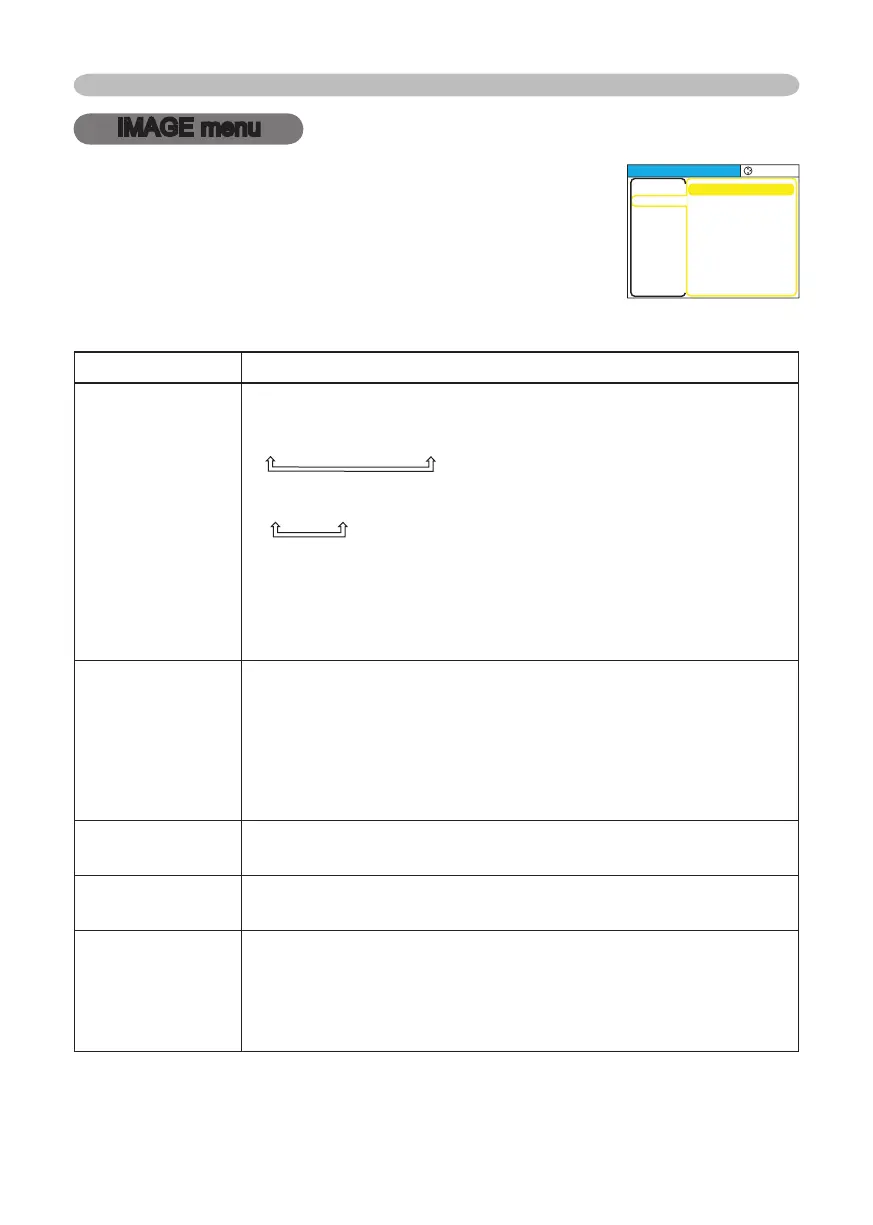
With the IMAGE menu, items shown in the table below can
be performed.
Choose an item using the cursor buttons ▲/▼ on the
projector or remote control, and press the cursor button ►
on the projector or remote control, or the ENTER button on
the remote control to progress. Then perform it referring to
the following table.
MENU
[
RGB
]
:SELECT
PICTURE
IMAGE
INPUT
SETUP
SCREEN
OPTION
EASY MEN
U
ASPECT
OVER SCAN
V POSITION
H POSITION
H PHAS
E
H SIZE
AUTO ADJUST EXECUTE
4:3
95
25
142
16
1344
© 3M 2005. 3M™ Digital Projector S15/X15



 To Next Page