Multifunctional settings
SETUP menu
Item Description
ZOOM
Using the buttons ▲/▼ adjusts the zoom (magnifying power).
Large
Small
KEYSTONE
Using the buttons ▲/▼ corrects the keystone distortion.
Upper in the data
Lower in the data
• The adjustable range of this function will vary with the type of input
signal. At some signals, this function may not work well.
• When the V:INVERT or the H&V:INVERT is selected under the
item MIRROR, if the projector screen is inclined or if the projector is
angled downward, this function may not work correctly.
• When the zoom adjustment is set to the TELE side, this correction
may be excessive. This function should be used with zoom set to
WIDE whenever possible.
WHISPER
Using the buttons ▲/▼ turns off/on the whisper mode.
NORMAL
WHISPER
• When the WHISPER is selected, acoustic noise and screen
brightness are reduced.
MIRROR
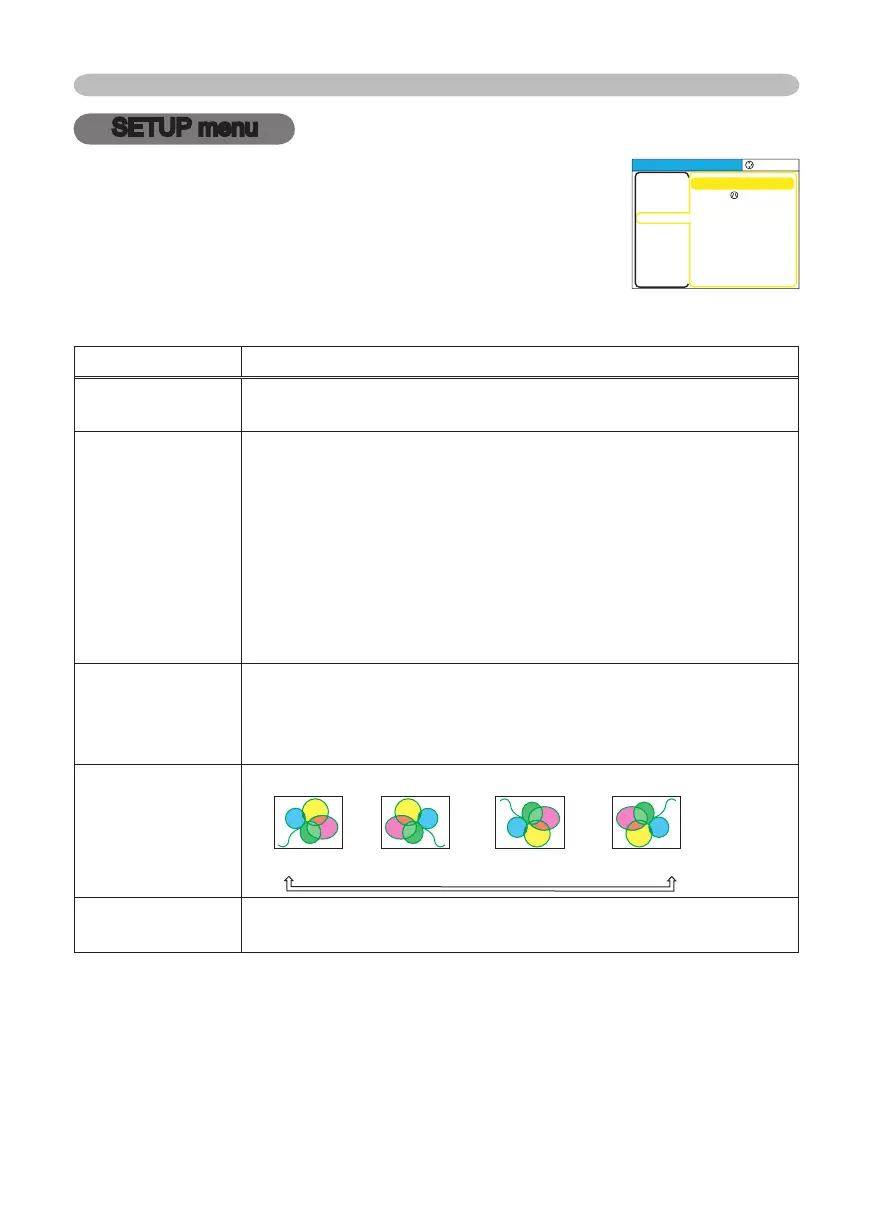
Using the buttons ▲/▼ switches the mode for mirror status.
NORMAL
H:INVERT
V:INVERT
H&V:INVERT
VOLUME
Using the buttons ▲/▼ adjusts the volume.
High
Low
With the SETUP menu, items shown in the table below can
be performed.
Choose an item using the cursor buttons ▲/▼ on the
projector or remote control, and press the cursor button ►
on the projector or remote control, or the ENTER button on
the remote control to progress. Then perform it referring to
the following table.
MENU
[
RGB
]
:SELECT
ZOOM
KEYST
ONE
WHISPER
MIRROR
VOLUM
E
100
+0
NORMAL
NORMAL
16
PICTURE
IMAGE
INPUT
SETUP
SCREEN
OPTION
EASY MEN
U
© 3M 2005. 3M™ Digital Projector S15/X15



 To Next Page