Copyright © 2017, 4ipnet, Inc. All rights reserved. All other trademarks mentioned are the property of their respective owners.
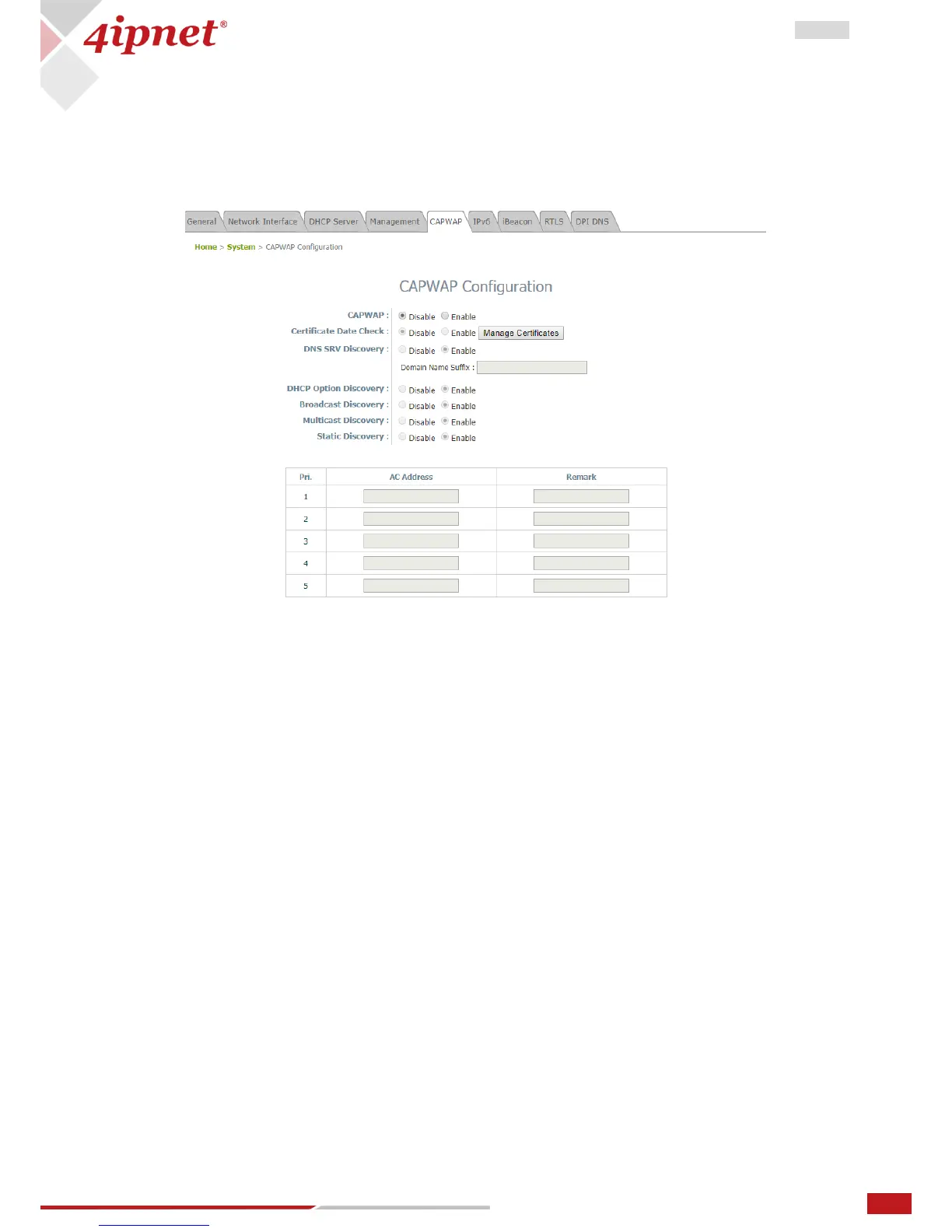
3.5 CAPWAP
CAPWAP is a standard interoperable protocol that enables a controller to manage a collection of wireless
access points. There are 5 methods of auto AP discovery, namely DNS SRV, DHCP option, Broadcast,
Multicast, and Static.
CAPWAP: Enable or Disable the CAPWAP feature.
Certificate Date Check: To enable this item, select Enable and click Manage Certificates to enter the
Upload Certificate page. Please refer to the section 4.4.5 Upload Certificate.
DNS SRV Discovery: Using DNS SRV to discover acess controller.
- Domain Name Suffix: Enter the suffix of the access controller, such as example.com.
DHCP Option Discovery: Using DHCP option to discover access controller.
Broadcast Discovery: Using Broadcast to discover access controller.
Multicast Discovery: Using muticast to discover access controller.
Static Discovery: Using Static approach to discover access controller.
- AC Address: The IP address of the access controller. If it can not discover the first AC, it will try to
discover the second AC.



 To Next Page