User Manual ENGLISH
EAP/OWL-Series Wave 2 Enterprise Access Point
Copyright © 2017, 4ipnet, Inc. All rights reserved. All other trademarks mentioned are the property of their respective owners.
9. Hardware Overview
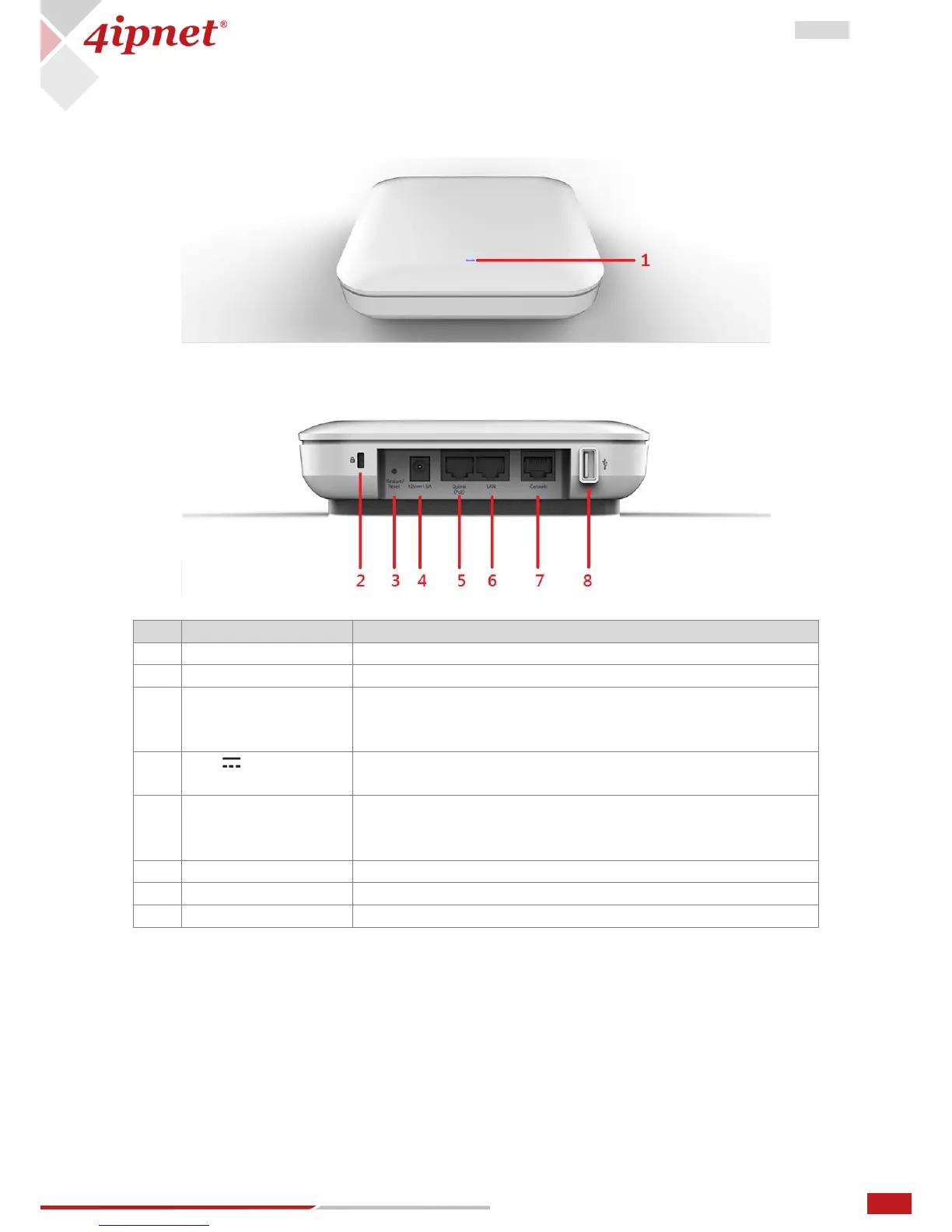
EAP737
Font View
Side View
The LED indicator to show the AP status.
For use with Kensington lock for anti-theft purpose.
Press and quickly release it to restart the AP; to reset the AP to
factory default settings, press and hold it for more than 5
seconds.
The power socket to attach the power adapter.
RJ-45 port for uplink Ethernet connection and for PoE in. It is
the default port that can pass all VLAN traffic to an uplink
device (e.g. VLAN switch).
RJ-45 port for Ethernet connection with downlink devices.
RJ-45 port for connection to the Console Interface of the AP.
USB interface reserved for future use.



 To Next Page